Choose your external hard drive HDD
10 TB
Choose the better hard drive with sturdy protection
SanDisk Professional G-Drive
Better model
- Be the first to know when this product is in stock
10 TB
Better model
Product number | 834812 | |
|---|---|---|
Manufacturer code | WDBWLG0100HBK-EESN | |
Brand | Western Digital | |
Processing of your defect | Via Coolblue | |
Old product returned for free |
Total storage capacity | 10 TB | |
|---|---|---|
Cache memory | 0 MB | |
Hard drive size | Desktop HDD | |
Hard drive type | 3.5 inches | |
Formatted for operating system | Windows |
Shockproof | ||
|---|---|---|
Dustproof | ||
On/off switch | ||
Backup feature | ||
Protected memory (USB) | ||
Recommended for use | Making a backup, Store photos and videos |
Width | 4,8 cm | |
|---|---|---|
Depth | 13,5 cm | |
Height | 16,6 cm | |
Weight | 1000 g | |
Color | Black | |
Material | Plastic |
USB port | ||
|---|---|---|
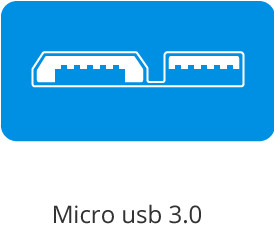
Type of USB port | Micro USB-B (3.0 form) | |
USB version | USB 3.2 Gen 1 | |
Thunderbolt connector |
Current product
255,-
366,-
292,-
403,-
327,-
10 TB
8 TB
8 TB
10 TB
8 TB
Windows
ChromeOS, Linux, Mac, Windows
Linux, Windows
3.5 inches
3.5 inches
3.5 inches
3.5 inches
3.5 inches
Total storage capacity | 10 TB | |
|---|---|---|
Hard drive type | 3.5 inches | |
Formatted for operating system | Windows | |
Type of USB port | Micro USB-B (3.0 form) | |
USB version | USB 3.2 Gen 1 | |
Backup feature | ||
Color | Black | |
Hard drive size | Desktop HDD |
According to our external hard drive HDD expert
10TB storage space is sufficient for more than 250 HD films or 1 million photos of 10MB.
Thanks to the USB 3.0 connection, the drive works up to ten times faster than USB 2.0.
This disc is plug and play. Connect it to your Windows device and it works immediately.
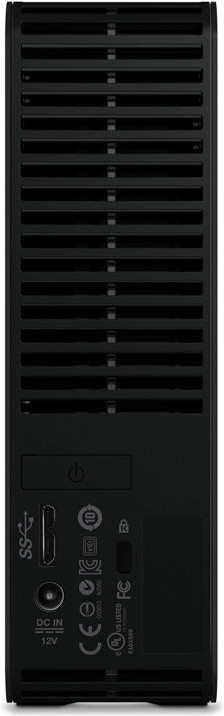
The hard drive isn't powered via the USB cable, but via an extra power cable.
This hard drive doesn't have hardware encryption with password security.
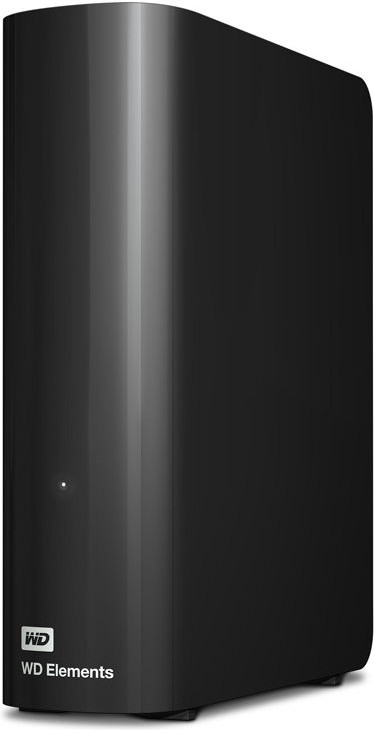
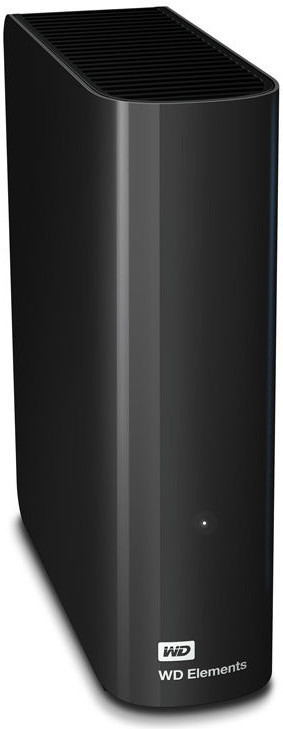
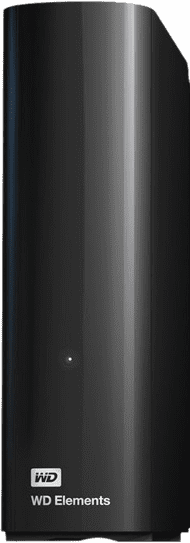
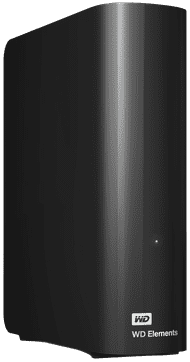
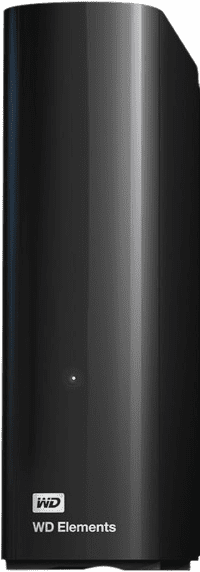
Save all your precious photos, documents and media files with the WD Elements Desktop 10TB. Thanks to its slim design, this 3.5-inch external hard drive takes up little space on your desk. The Elements Desktop is specially designed for Windows computers, but also works with Apple devices when you format the drive. Back up your entire PC without installation, or transfer your movie collection and holiday photos so that they are safe. You transfer your data via USB 3.0, which is up to 10 times faster than USB 2.0. A USB 3.0 cable is included. In addition, the disk is shock-resistant. So once he falls off the table, your files remain undamaged.
Reliability
Speed
Price-quality ratio
The WD Elements Desktop is an external hard drive with an enormous amount of storage space that I primarily use as a fixed storage solution on my desk. Thanks to its high capacity, I can effortlessly store large quantities of photos, videos, and backups. I connect the drive via USB and use it directly on my Windows PC without any additional installation.
Plenty of storage space for large files With capacities reaching up to 18 terabytes, I have more than enough space for my files. I use the drive mainly for large media files, such as 4K videos and extensive photo libraries. Full system backups also fit on it easily. As a result, I don't have to worry about running out of storage. When transferring files, I notice that the speed remains stable. I transfer large folders of videos in a relatively short time. The speed averages around 100 to 150 megabytes per second, which is normal for a desktop hard drive. This is fast enough for daily use and backups.
For a fixed workspace The WD Elements Desktop is clearly intended for a fixed location. Due to its larger size and external power cable, I don't often take it with me. On my desk, however, it works very well because the drive sits firmly and doesn't shift easily. I use this hard drive primarily as central storage. For example, for projects I work on regularly or as a backup for important files. The drive makes little noise and remains relatively cool during use.
Handy backup options I use the WD Elements Desktop mainly to back up my files. In combination with Western Digital software, I can easily set up automatic backups. This ensures that my important documents, photos, and videos are regularly saved without me having to think about it myself. This works particularly well on my Windows PC, where I select specific folders that are automatically backed up. For Mac, I use Time Machine after formatting the drive, which also works smoothly. This ensures that my files are stored safely and that I can quickly restore them if something goes wrong. As a result, the drive is suitable not only for storage but also as a reliable backup solution for daily use.
Giorgos. HDD specialist.
29 May 2026
Automatically translated from Nederlands
You can't say anything about reliability after a week.. I've had WD HD's that gave up after a month and a year, but also that have still been soliciting happily for 11 years.. What immediately struck me was the considerable vibration of the box. I already have a foam rubber mat under it .. very disturbing. Furthermore, it jumps into sleep mode really quickly and of course it takes a few seconds to get out (long enough to call it disturbing) It is connected to a Mac (in hindsight I would have preferred to have it attached to my Linux server with EXT filesystem) but re-installing 8tb... you don't just do that! Mac has been having a hard time with Samba shares for quite some time now .. so accessing remotely is possible but with a bit of nonsense (not WD's fault) Ultimately, I'm afraid this disc won't last long. Vibration is not a positive property of a hard disk.
Roel Koster
12 March 2021
Automatically translated from Nederlands
Hi, A disclaimer in advance: this review has nothing to do with my procrastination of to do's that are more important than writing this review. Here we go. In recent years I have collected a shtload (pardon my french) of documents. I'll be honest, I'm a digital hoarder/collector. Admitting is the first step. Even my msn conversations I once copied to txt and even those I still have. Notes from my law studies, sound clips for my mp3, pixel-countable photos, you name it. Previously I had 2 separate 1 Tb hard drives plus my laptop contents. They are all full now. That's why I bought the 10 TB. It is quite a light box, silent (for now), and, as usual, easy to connect. If you want to transfer a large stream of files, in my case, it doesn't mean it will be much faster (read: 19 hours) because the speed also depends on the laptop port you use. Otherwise very happy with the extra space ;) .
Raouia B.
17 July 2022
Automatically translated from Nederlands
Temporarily sold out