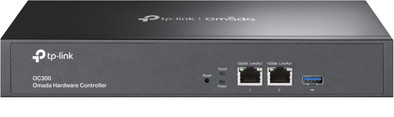
TP-Link Omada OC300 Controller
Never available again
View alternatives in the sidebar
View alternatives in the sidebar
According to our access point controller expert
Manage TP-Link Omada access points, routers, and switches via the cloud.
You can easily add new network devices to your network.
You can make backups on a USB flash drive.
The cloud controller only works with a TP-Link Omada and Jetstream equipment.
Product number | 874750 | |
|---|---|---|
Manufacturer code | OC300 | |
Brand | TP-Link | |
Processing of your defect | Via Coolblue | |
Old product returned for free |
Suitable for brand line | TP-Link Omada | |
|---|---|---|
Maximum number of stations | 500 | |
Saving function | ||
Backup battery |
The OC200 replaces TP-Link's eap software. No need for a computer that has to work day and night. Management of the OC200 can be done internally but also externally via the Omada app or website. I expected that with the OC200 you could change the captive portal url to a domain instead of an ip address.
Ryan Voorspoels
3 March 2019
Automatically translated from Nederlands
was looking for a device to manage my APs and fast roaming. This device does that just fine
maurice wijshof
1 November 2018
Automatically translated from Nederlands
The product is very pleasant. There is no need to leave a PC on and it can always be accessed.
M de Kruijf
13 November 2018
Automatically translated from Nederlands