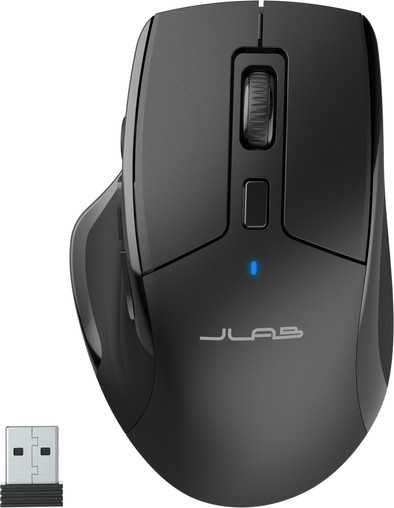
JLab JBuds Wireless Bluetooth Mouse
Never available again
View alternatives in the sidebar
View alternatives in the sidebar
How large is a mouse exactly? It's often difficult to see on a photo. That's why we thought of the thumb rule below.
Choose a mouse that takes up more than half of the surface of the dimensions of your hand. You can find the dimensions of the mouse under the specifications.
Your hands are often 2 times longer from your wrist to the tip of your middle finger than that it's wide from your little finger to the knuckle of your thumb. The closer the length and width a mouse come to 60% of the length and width of your hands, the more likely it is that the mouse feels comfortable in your hand.

Product number | 952285 | |
|---|---|---|
Manufacturer code | IEUMJBMOUSERBLK124 | |
Brand | JLAB | |
Processing of your defect | Via Coolblue | |
Old product returned for free |
Mouse model | Standard | |
|---|---|---|
Input | Optical | |
Number of buttons | 7 | |
Ergonomic design | ||
Type of ergonomics | Not ergonomic | |
Left or right-handed | Right-handed | |
Maximum dots per inch (DPI) | 2400 dpi | |
Adjustable DPI | ||
Mouse controls | Buttons | |
Suitable for gaming | ||
Rechargeable | ||
Programmable buttons | ||
Number of programmable buttons | 6 | |
Lighting peripherals | ||
Silent mouse | ||
Mouse surface | Matte surface |
Connection type | Wireless | |
|---|---|---|
Bluetooth version | 5.0 | |
Nano receiver | ||
Number of devices that can be paired | 1 - 3 | |
Type of USB port | USB-C | |
Cable length | 1 m |
Plug and Play | ||
|---|---|---|
Compatible with operating system | ChromeOS, Windows, iPadOS, macOS |
Power supply type | Rechargeable battery, USB port PC/laptop | |
|---|---|---|
Battery level indicator | ||
Replaceable battery | ||
Battery included |
Color | Black | |
|---|---|---|
Mouse size | Small | |
Width | 7,4 cm | |
Height | 4 cm | |
Depth | 11,5 cm | |
Material | Plastic | |
Finish | Matte and glossy | |
Weight | 99 g |
Our digital expert will help you, but it can sometimes make mistakes, like humans do.
According to our mouse expert
You can view all the details of your mouse on the OLED screen of the mouse.
Thanks to the silent buttons, you won't be bothered by clicking sounds and work more concentrated.
You can easily switch between windows and programs with the thumb buttons.
This mouse is only suitable for right-handed users.
Because the optical sensor works less well on smooth surfaces than a laser sensor, we recommend a mouse pad.
Wireless design, many possibilities to connect and set precisely. of the many buttons I only use the basic ones, left right click and scroll. Precise setting is necessary to make it work the way you want. On a wooden surface not always precise, so mouse pad needed again.
wout
17 October 2024
Automatically translated from Nederlands
The mouse does what it's supposed to do and works well. I ended up returning two because the (I suspect sensors) in the mouse constantly made a high-pitched beep when using it, which I could still hear in my bed at night. If you're not sensitive to it or work in a busy environment, the mouse is perfectly fine, but you'll work in complete silence. Then Piiiiiieeeeeeep
Anouk
25 August 2025
Automatically translated from Nederlands
I'm happy. My hand feels good on it.
Emine
3 September 2025
Automatically translated from Nederlands
