


73,-
In stock
No accessories
Product number | 956532 | |
|---|---|---|
Manufacturer code | 8T6L8AA#ABB | |
Brand | HP | |
Processing of your defect | Via Coolblue | |
Old product returned for free |
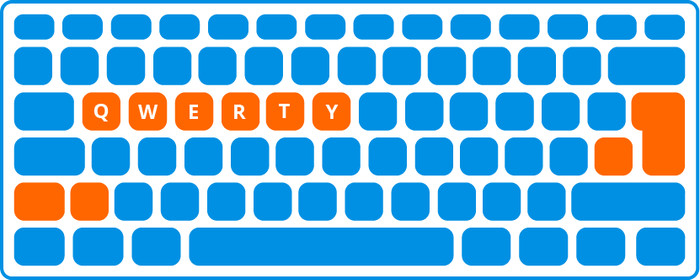
Keyboard layout | QWERTY | |
|---|---|---|
Geographic keyboard layout | NL layout | |
Physical keyboard layout | ISO | |
Typing comfort | High-end | |
Backlit keyboard | ||
Spill-resistant | ||
Programmable keys | ||
Multimedia shortcuts | ||
Flat keys | ||
Suitable for gaming | ||
Mechanical keyboard | ||
Type of keys | Membrane |
Connection type | Wireless | |
|---|---|---|
Type of wireless connection | USB and Bluetooth | |
Nano receiver |
Keyboard size | 100% (Complete) | |
|---|---|---|
Keyboard composition | Keyboard | |
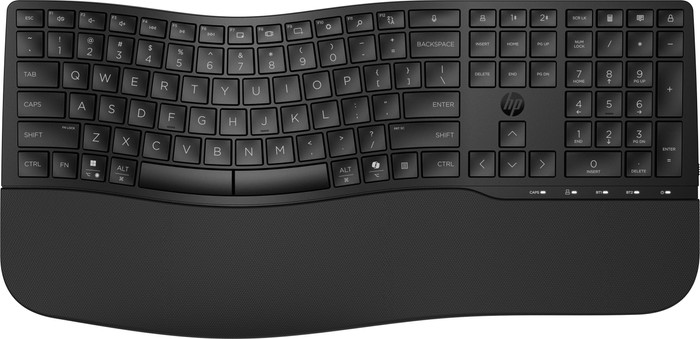
Type of ergonomics | Wavy design | |
Ergonomic design | ||
Height | 3,52 cm | |
Width | 44,23 cm | |
Depth | 21,44 cm | |
Wrist rest | ||
Color | Black | |
Weight | 0,84 kg |
Gaming keyboard suitable for activity type | Long gaming sessions, On the go and LAN parties | |
|---|---|---|
Gaming keyboard suitable for game type | All-round games, MMORPG & MOBA |
Power supply type | Rechargeable battery |
|---|
Coolblue takes care of everything, from taking out an insurance to repairs
For almost all accidents
More coverage in case of damage than your standard warranty
No deductible
First, add your keyboard to your shopping cart. On the next page, choose the Protection Plan below. You always have a 30-day return window and pay no deductible in case of damage.
2-year Protection Plan
7,99
one-time3-year Protection Plan
9,99
one-time
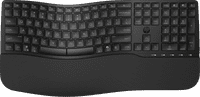
Since I started using the HP 680 Comfort Dual-Mode Wireless Keyboard, I’ve really noticed a difference in comfort and ease of use. The first thing I noticed was the ergonomic design. The gentle waveform and soft wrist rest make typing much more comfortable, especially during long work sessions. My wrists feel less tired, which is a big plus.
What makes this keyboard extra convenient for me is the dual-mode connectivity. I often work on multiple devices at once, and with one press of a button I can seamlessly switch between my laptop and tablet via Bluetooth or the USB dongle. No more hassle with multiple keyboards or extra cables.
Another big plus is how quiet the keys are. I type quite quickly, and with my previous keyboard the tapping sounded annoying sometimes, especially in the evenings. This keyboard feels responsive without making noise. The 23 programmable keys are a nice addition, especially since I like to use shortcuts for frequently used apps and functions.
Of course, there are a few minor drawbacks. The keys aren’t backlit, which can be a pain when I’m working in a dark space. The keyboard also runs on AA batteries instead of a rechargeable battery. Luckily, they last up to 36 months, but I would have preferred a built-in rechargeable battery.
Overall, I’m very happy with the HP 680 Comfort. It combines ergonomics, silence, and versatility, making it ideal for anyone who spends a lot of time behind a keyboard. Highly recommended for anyone looking for a comfortable and efficient typing experience!
geronimo2636
10 March 2025
Automatically translated from Nederlands
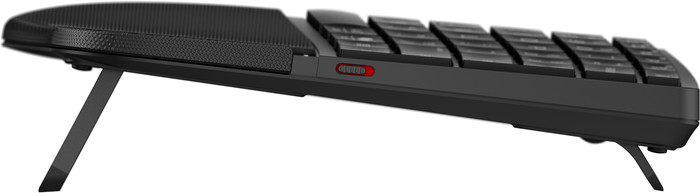
This HP keyboard can be connected to the computer via Bluetooth. A wire is no longer necessary. This keyboard is much better for my wrists and my working posture. I have less trouble with my wrists while typing. The keyboard has silent keys and is therefore perfect for an open-plan office. The price-quality ratio is fine. The keyboard is not expensive and the quality is good. The keyboard is adjustable. It can be set higher and lower. I use it every day during my work. I think I will use this keyboard for a long time. I recommend it if you find that normal keyboards are not comfortable to type on.
Kuiper
19 December 2024
Automatically translated from Nederlands
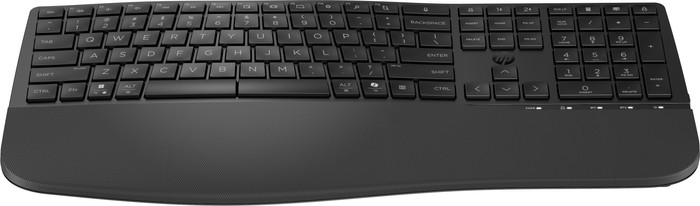
Bought this keyboard as a replacement for my old Microsoft Comfort Curve 3000. Unfortunately I only looked at the pictures and not at the picture for the key layout. There is an extra key for both the shift on the left and the enter on the right. On my laptop I don't have this problem with my long fingers, but unfortunately I do because of the curve on this keyboard. It is a large keyboard because of the solid wrist rest, unfortunately too big for my desk layout.
Rian
9 January 2025
Automatically translated from Nederlands
Our digital expert will help you, but it can sometimes make mistakes, like humans do.
According to our keyboard expert
Thanks to the ergonomic design and wrist rest, you can type comfortably and you don't get strained hands and wrists as fast.
With the Copilot key, you have quick access to useful AI functions on your device.
Because of the silent keys, you can keep working and you're not bothered by tapping noises.
The keyboard doesn't have backlit keys, so you might make more typos in the dark than with a backlit keyboard.
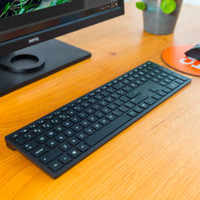
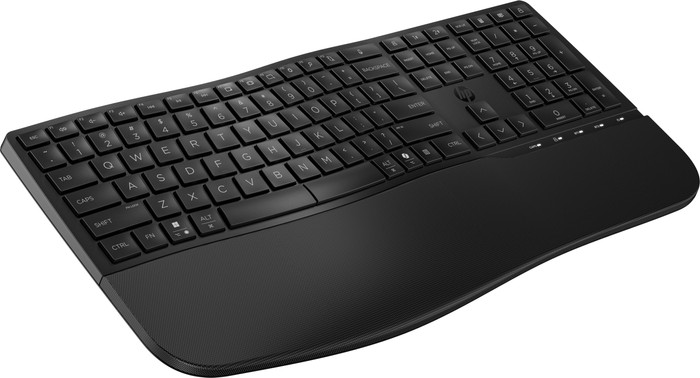
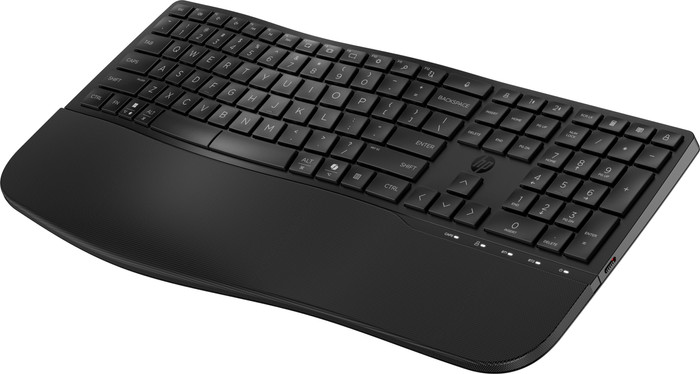
With the wireless HP 680 Comfort Dual Mode Keyboard EURO, you can type silently, comfortably, and without input lag. Connect the keyboard via Bluetooth or with the USB-A dongle and get started right away. Thanks to the wavy design and the wrist rest, you keep your hands and wrists in a natural position. You can adjust the keyboard in height at the wrist rest and at the top of the keyboard. This way, you can decide which is the most comfortable for you. You won't get distracted while typing, because the keyboard has silent keys. Want to work even more productively? Press the Copilot key and use useful AI functions right away. That way, you can quickly get answers to your questions, personalize your apps, or get started creatively with your texts and images.
73,-
In stock
Current product

Keyboard
Keyboard, Numpad
Keyboard
Keyboard
Keyboard
ISO
ANSI
ANSI
ANSI
ANSI
73,-
66,-
75,-
80,-
75,-