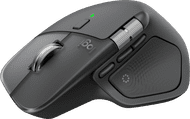
HP 780M Ultra-Fast Scroll Wireless Mouse





5 stars
33
4 stars
18
3 stars
2
2 stars
0
1 star
0
I find the HP 780M Ultra-Fast Scroll Wireless Mouse to be a great mouse for long workdays behind a laptop or PC. It fits comfortably in the hand, works on up to 3 devices, and has a handy horizontal scroll wheel. As a result, I notice a big difference compared to a standard mouse while working. The mouse is a bit large for small hands, but it is a good size for most hands.
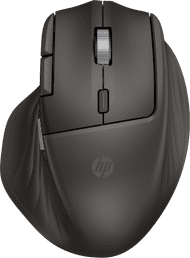
First Impression The mouse feels sturdy and looks more sophisticated than a simple entry-level model. What strikes me immediately is the shape. I notice right away that this is a model made for comfortable, long-term use thanks to the ergonomic design. Installation is easy. I connect the mouse via Bluetooth or with the included USB-A receiver and get started right away. What I find handy is that I can use it on 3 devices simultaneously. That is nice when I switch between, for example, my work laptop and my home computer. This way, I always use the same mouse. While working, I especially notice how handy the extra functions are. In addition to a normal scroll wheel, this mouse also has a horizontal scroll wheel. I find this particularly useful for wide spreadsheets or pages where I move back and forth a lot. The 6 programmable buttons are also nice, because I set shortcuts on them and work faster as a result.
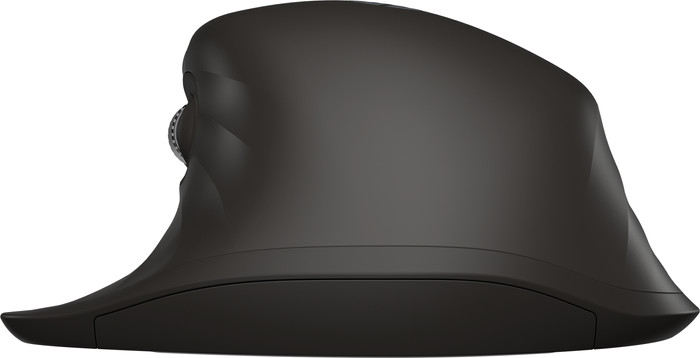
Ergonomic working What I personally consider the biggest plus is the ergonomic design. During prolonged use, I notice that my hand rests more comfortably than with a flat, standard mouse. As a result, I get less tired in my hand or wrist. My hand isn't very big, but it feels like I have to try harder to reach the 2 side buttons. That is why I recommend this mouse mainly for average or larger hands. As far as I am concerned, the HP 780 is a very good choice for anyone who likes extra functions on their mouse and wants to work faster.
Elaine. Muizen specialist.
13 May 2026
Automatically translated from Nederlands
Wow, what a great mouse! I've never had a mouse that felt so comfortable in my hand and responded so instantly to my commands. And it has so many features—almost too many for everyday use. If you have small hands or are left-handed, using this mouse might be a bit tricky, but for me, it's a top-notch product!
Eva
19 January 2026
Automatically translated from Nederlands
A very pleasant mouse to work with. It fits well, and I have fairly large hands, but it's comfortable to use. I work for a large organization, and I can't install external software on my laptop. I can't install the HP Accessory Center, so I can't fully utilize it. Another drawback is that if you forget to charge the mouse, it won't work. I always brought batteries with my old wireless mouse. Now I just have to keep a close eye on the battery level ;-)
Chris
6 January 2026
Automatically translated from Nederlands
Our digital expert will help you, but it can sometimes make mistakes, like humans do.
According to our mouse expert
Work comfortably: the ergonomic design keeps your arm, hand, and wrist in a natural position.
More freedom of movement: because the mouse is wireless, you can use it anywhere.
Keep a USB port free: thanks to Bluetooth, you can connect the mouse to your computer without a USB dongle.
Not for left-handed people: you won’t find this right-handed mouse comfortable to use if you’re left-handed.
Not for glass: the optical sensor doesn’t work well on reflective surfaces such as glass.
81,-
81,-
Product number | 973141 | |
|---|---|---|
Manufacturer code | B8YX3AA#ABB | |
Brand | HP | |
Processing of your defect | Via Coolblue | |
Old product returned for free |
Mouse model | Standard | |
|---|---|---|
Input | Optical | |
Number of buttons | 6 | |
Ergonomic design | ||
Type of ergonomics | Standard ergonomic | |
Left or right-handed | Right-handed | |
Maximum dots per inch (DPI) | 6000 dpi | |
Adjustable DPI | ||
Mouse controls | Buttons, Scroll wheel | |
Suitable for gaming | ||
Scroll fast | ||
Rechargeable | ||
Programmable buttons | ||
Number of programmable buttons | 6 | |
Lighting peripherals | ||
Silent mouse | ||
Horizontal scrolling | ||
Mouse surface | Any surface | |
Product family | 780M |
Connection type | Wireless | |
|---|---|---|
Type of wireless connection | USB and Bluetooth | |
Bluetooth version | 5.0 | |
Nano receiver | ||
Number of devices that can be paired | 3 | |
Average battery life | 720 hours | |
Type of USB port | USB-C | |
Cable length | 1,3 m |
Plug and Play | ||
|---|---|---|
Compatible with operating system | ChromeOS, Windows, iPadOS, macOS |
Power supply type | Rechargeable battery, USB port PC/laptop | |
|---|---|---|
Battery level indicator | ||
Replaceable battery | ||
Battery included |
Color | Black | |
|---|---|---|
Mouse size | Medium | |
Width | 9,8 cm | |
Height | 4,5 cm | |
Depth | 12,3 cm | |
Material | Plastic | |
Finish | Matte and glossy | |
Weight | 123 g |
Current product
Wireless
Wireless
Wireless
Wireless
Wireless
Black
Black
Gray
Gray
Black
81,-
114,-
121,-
132,-
113,-
In stock
In stock
How large is a mouse exactly? It's often difficult to see on a photo. That's why we thought of the thumb rule below.
Choose a mouse that takes up more than half of the surface of the dimensions of your hand. You can find the dimensions of the mouse under the specifications.
Your hands are often 2 times longer from your wrist to the tip of your middle finger than that it's wide from your little finger to the knuckle of your thumb. The closer the length and width a mouse come to 60% of the length and width of your hands, the more likely it is that the mouse feels comfortable in your hand.

Coolblue takes care of everything, from taking out an insurance to repairs
For almost all accidents
More coverage in case of damage than your standard warranty
No deductible
First, add your mouse to your shopping cart. On the next page, choose the Protection Plan below. You always have a 30-day return window and pay no deductible in case of damage.
2-year Protection Plan
7,99
one-time3-year Protection Plan
8,99
one-time