Welcome to your environment! You can order everything from your assortment with your personal budget here.

You can always return to the normal Coolblue website by clicking here.

Your outstanding budget (incl. VAT) is always visible here, so you know exactly how much you can spend.

Coolblue home

Help with your product
Sony PlayStation 5 DualSense Edge + Stick Module
0 reviews

With the Sony PlayStation 5 DualSense Edge + Stick Module, you're never bothered by stick drift again. Does your joystick deviate a bit, so your screen moves during gaming? Easily replace your joystick with the stick module. The DualSense Edge controller has adjustable controls. This way, you can give your own spin to it. You can easily save your profile, so you can switch between the different settings of the controller. Personalize the buttons to your own taste. Adjust the triggers and joysticks, swap the joystick buttons, or change the buttons on the back of the controller. With this controller, you'll always have an advantage over your opponents. There are 3 different types of joystick caps included. Choose the caps that fit you best, so you can game comfortably. It's also easy to adjust the length of your triggers. This way, you don't have to press the button down as far during shooter games, so you'll always react faster than your opponents.

Read all tips here

Which product do you want to see articles about?

How do you fix PlayStation controller stick drift?

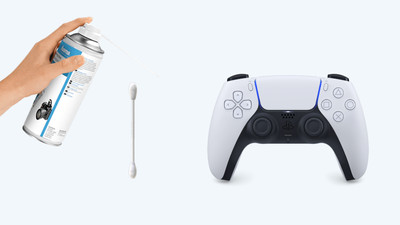
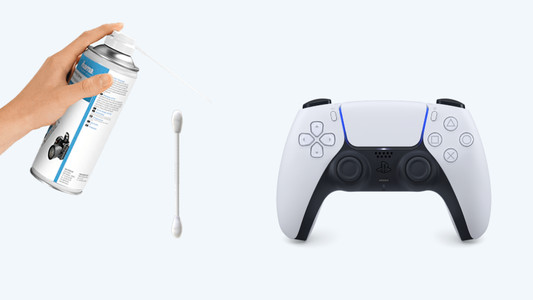
Stick drift on your PlayStation controller is a common problem. Controllers with stick drive seem to be moving on their own when you open the map in Warzone, for example, or when your character walks by themselves. Luckily, there are a number of solutions to get rid of stick drift. You can reset the controller, for example. In this article, we'll explain how to solve the stick drift of your DualShock or DualSense controller yourself.

How do you fix PlayStation controller stick drift?

Stick drift on your PlayStation controller is a common problem. Controllers with stick drive seem to be moving on their own when you open the map in Warzone, for example, or when your character walks by themselves. Luckily, there are a number of solutions to get rid of stick drift. You can reset the controller, for example. In this article, we'll explain how to solve the stick drift of your DualShock or DualSense controller yourself.

How do you fix PlayStation controller stick drift?

Stick drift on your PlayStation controller is a common problem. Controllers with stick drive seem to be moving on their own when you open the map in Warzone, for example, or when your character walks by themselves. Luckily, there are a number of solutions to get rid of stick drift. You can reset the controller, for example. In this article, we'll explain how to solve the stick drift of your DualShock or DualSense controller yourself.

How do you fix PlayStation controller stick drift?

Stick drift on your PlayStation controller is a common problem. Controllers with stick drive seem to be moving on their own when you open the map in Warzone, for example, or when your character walks by themselves. Luckily, there are a number of solutions to get rid of stick drift. You can reset the controller, for example. In this article, we'll explain how to solve the stick drift of your DualShock or DualSense controller yourself.

How do you fix PlayStation controller stick drift?

Stick drift on your PlayStation controller is a common problem. Controllers with stick drive seem to be moving on their own when you open the map in Warzone, for example, or when your character walks by themselves. Luckily, there are a number of solutions to get rid of stick drift. You can reset the controller, for example. In this article, we'll explain how to solve the stick drift of your DualShock or DualSense controller yourself.

How do you fix PlayStation controller stick drift?

Stick drift on your PlayStation controller is a common problem. Controllers with stick drive seem to be moving on their own when you open the map in Warzone, for example, or when your character walks by themselves. Luckily, there are a number of solutions to get rid of stick drift. You can reset the controller, for example. In this article, we'll explain how to solve the stick drift of your DualShock or DualSense controller yourself.

Didn't find your answer?

Find an answer to your question quickly and easily via our customer service.

Coolblue specialist
Personal chat Digitalk.
You're now chatting with Coolblue customer service
This chat is closed
foo
Oeps File size is larger than 5MB. Upload a smaller file.