Welcome to your environment! You can order everything from your assortment with your personal budget here.

You can always return to the normal Coolblue website by clicking here.

Your outstanding budget (incl. VAT) is always visible here, so you know exactly how much you can spend.

Coolblue home

Help with your product
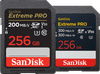
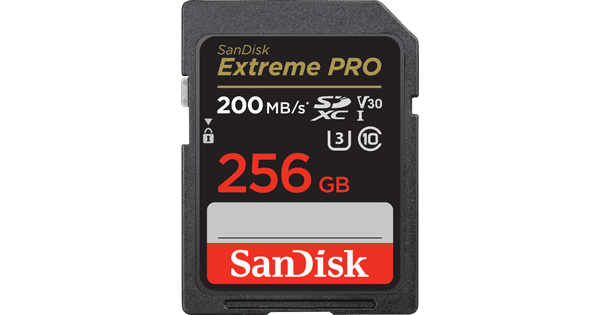
SanDisk SDXC Extreme Pro 256GB 140MB/s Duo Pack

Store photos, videos, maps, and more on the 2 SanDisk SDXC Extreme Pro 256GB 140MB/s Duo Pack memory cards. For example, you can take both cards with you on your trip, so you'll have enough space for almost 500,000 Full HD photos or 6,500 RAW photos. You can also use 1 of the memory cards to store backups or your offline maps. These memory cards have UHS Speed Class 3 and Video Speed Class 30 certifications. This lets you record multiple videos in a row. In addition, these cards have a write speed of 140 megabytes per second. This way, you can take photos and record videos in 4K. Thanks to the 200 megabytes per second read speed, you can open files very fast. This way, you can get started in Adobe Photoshop or Premiere Pro right away. The card is also protected against high and low temperatures, X-rays, splashes, and electrical shocks, among other things. This keeps your photos and videos well protected.

Read all tips here

How do I format my SD card?

Have you noticed that your SD card has become slower when processing information? Or doesn't the card work in the device that you want to use it for? It's time to format or clean your SD card. In this article, you can read what ways there are to format your memory card and how you do it.

How do I format my SD card?

Have you noticed that your SD card has become slower when processing information? Or doesn't the card work in the device that you want to use it for? It's time to format or clean your SD card. In this article, you can read what ways there are to format your memory card and how you do it.

How do I format my SD card?

Have you noticed that your SD card has become slower when processing information? Or doesn't the card work in the device that you want to use it for? It's time to format or clean your SD card. In this article, you can read what ways there are to format your memory card and how you do it.

How do I format my SD card?

Have you noticed that your SD card has become slower when processing information? Or doesn't the card work in the device that you want to use it for? It's time to format or clean your SD card. In this article, you can read what ways there are to format your memory card and how you do it.

How do I format my SD card?

Have you noticed that your SD card has become slower when processing information? Or doesn't the card work in the device that you want to use it for? It's time to format or clean your SD card. In this article, you can read what ways there are to format your memory card and how you do it.

How do I format my SD card?

Have you noticed that your SD card has become slower when processing information? Or doesn't the card work in the device that you want to use it for? It's time to format or clean your SD card. In this article, you can read what ways there are to format your memory card and how you do it.

Didn't find your answer?

Find an answer to your question quickly and easily via our customer service.

Coolblue specialist
Personal chat Digitalk.
You're now chatting with Coolblue customer service
This chat is closed
foo
Oeps File size is larger than 5MB. Upload a smaller file.