Written by Kasper
Edited on
21 March 2025
·
16:32
My desktop doesn't have an image signal, what do I do?
You have a desktop with a video card, but when you connect a monitor, the monitor doesn't transmit an image. Annoying. Often, this has to do with the ports you connect the monitor to. In this article, we'll explain what to do when your desktop doesn't transmit an image signal.
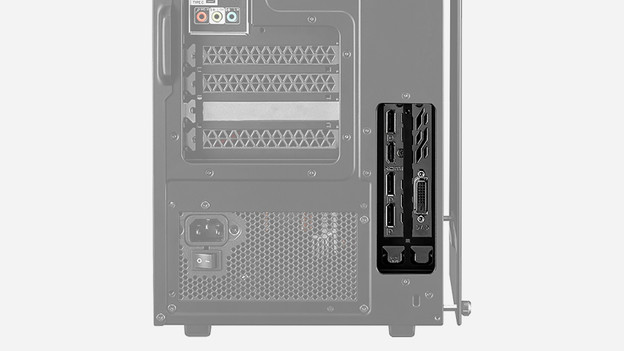
Which connectors should you use?
A desktop with a video card has connections on both the motherboard and the video card. If a PC doesn't have a video card, it uses the connectors on the motherboard to transmit a signal. If it does have a separate video card, these ports don't work and you need to use the ones on the video card. Otherwise, you won't get an image. Check if you're using the ports on the motherboard and use the connectors on the video card if you aren't already using them.
Other solutions for the problem
If you still don't get an image after you properly connected to the right ports, check if the cables aren't loose. If this is also okay, you still have the option to update the drivers. Old drivers can give complications for image rendering. You can do this via 'Device manager' in Windows. Doesn't this work either? There's probably a hardware defect and it's wise to connect a new monitor to the desktop.
Article by Kasper
Desktop Expert.