Written by Bob
Edited on
13 December 2023
·
08:38
How do you choose a wireless charger for your iPhone 14, iPhone 13, or iPhone 12?
Do you want to charge your iPhone 14, 13, or 12 wirelessly? There are various suitable chargers. With a MagSafe charger, you can charge your iPhone extra fast. Choose an Apple charging dock to also charge your other Apple devices. Or choose a MagSafe car mount and attach your iPhone to a phone mount. We'll help you choose the right charger.
Choose a wireless charger
For the iPhone 14, 13, and 12, Apple has the special MagSafe accessory series. This way, there are different wireless chargers to choose from for the iPhone 14, iPhone 13, or iPhone 12, than for older iPhone models. Ask yourself the following:
- Do you want to charge extra fast with MagSafe?
- Do you also need a charger for your Watch and/or AirPods?
- Wo you want to charge wirelessly in the car?
Compare wireless chargers
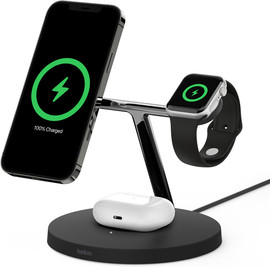
- Belkin 3-in-1 MagSafe wireless charger
Charge up to 50% within 1 hour.
For your iPhone, Apple Watch, and AirPods.
Your iPhone stands upright while charging.
From
156,-
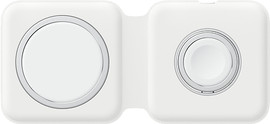
- Apple duo MagSafe wireless charger
Charge up to 50% within 1 hour.
For your iPhone and Apple Watch.
Easy to take with you.
From
156,-
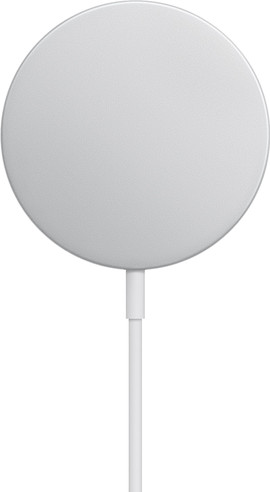
- Apple MagSafe wireless charger
Charge up to 50% within 1 hour.
Just for your iPhone.
Use your iPhone while charging.
From
35,99
Fast charge with MagSafe
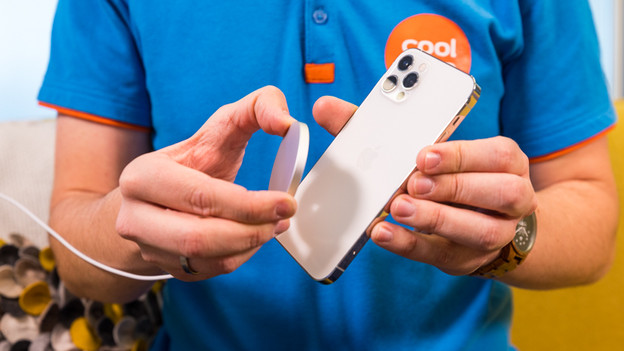
All Apple iPhone 14, 13, and 12 models support MagSafe. Thanks to the magnet in your iPhone, you can attach special MagSafe accessories like wireless chargers easily to your device. With a 15W Apple MagSafe charger, you can also charge your iPhone extra fast. You'll need 1 hour to charge an empty battery for about 50%. There are also slower 7.5W MagSafe chargers. With these, it takes about 1.5 hours to charge for 50%, just like non-MagSafe chargers.
Charge multiple Apple devices
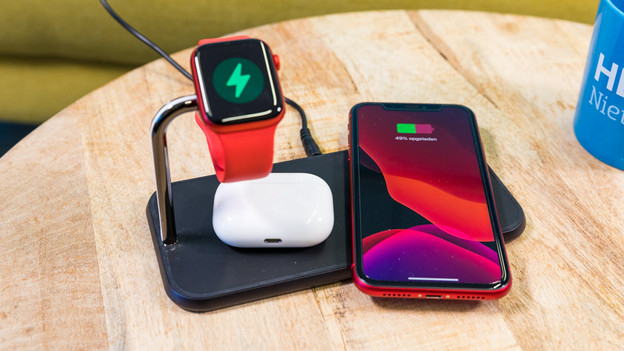
On a wireless charging dock, you can charge your iPhone, Apple Watch, and AirPods at the same time. Such a charging dock looks less messy on your nightstand than 3 separate chargers. You'll have a charger with a Watch holder for your Apple Watch. You can simply put your AirPods on a standard charging spot, just like your iPhone. Check if you can charge your AirPods wirelessly beforehand. The box that that came with the 1st and 2nd generation AirPods doesn't support wireless charging.
Wireless charging in the car
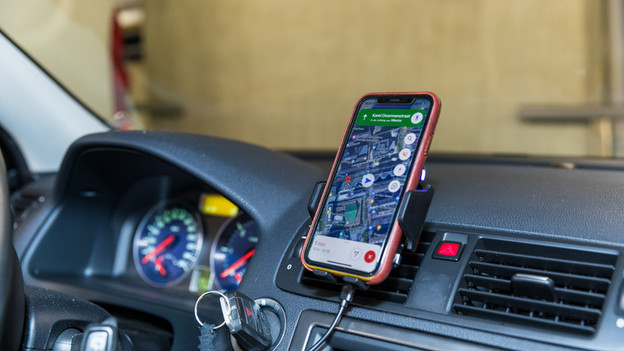
Do you often use your iPhone in the car for navigation or music? Charge your device on the go with a phone mount with wireless charging. This way, you'll reach your destination with a full battery. Choose a MagSafe car mount to charge extra fast. In addition, you can attach your iPhone 14, 13, and 12 magnetically, thanks to MagSafe. With other phone mounts you have to fix your iPhone in place with clamps.
Article by Bob
Wireless Charger Expert.