Written by Laszlo
Edited on
27 February 2025
·
15:41
How do you get your MSI laptop to cool more silently?
Your asking a lot from an MSI laptop when you perform demanding tasks like editing photos or videos and making 3D designs. This performance heats up the business laptop and turns on the fans. Do you notice that your MSI laptop makes a lot of noise while cooling? We'll explain how to reduce the hard noise in 2 steps.
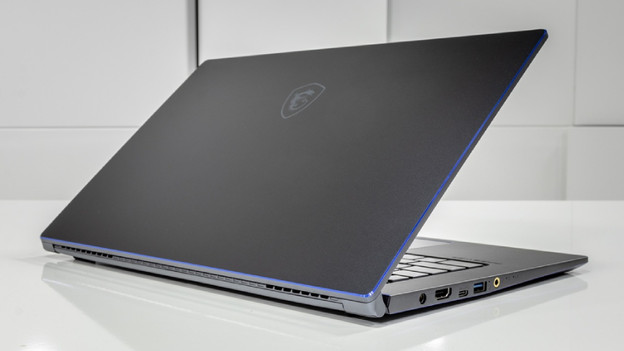
Cool more silently in 2 steps
When you use the MSI laptop intensively, you can hear the fans blow air. You can learn how to reduce the noise with these 2 steps.
- Step 1. Use MSI Center
- Step 2. Select the right profile
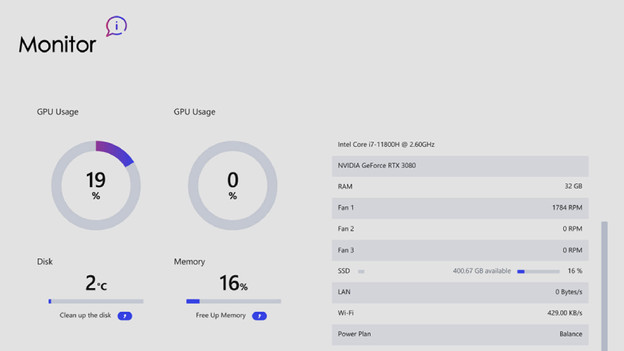
Step 1: use MSI Center
You can easily install the application MSI Center on your business MSI laptop. In this application, you can adjust the settings that improve the performance. You can download MSI Center via the Microsoft Store or via the link below. Follow the clear steps that appear on screen.
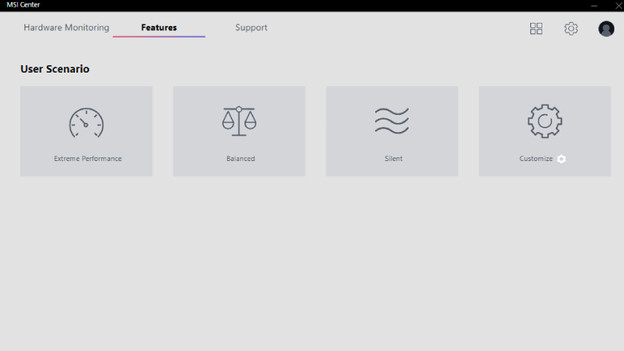
Step 2: select the right profile
- Start MSI Center.
- Click the symbol with the 4 squares in the top right corner of the application.
- Scroll down and install 'User Scenario'.
- Go to the top and click 'Open' for 'User Scenario'.
- Select the profile 'Balanced' for normal use and 'Silent' when you perform more intensive tasks.
- The fans will make less noise now.