
Written by Linde
Edited on
24 May 2024
·
11:05
How do you connect multiple JBL speakers to each other?
You can connect up to 100 JBL speakers wirelessly via Bluetooth. That way, you can increase the volume or listen to stereo sound. In this article, we'll explain how to connect multiple speakers with JBL Connect+ and JBL PartyBoost. Below, you'll see which speakers you can connect and how to do this.
Connecting multiple JBL speakers in 4 steps
We'll now get started with connecting multiple JBL speakers. You can do this in 4 steps.
Step 1: connect the first JBL speaker.
Step 2: prepare the speakers to connect.
Step 3: press the connect button.
Step 4: set up your preferences.
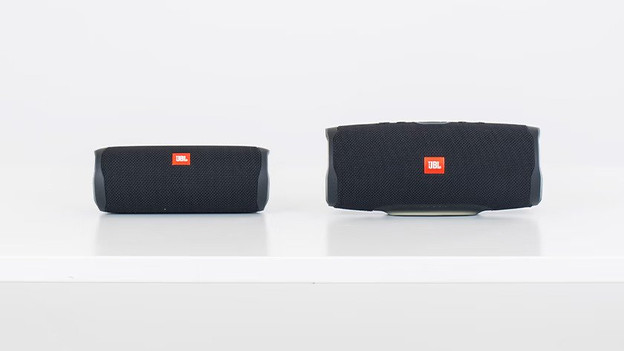
Which speakers can you connect?
JBL Connect+
The following speakers have the JBL Connect+ function and can be connected to each other:
- JBL Xtreme 2
- JBL Flip 4
- JBL Pulse 3
- JBL Charge 4
- JBL Boombox
JBL PartyBoost
The following speakers have the PartyBoost function and can be connected to each other:
- JBL Flip 5
- JBL Flip 6
- JBL Pulse 4
- JBL Pulse 5
- JBL Xtreme 3
- JBL Boombox 2
- JBL Boombox 3
- JBL Charge 5
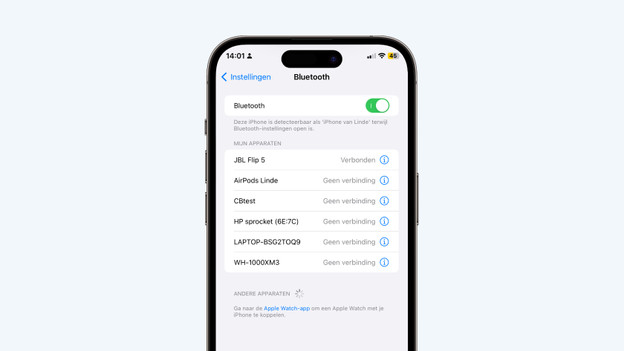
Step 1: connect the first JBL speaker
Via Bluetooth, you should connect the first speaker to your phone. Open the Bluetooth menu on your smartphone and press the Bluetooth button on the speaker. After a couple of seconds, the model name of the speaker will appear in the Bluetooth menu. Click here, so you can set up a connection. The first speaker has now been connected.
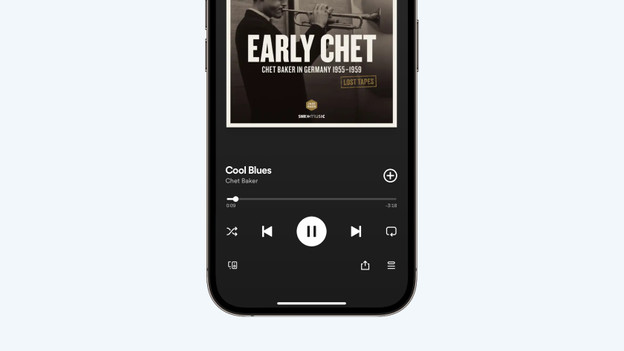
Step 2: prepare the speakers to connect.
-
JBL Connect+: Play a song on your Bluetooth speaker. Use the app you normally use to listen to music to, like Spotify. Check whether you hear sound coming from your speaker.
-
JBL PartyBoost: Download the JBL Portable app. In this app, you'll see which speaker you're connected to. Click PartyBoost at the bottom. Check PartyBoost in the next window, so the first speaker is open to connect with other speakers.
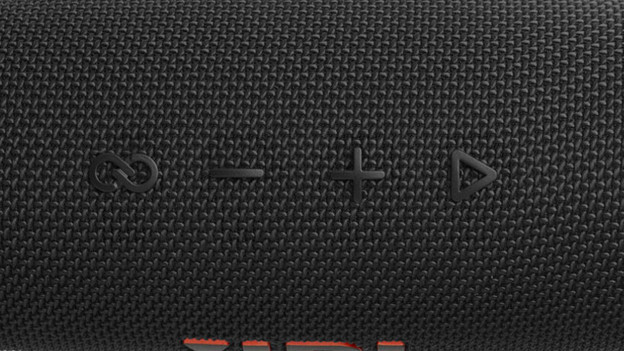
Step 3: press the connect button on all speakers.
Press the connect button on each speaker you want to connect. You'll hear music coming from every speaker within a couple of seconds. The connect button is the leftmost on the image.
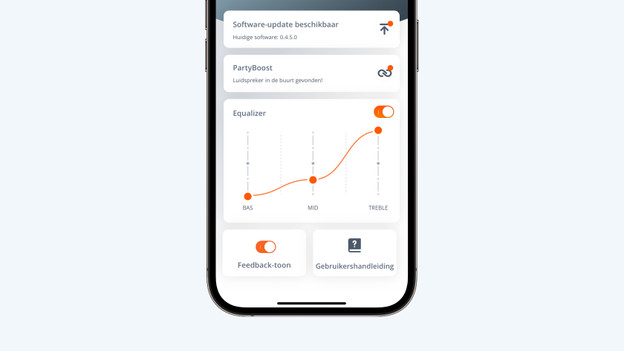
Step 4: set your preferences
With the JBL Portable app, you can adjust the bass, medium tones, and treble. You can also set up stereo sound if you connect 2 of the same models. Thanks to stereo sound, you can enjoy a more spatial audio.
Disconnect
You can now play the sound over 2 or more speakers. Do you want to disconnect a speaker? Press the connect button again. You can also turn off the speaker you want to disconnect.
Article by Linde
Audio Expert.