Written by Stefan
Edited on
24 August 2026
·
09:18
How do you choose an Apple MacBook for technical studies?
Are you pursuing a technical degree, such as civil engineering or IT? Then you need a powerful laptop. With the right MacBook Pro, you can be sure you get the most out of your studies. You can use it for demanding graphics tasks like 3D design and app development. Read this article to find out which MacBook Pro best suits your technical studies.

Do you recognize yourself in this study profile?
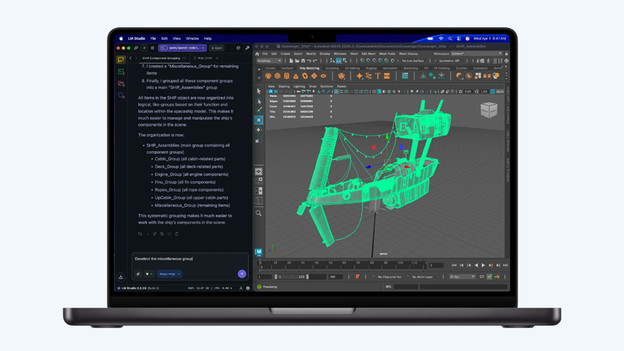
Are you studying something in the IT sector so you can become a software engineer, information analyst, or IT manager? Or are you doing a technical study, such as aerospace engineering or construction? You attend lectures, work on projects with fellow students, and have to do one or more internships. You use demanding graphics programs for your studies. For example, you create 3D models in SolidWorks or develop apps with Xcode. Other common programs for engineering students include Adobe Suite, Maple, and AutoCAD.
Recommended specifications
| Minimum specification | Explanation | |
|---|---|---|
| Processor | Apple M5 Max | With the powerful M5 Max processor, even the most demanding apps and tasks are no problem at all. |
| RAM | At least 36GB | With at least 36GB RAM, you run smoothly in demanding apps and switch between them easily. |
| Storage capacity | At least 1TB | With 1TB storage or more, you can easily save reports, apps, and designs on your MacBook. |
| Screen size | 16 inches | On a large 16-inch screen, you see many details in your files and designs, and multitask more comfortably. |
Our proposal
- With Apple MacBook Pro, you can work seamlessly with the most demanding apps and files.
- Perform complex calculations and develop apps with the Apple M5 Max chip.
- With 32 graphics cores, you can easily edit 3D designs on your MacBook.
- Due to the large 16-inch screen, this MacBook is less convenient to take with you.

4.449,-
Processor and RAM
For technical studies, we recommend at least the Apple M5 Max chip. This is the most powerful MacBook chip, suitable for the most demanding tasks. Choose at least 36GB RAM to ensure you open all your files smoothly and switch quickly between heavy apps. If you primarily develop apps, you don't need much storage space. Do you store many large 3D models? Then choose at least 1TB storage, or purchase an external storage device for your MacBook.
Screen
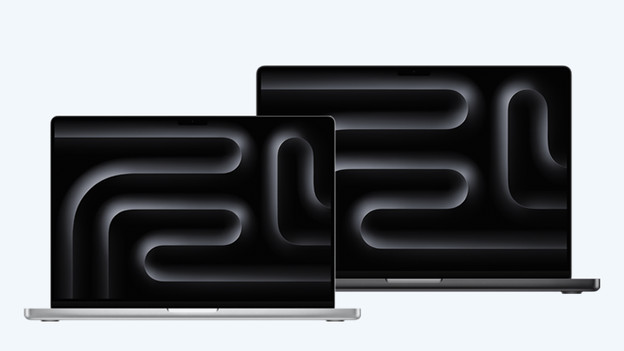
Which screen size suits you best depends mainly on your personal preference. Choose a small 14-inch screen and easily take your MacBook with you in your school bag. On a large 16-inch screen, you see more details in your files, and multitasking is easier. This larger MacBook weighs more than 2kg, making it less convenient to carry around.