Written by Deanne
Edited on
9 October 2026
·
10:59
Advice on the screen quality of your laptop
Based on a number of specifications, we've divided the screen quality of laptops into 3 categories: basic, mid-range, and high-end. That way, you get a better sense of what to expect from the laptop screen.
How do we determine the screen quality?
We determine the image quality based on the panel type, resolution, and brightness. The resolution determines how sharp everything looks on the screen. You can see fewer. details on a Full HD screen than on a Quad HD screen, for example. The panel type determines how all the colors look on the screen. With a standard IPS panel, colors look less vibrant than on an OLED display. The brightness also plays a part. The brighter the screen, the better you can see the image.

Basic: details are less sharp
A laptop with a basic screen is mainly suitable for daily tasks like browsing the internet, sending emails, and text processing. These laptops have an HD+ or Full HD resolution. This allows you to see the image clearly, but images are less sharp. In addition, these laptops have a TN or IPS panel type, so colors look normal on the screen. The brightness is 250 nits at most, so you can't see the screen as well in brightly lit rooms.
A laptop in this category has:
- A screen with an HD+ or Full HD resolution
- A TN or IPS panel
- A brightness of up to 250 nits
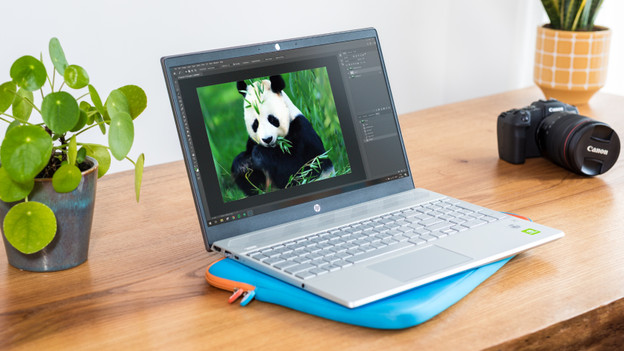
Mid-range: sharper images and vibrant colors
Laptops with a mid-range screen quality are suitable for graphic tasks like photo and video editing. You also see details better while watching movies or series. These laptops have a resolution ranging between Full HD and Quad HD, so you can see details well on the screen. In addition, these laptops have an IPS, OLED, or AMOLED panel type. With an OLED or AMOLED panel type, you can enjoy lifelike colors. And these laptops have a brightness starting at 251 nits. This allows you to see the screen well in brightly lit rooms.
A laptop in this category has:
- A Full HD to up to Quad HD resolution
- An IPS, OLED, or AMOLED panel type
- A brightness starting at 251

High-end: razor-sharp images with lifelike colors
Laptops with a high-end screen quality are convenient if you perform many graphic tasks and edit footage down to every detail. These laptops have a Quad HD resolution at least, so every detail looks razor-sharp on the screen. In addition, these laptops have an IPS, OLED, Mini-LED, AMOLED, Super AMOLED, Liquid Retina, or Liquid Retina XDR panel type. This allows you to see colors clearly, realistically, and vibrantly on the screen. And these laptops have a brightness starting at 251 nits, so you can still see the screen well in the brightest of rooms.
A laptop in this category has:
- A Quad HD resolution or better
- An IPS, OLED, Mini-LED, AMOLED, Super AMOLED, Liquid Retina, or Liquid Retina XDR panel type
- A brightness starting at 251 nits
Article by Deanne
Laptop Expert.