
Written by Rowan
Edited on
1 May 2025
·
11:28
What's Apple Intelligence on an Mac and what can you use it for?
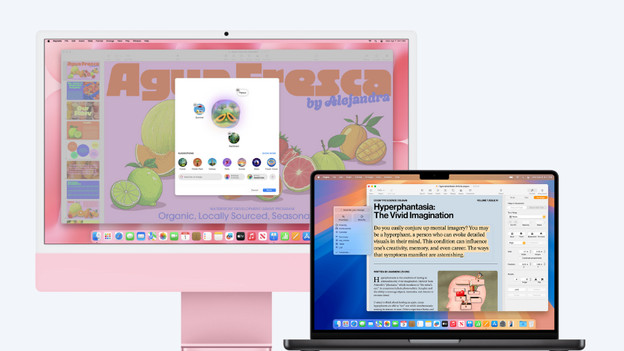
Apple Intelligence is Apple's own version of artificial intelligence. With AI, you can perform useful tasks like summarizing long texts or creating images. These AI functions are also integrated in macOS, so you can get started with AI on your new MacBook or Mac desktop in no time. You can read how AI on your Mac works and what you can use it for here.
Which Mac models have Apple Intelligence?
Apple Mac is the collective name for Apple MacBook, iMac, Mac Mini, and Mac Studio. You can use Apple Intelligence on all Mac models with macOS 15.1 or newer. You also need at least an M1 chip. Apple Intelligence isn't yet available in all languages or regions.

How do you use Apple Intelligence?
If you have the latest macOS version, Apple Intelligence will be turned on automatically. The Apple Intelligence logo will appear automatically in the toolbar when you use Writing Tools. If you want to create new images, you can do so in the new Image Playground app. You can still find Siri in the toolbar, but it has a new look. Can't see these functions, but you do have a new Mac? You can turn on Apple Intelligence manually via the system settings.
Use Writing Tools
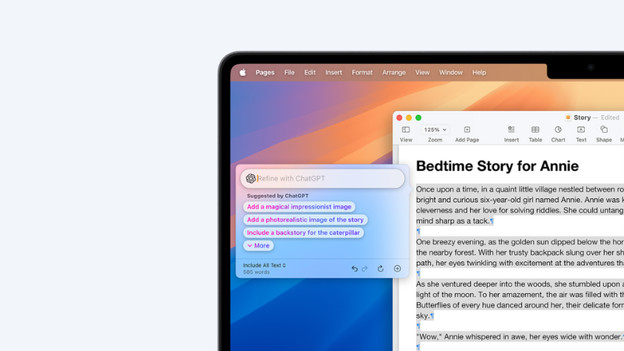
Writings Tools is available anywhere where you write and type. You can use Writing Tools in apps like Notes or Mail, but also in third-party apps or websites.
With Writing Tools:
- you can improve your mistakes in your texts;
- you can rewrite texts;
- you can quickly summarize long texts;
- you can write a new text with the ChatGPT extension.
Creaitivity with images

Genmoji: create your own unique emojis
With Genmoji, you can create your own emojis in a couple of seconds. Write a description in the 'Describe a Genmoji' field and click on 'Add'. Want to use a photo as reference? That's also possible. You can easily add Genmojis to messages or sticker packs.

Image Playground app: create your own images
In the new Image Playground app, you can easily create new images with Apple Intelligence. You simply add a textual description or upload a reference photo. You can use a photo of an animal, location, meal, or person, for example. That way, you can quickly generate a personal image.
Get the most out of your photos with AI
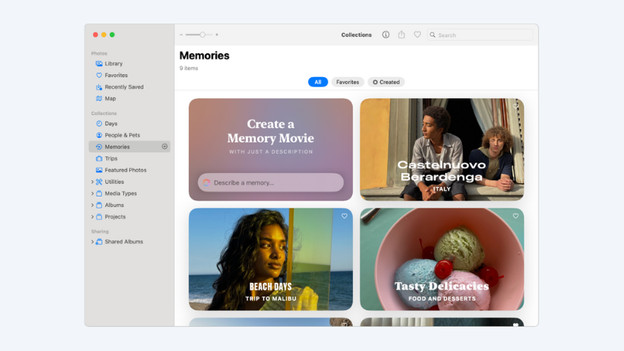
You can also enjoy a couple of useful AI functions in the Photos app. You can look for photos in large albums more accurately, so you can quickly find that one photo. Want to relive a moment? Let AI create a memory movie. The most useful AI function in the Photos app is the Clean Up tool. This tool allows you to quickly remove distracting elements from photos at the press of a button.

Other functions
There are many more other useful AI functions. Siri is renewed, so you get better answers to more difficult questions. You can also use Apple Intelligence for better concentration when you're at work. Do you get a notification? AI makes sure you only see the most important messages. Do you get a long text message? AI can easily summarize the message for you. This is possible in apps like Mail, Messages, and Safari.
Article by Rowan
Apple Expert.
