Written by Elaine
Edited on
1 October 2025
·
11:04
What's Microsoft Copilot?
Microsoft Copilot is the Microsoft AI assistant. It can make summaries and write texts based on AI (Artificial Intelligence), for example. You can use Copilot in various ways. For example, some countries have already integrated it into the well-known Microsoft 365 programs. This can save you lots of time and help you think of new ideas. In this article, we'll tell you what Copilot is and what its advantages are.

What's Copilot?
Copilot is a generative AI tool that's comparable to ChatGPT and uses the same technology. The difference with ChatGPT is that Copilot uses information that's available within your computer, like your presentations, emails, and documents. Because Copilot is built into Office programs, you can mostly improve your productivity with this. Copilot is built into Word, Excel, PowerPoint, OneNote, and Outlook. You do need a Microsoft 365 license for this. You can also use various AI functions in Windows 11 apps like Paint, Snipping Tool, Photos, and Clipchamp.
What's the advantage of Copilot?
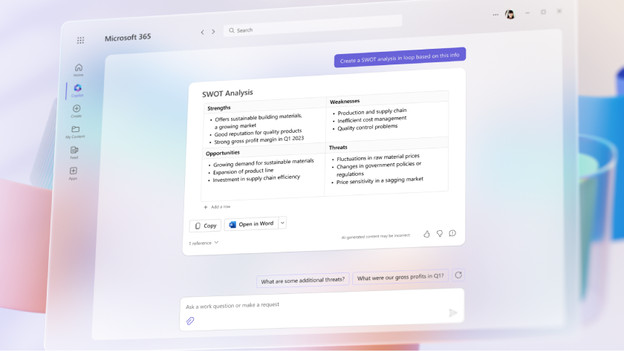
With the Copilot chat function in Bing, you can quickly find the answers to your questions. With the new AI functions in Windows 11, you can change the background in Paint, for example. You can also generate images with Paint Cocreator based on descriptions you enter. You can also easily edit text in a screenshot with AI in the Snipping Tool. You can also increase your productivity with Copilot in Microsoft 365. It's directly compatible with Word, Excel, PowerPoint, Outlook, Teams, and more. Copilot can help with data analyses, give suggestions for texts, and summarize information in PowerPoint presentations. Copilot uses information from Microsoft programs for this, like your calendar and emails.
How do you use Copilot for your work?
Microsoft Word, Excel, and PowerPoint
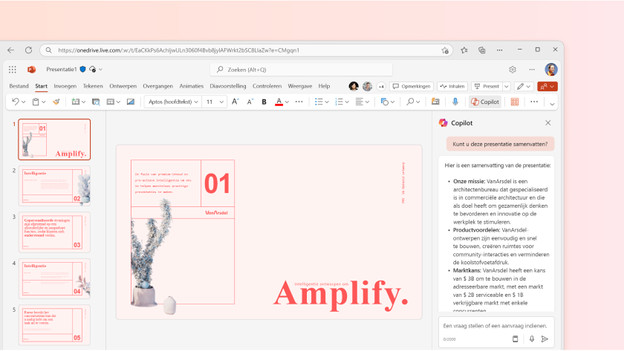
Copilot can help you in every program. It doesn't matter whether you're writing texts, analyzing data, or making a presentation. In Word, it'll set up plans with information from your organization, supplement documents, or summarize texts. In Excel, it'll make new formulas and create models based on your data. In PowerPoint, Copilot can make presentations out of written documents. Would you rather have a much shorter presentation? Copilot will quickly shorten it for you.
Microsoft Outlook
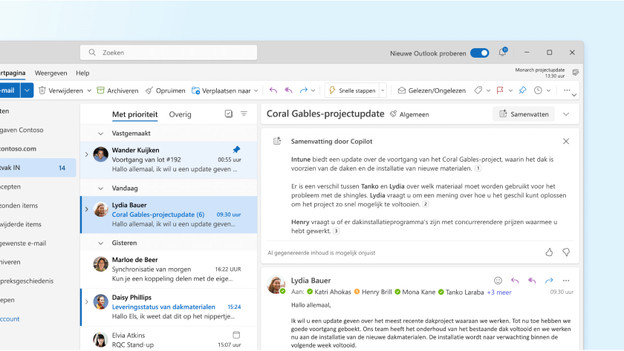
Is your inbox full of emails from lots of people? Copilot can summarize these emails for you and create a list of outstanding questions. That way, you won't forget to answer important questions or emails. Copilot can also create professional emails based on short notes. It uses the available information in all Microsoft 365 programs for this. With Copilot, a chaotic inbox is a thing of the past and you'll have a better overview.
Microsoft Teams
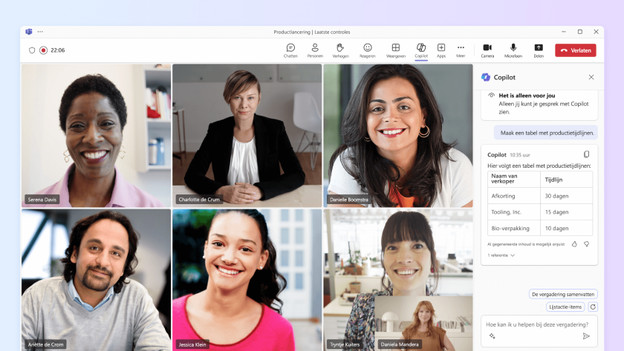
Your meetings become more effective with Copilot, so you can discuss more in the same amount of time. During meetings, Copilot is the assistant that takes notes, summarizes conversations, and writes down action points. You'll also receive suggestions on what you might still be missing input-wise. Did you forget which points were on the agenda? Copilot will create a meeting agenda for you based on your chat history.

How does Copilot protect your privacy?
Your company-sensitive information should be well-protected. Microsoft Copilot in Microsoft 365 only uses data that you give permission for. This is much safer for business use than ChatGPT, for example. Remember that Copilot might give suggestions that aren't entirely correct, just like other AI tools. Always stay critical while you work.
Article by Elaine
Desktop Expert.