Managed switches make it possible to manage the network ports and to enable or disable various advanced options. This way, you keep all control over the network yourself with a managed switch. This is especially useful in a business environment where multiple users are connected to the switch. For example, as the manager of a managed switch, you can set which network traffic has priority, but you also determine which users have access to certain parts of the network.
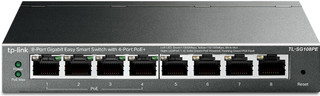
Our choice for a small switch you can install and manage yourself|64 W|Color black|30 W
- You can provide 4 devices with power via the network cable thanks to the PoE ports.
- With this managed switch, you can set up extra functions for the security of your network.
- You can connect up to 7 wired devices with this switch, so they always have the most stable internet connection.
49,99
In stock

Our choice for a switch that lets you extend your Ubiquiti UniFi network|52 W|UniFi|Color white
- In the UniFi app, you can see this switch right away as soon as you connect it to your UniFi network.
- The switch has 4 PoE+ ports, so your connected devices receive power and internet through the same cable.
- You can prioritize your most important devices on the network with Quality of Service.
129,-
In stock
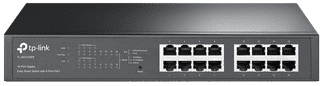
Our choice for a switch for your home office or small workplace|110 W|Color black|8 W
- Thanks to the 16 ports, all your devices in your home office have a fixed network connection.
- Thanks to the PoE ports, access points, cameras, and IP phones receive power via the same cable that supplies internet.
- You can keep your home office tidy because you need fewer separate adapters and cables.
140,-
In stock

Our choice for a switch when you work with multiple colleagues|95 W|UniFi|Color silver
- With 24 ports, you can supply every colleague at the office with a fixed network connection.
- PoE supplies power to phones, cameras, and UniFi access points, so you use fewer separate adapters.
- You only use 1 central switch for the entire office.
481,-
In stock

Our choice for a switch that lets you provide wired internet for a large company|190 W|Color blue|15 W
- Thanks to the PoE ports, your connected devices are powered via the network cable.
- Connect up to 23 devices with this switch and provide them with a stable internet connection.
- You can set up this managed switch to your liking, for example by giving devices priority on your network.
324,-
In stock

Our choice for a switch that allows you to connect devices with a higher consumption.|350 W|UniFi|Color silver
- Thanks to PoE++, you can also provide devices with a high consumption with a PoE connection.
- With 24 ports, you can connect many PCs, cameras, and access points at once.
- With this managed switch, you can set up extra functions for the security of your network.
807,-
In stock