Never available again
View alternatives in the sidebar
View alternatives in the sidebar
How large is a mouse exactly? It's often difficult to see on a photo. That's why we thought of the thumb rule below.
Choose a mouse that takes up more than half of the surface of the dimensions of your hand. You can find the dimensions of the mouse under the specifications.
Your hands are often 2 times longer from your wrist to the tip of your middle finger than that it's wide from your little finger to the knuckle of your thumb. The closer the length and width a mouse come to 60% of the length and width of your hands, the more likely it is that the mouse feels comfortable in your hand.

Product number | 667905 | |
|---|---|---|
Manufacturer code | MLA02ZM/A | |
Brand | Apple | |
Processing of your defect | Via Coolblue | |
Old product returned for free |
Mouse model | Standard | |
|---|---|---|
Input | Laser | |
Number of buttons | 0 | |
Ergonomic design | ||
Type of ergonomics | Not ergonomic | |
Left or right-handed | Left-handed, Right-handed | |
Adjustable DPI | ||
Mouse controls | Touch | |
Suitable for gaming | ||
Programmable buttons | ||
Lighting peripherals | ||
Silent mouse | ||
Horizontal scrolling | ||
Mouse surface | Any surface | |
Product family | Magic Mouse |
Connection type | Wireless | |
|---|---|---|
Bluetooth version | 4.2 | |
Nano receiver | ||
Number of devices that can be paired | 0 |
Plug and Play | ||
|---|---|---|
Compatible with operating system | macOS |
Power supply type | Rechargeable battery | |
|---|---|---|
Rechargeable battery | ||
Battery level indicator | ||
Replaceable battery |
Color | White | |
|---|---|---|
Mouse size | Small | |
Width | 5,71 cm | |
Height | 2,16 cm | |
Depth | 11,35 cm | |
Material | Plastic | |
Finish | Matte and glossy | |
Weight | 99 g |
Connection type | Wireless | |
|---|---|---|
Mouse model | Standard | |
Ergonomic design | ||
Left or right-handed | Left-handed, Right-handed | |
Suitable for gaming | ||
Silent mouse | ||
Depth | 11,35 cm | |
Mouse controls | Touch |
According to our mouse expert
Scroll, swipe, and click on the multi-touch surface without buttons.
The mouse creates a wireless connection via Bluetooth.
Use Apple Magic Mouse 2 on your iPad too thanks to iPadOS.
The mouse doesn't charge while you use it.
The mouse is only suitable for Mac with Bluetooth and OS X version 10.11 or higher.
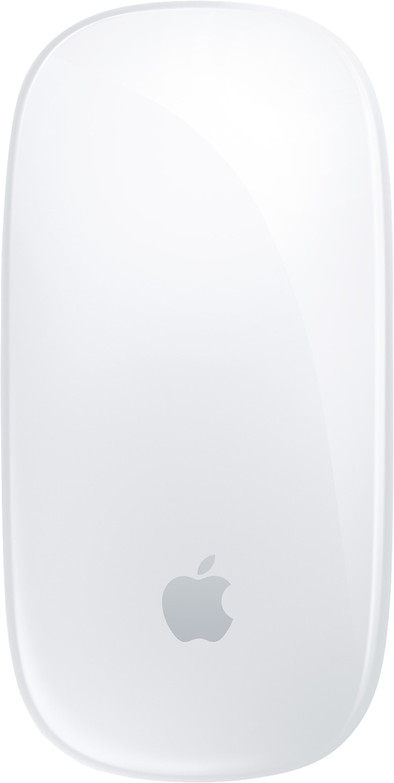
The Apple Magic Mouse 2 lets you easily swipe through webpages, scroll through texts, and navigate your files. Thanks to the soft, multi-touch surface, you can operate this mouse just like a smartphone. Those who prefer more traditional controls can also opt for one or two-button control. The laser tracking mechanism combines optical technology with the precision of a laser. As a result, the Apple Magic Mouse 2 works on any surface. Thanks to the wireless Bluetooth connection, tangled cables are a thing of the past. Add the rechargeable battery and you've got a mouse you can enjoy for many years to come.
This is an original Apple accessory.
Note: this mouse only comes with a USB-A cable. If you want to connect your Magic Mouse wired to a MacBook (from 2015) or MacBook Pro (from 2016), you'll need an additional USB-C converter.
Connection options
Ergonomics
Accuracy
Size
Design
Have always had wired mice. Wanted to make the switch to a wireless mouse much earlier, but found the battery life on the short side. But after trying this mouse once... sold. Recommended!
Charles
1 December 2015
Automatically translated from Nederlands
A mouse with a beautiful design. Exactly as you expect from Apple. Installation took me two seconds; open settings on my MacBook Pro and connect via Bluetooth. From that moment on, the mouse works flawlessly with the MacBook and the battery can last for a long time!
The only obvious flaw is the mouse's ergonomics. It is clear that Apple has focused here on design and functionality, with ergonomics set aside. After some time you will soon feel muscle pain in your hand, which makes it not so pleasant to operate. So get used to it..
Tim
29 April 2016
Automatically translated from Nederlands
Another Apple product that works perfectly and with a beautiful design
ccpp kluiters
20 September 2019
Automatically translated from Nederlands
