Never available again
View alternatives in the sidebar
View alternatives in the sidebar
Product number | 802644 | |
|---|---|---|
Manufacturer code | 90IG0360-BM3000 | |
Brand | ASUS | |
Processing of your defect | Via Coolblue | |
Old product returned for free |
WiFi standards | Wireless AC, Wireless G, Wireless N | |
|---|---|---|
Frequency bands | Simultaneous dual-band | |
5GHz band speed | 433 Mbit/s | |
2.4GHz band speed | 300 Mbit/s | |
Number of WiFi antennas | 2 | |
WLAN security | 802.1X, WEP, WPA, WPA-PSK, WPA2, WPA2-PSK | |
WiFi on/off switch | ||
Number of external antennas | 2 | |
Replaceable WLAN antennas | ||
MAC address filter |
Number of Ethernet ports | 1 | |
|---|---|---|
Wired connector type | Connector (outside device), Port (in device) | |
Connector type | Power connector |
Width | 5,4 cm | |
|---|---|---|
Depth | 3,8 cm | |
Height | 11 cm | |
Weight | 0,1 kg | |
Color | White |
Frequency bands | Simultaneous dual-band | |
|---|---|---|
5GHz band speed | 433 Mbit/s | |
2.4GHz band speed | 300 Mbit/s | |
WiFi standards | Wireless AC, Wireless G, Wireless N | |
WLAN security | 802.1X, WEP, WPA, WPA-PSK, WPA2, WPA2-PSK | |
Number of WiFi antennas | 2 | |
Number of Ethernet ports | 1 |
According to our WiFi repeater expert
Allows you to connect 1 device to the network via the network port.
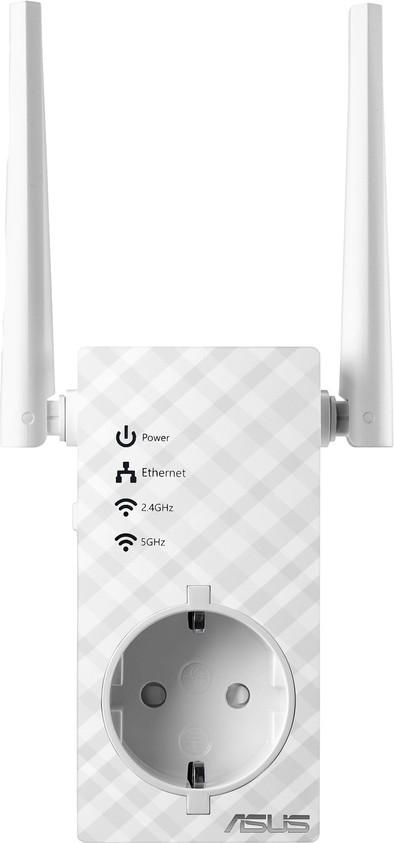
The integrated socket means you won't have to give up one of the sockets in your home.
The LED lights help you find the best socket in your home.
Repeaters only work when they're in a position where the signal emitted by your router is strong enough.
WiFi repeaters reduce the speed of the wireless signal by half.
The Asus RP-AC53 WiFi repeater lets you extend your WiFi signal to a room where your coverage isn't optimal, so that you can also have good coverage in your kitchen or bedroom, for instance. Use the Asus Extender App and the lights on the wireless range extender to find the best place to install the repeater and plug it into the socket. You can connect the extender with your router with 1 press of a button. Do you want to extend the WiFi signal to a place where you have no coverage at all? Connect a network cable to the repeater and set it up as an access point to create a second WiFi network.
Range
Installation ease
User friendliness
Speed
Design
Handy to extend your WiFi signal just that little bit, or to get around the corner. Choose carefully where you place it in relation to your WiFi base station and the intended receiver
David Hermans
20 November 2018
Automatically translated from Nederlands
Simplistic, but still difficult to set up. Disconnects clients regularly
Sune
14 June 2019
Hardly any loss of speed with setting as ap
Bert Strijker
12 June 2020
Automatically translated from Nederlands