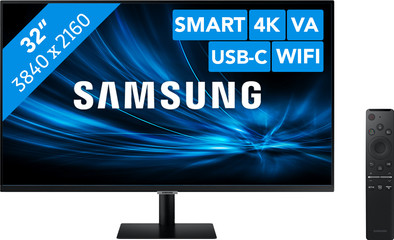
Samsung LS32AM700URXEN Smart Monitor M7
Never available again
View alternatives in the sidebar
View alternatives in the sidebar
Product number | 873957 | |
|---|---|---|
Manufacturer code | LS32AM700URXEN | |
Brand | Samsung | |
Processing of your defect | Via Coolblue | |
Old product returned for free |
Screen size | 32 inches | |
|---|---|---|
Recommended display resolution | 3840x2160 | |
Sharpness | 4K (UHD) | |
Aspect ratio | Standard (16:9) | |
Refresh rate | 60 Hz | |
Response time | 8 ms | |
Panel type | VA panel | |
Brightness | 250 cd/m2 | |
Local dimming | ||
HDR support | ||
Contrast ratio | 3000 | |
Touchscreen | ||
Screen reflection | Anti-glare | |
Blue light filter | ||
Flicker-free technology | ||
Color space | Adobe RGB | |
Color depth | 1 billion colors (10-bit) | |
Adaptive Sync | ||
Resolution width | 3840 pixels | |
Resolution height | 2160 pixels | |
Anti-reflection type | Anti glare | |
Horizontal viewing angle | 178 ° |
Height | 51,7 cm | |
|---|---|---|
Width | 71,6 cm | |
Depth | 19,4 cm | |
Weight | 6,2 kg | |
Color | Black | |
Including stand | ||
Material | Plastic | |
Cable management | ||
Appearance | Neutral | |
Curved |
Number of HDMI connectors | 2 | |
|---|---|---|
Number of USB-C ports | 1 | |
Number of female standard USB-A ports | 2 | |
Female standard USB-A port version | 2.0 | |
Type of USB port | Standard USB-A, USB-C | |
Number of USB ports | 2 | |
Suitable for daisy chaining | ||
USB-C dock | ||
Maximum USB-C dock power | 65 W |
Included by default | HDMI cable | |
|---|---|---|
Not included by default | USB-C cable |
Adjustable in height | ||
|---|---|---|
Tiltable | ||
Pivotable stand | ||
Pivot function | ||
VESA mount option | ||
VESA mount | 100x100mm |
Energy label | G | |
|---|---|---|
Energy consumption standby | 0,5 W | |
Energy consumption active | 54 W |
Built-in speakers | ||
|---|---|---|
Webcam | ||
Split screen | ||
Kensington lock |
Recommended for use | Internet, email, and text processing, Office work, Watching movies in Full HD |
|---|
Sharpness | 4K (UHD) | |
|---|---|---|
Curved | ||
Aspect ratio | Standard (16:9) | |
Refresh rate | 60 Hz | |
Response time | 8 ms | |
Panel type | VA panel | |
Color depth | 1 billion colors (10-bit) | |
Built-in speakers |
According to our monitor expert
You can use this smart monitor with a computer or without it, because it already has an interface installed.
You connect your smartphone to the monitor via Wireless Dex, after which the screen of your phone appears on the monitor.
Thanks to the Smart Hub, you can also use the monitor as a television for watching Netflix when you aren't working.
The monitor doesn't work well together with Mac Mini and MacBook models with an M1 chip.
The Samsung Smart Monitor M7 is a 4K smart monitor which you can also use as a television, thanks to the integrated Smart Hub. You can make a wireless connection with your laptop, desktop, or phone with this monitor. So you can stream a YouTube video or photo from your phone which you can watch in 4K resolution. On top of that, the monitor has Office 365 installed, so you can also use Word and Excel on this monitor. It doesn't have to be installed on your computer or smartphone. When you're done working, switch to the Smart Hub and use the monitor as a television to watch your favorite series on Netflix or HBO. This looks extra nice on the 4K display.
5 stars
60
4 stars
39
3 stars
4
2 stars
2
1 star
2
Very good value for money!
Jan Beeke
21 January 2021
Automatically translated from Nederlands
Nice product, very nice image quality and also very easy to use. Unfortunately, airplay did not give the desired image quality, so connect it with an HDMI cable
Remi Rozemond
5 February 2021
Automatically translated from Nederlands
I had been looking for a multifunctional monitor for some time, for both work and play. Then this monitor works very well. I recommend it for its versatility, netflix, diney+ and all other apps go on it and are fine in terms of image and sound
B. mulders
1 January 2021
Automatically translated from Nederlands