TP-Link Omada EAP615-Wall
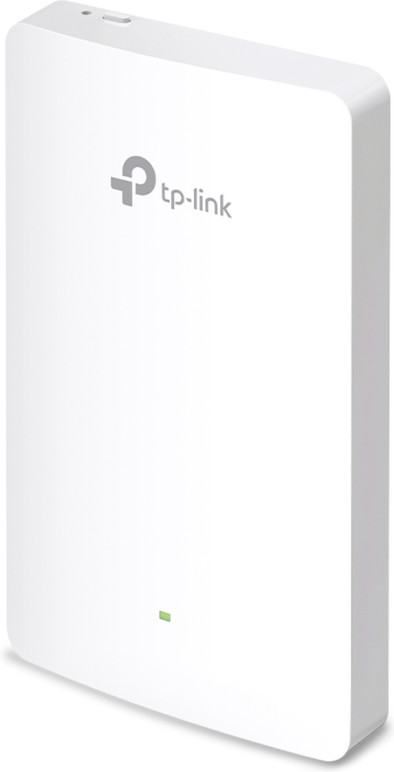
Never available again
View alternatives in the sidebar
View alternatives in the sidebar
Product number | 913124 | |
|---|---|---|
Manufacturer code | EAP615-Wall | |
Brand | TP-Link | |
Processing of your defect | Via Coolblue | |
Old product returned for free |
Suitable for business use in | Small business | |
|---|---|---|
Speed class | Mid-range | |
Number of access points | 1 | |
Quality of Service (QoS) | ||
Suitable for IPv6 | ||
Guest network | ||
Bridge option | ||
Repeater function | ||
IGMP Snooping | ||
Beamforming | ||
Seamless roaming | ||
Can be expanded with extra stations | ||
On/off switch | ||
Mounting possible | ||
Mounting surface | Wall socket |
Fastest WiFi standard | Wireless AX (WiFi 6) | |
|---|---|---|
WLAN security | 802.1X, WEP, WPA, WPA-PSK, WPA2, WPA2-PSK | |
Number of WiFi antennas | 2 | |
Frequency bands | Dual-band | |
WiFi speed | AX1800 | |
5GHz band speed | 1201 Mbit/s | |
2.4GHz band speed | 574 Mbit/s | |
External antennas | ||
Signal transmission | Omnidirectional | |
Antenna connection type | Standard antenna | |
Replaceable WLAN antennas | ||
MAC address filter | ||
MIMO | ||
MU-MIMMO |
Ethernet speed | Gigabit Ethernet (1000Mbps) | |
|---|---|---|
Number of Ethernet ports | 3 | |
WAN ports | 1 | |
PoE support | ||
Type of PoE | 802.3af (PoE), 802.3at (PoE+), 802.3bt (PoE++) | |
Number of PoE ports | 1 |
Type of access point | Indoors | |
|---|---|---|
Material | Plastic | |
Height | 2 cm | |
Width | 14,3 cm | |
Depth | 8,6 cm | |
Color | White |
Type of access point | Indoors | |
|---|---|---|
Fastest WiFi standard | Wireless AX (WiFi 6) | |
Number of access points | 1 | |
Frequency bands | Dual-band | |
Ethernet speed | Gigabit Ethernet (1000Mbps) | |
PoE support | ||
Mounting surface | Wall socket | |
5GHz band speed | 1201 Mbit/s |
According to our access point expert
This access point supports WiFi 6, so you can connect several devices to the WiFi at the same time, and have better coverage.
The access point is powered via the network cable, so you don't need a socket.
You can link multiple access points and control them simultaneously from the cloud.
You'll need suitable devices if you want to use of all of the benefits of WiFi 6.
This access point only works with Power over Ethernet, you need a suitable PoE adapter or switch for this.
Fits perfectly (seamless) in an omada network. Install, log in to the controller environment, adopt and go..
alex
31 July 2023
Automatically translated from Nederlands