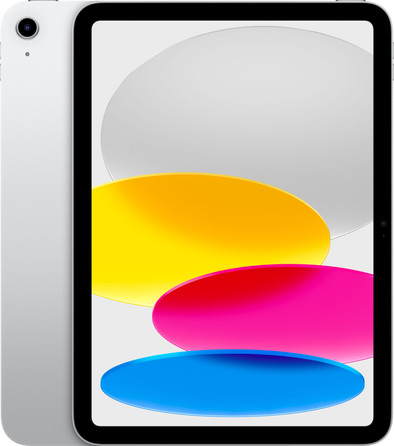
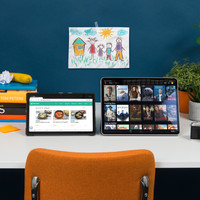
Thanks to the updated design, this iPad (2022) is a stylish gadget for daily use. It's also nice that there is now a Magic Keyboard for the regular iPad, but you have to buy that keyboard and Apple Pencil separately.
Renewed design and multiple colors
The Apple iPad (2022) finally has the updated design that the iPad Pro, Air and Mini already had. That means: no more home button, but only a lock button on top. I thought I had to get used to that, but I got used to it quickly. Touch ID is now in the lock button at the top of iPad and still works just as well as in the home button. iPad (2022) is available in 4 colours. I chose the blue variant; it is actually a bit darker than on the product photos.
Faster processor
I still had an iPad (2019) at home and I notice a real difference in terms of speed with this 2022 model. This is due to the A14 Bionic processor. It's faster and more powerful than the processor in my older iPad. As a result, I can easily and smoothly switch between my different apps. Games also load quickly and I watch animations or series without a hitch. In short: a fast and smooth processor, so a fast and smooth iPad.
Bigger screen and camera in a different place
Thanks to the updated design, the iPad (2022) has fewer black edges around the screen. As a result, it now has a 10.9 inch screen; larger than that of its predecessor. On the clear Liquid Retina screen, I can comfortably binge all seasons of Stranger Things. It takes some getting used to: the selfie camera is no longer at the top of the iPad, but on the long side of the screen. That takes some getting used to during video calling.
Compatible with useful accessories
A nylon USB-C charging cable and a charger are included. That nylon cable is a welcome improvement, because it breaks less quickly than the plastic cables of my old iPad. This 2022 model is compatible with the new Magic Keyboard Folio: a keyboard cover with trackpad. As a result, I can easily type my emails and navigate smoothly between my apps. iPad (2022) also works with the Apple Pencil 1. The Apple Magic Keyboard Folio and Apple Pencil 1 are not included as standard, so you have to purchase them yourself.