Acer Chromebook Plus 515 (CB515-2H-32UH)
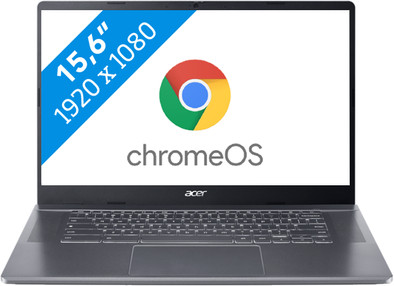
Never available again
View alternatives in the sidebar
View alternatives in the sidebar
If you purchase a Chromebook, you receive free 100GB Google Drive storage space for 1 year. View all advantages here.

Product number | 935303 | |
|---|---|---|
Manufacturer code | NX.KNUEH.001 | |
Brand | Acer | |
Processing of your defect | Via Coolblue | |
Old product returned for free |
Screen size | 15,6 inches | |
|---|---|---|
Screen quality: laptops | Basic | |
Touchscreen | ||
Panel type | IPS panel | |
Sharpness | Full HD (1080p) | |
Resolution width | 1920 pixels | |
Resolution height | 1080 pixels | |
Refresh rate | 60 Hz | |
Aspect ratio | 16:9 | |
Screen reflection | Anti-glare | |
Adaptive Sync | ||
Brightness | 250 cd/m2 |
Processor | Intel Core i3 | |
|---|---|---|
Processor number | 1315U | |
Processor generation | 13th gen | |
Processor code name | Raptor Lake | |
Processor cores | Hexa-Core (6) | |
Clock speed | 1,2 GHz | |
Turbo speed | 4,5 GHz | |
Cache memory | 10 MB | |
Speed class laptops | Stand | |
Intel Evo laptop |
Internal RAM | 8 GB | |
|---|---|---|
Memory composition | 1x 8GB | |
Memory slot 1 | 8 GB | |
Total number of RAM slots | 1 |
Total storage capacity | 128 GB | |
|---|---|---|
Storage type | SSD | |
SSD storage capacity | 128 GB | |
Hard drive type | NVMe |
Video card | Intel UHD Graphics | |
|---|---|---|
Type of video card | Shared |
Operating system | Google ChromeOS | |
|---|---|---|
Operating system language | Multiple languages can be configured |
Recommended for use | Internet, email, and text processing, School, Streaming movies and series |
|---|
Build quality laptops | Basic | |
|---|---|---|
Laptop model | Laptop | |
Color | Gray | |
Material | Plastic | |
Height | 2 cm | |
Width | 36,06 cm | |
Depth | 23,84 cm | |
Weight | 1,68 kg |
Mobile data connection | No | |
|---|---|---|
WiFi standards | Wireless A (WiFi 2), Wireless AC (WiFi 5), Wireless AX (WiFi 6), Wireless AXE (WiFi 6E), Wireless B (WiFi 1), Wireless G (WiFi 3), Wireless N (WiFi 4) | |
Bluetooth | ||
Bluetooth version | 5.2 |
USB port | ||
|---|---|---|
Number of USB ports | 3 | |
Type of USB port | Standard USB-A, USB-C | |
Protocol Female USB-C port | DisplayPort Alternative Mode, USB, USB electricity | |
USB version Female USB-C port | 3.0 | |
Video output via USB-C possible | Yes | |
Number of female standard USB-A ports | 1 | |
Female standard USB-A port version | 3.0 | |
Number of USB 3.0 Female USB-C ports | 2 | |
HDMI connector | ||
Number of HDMI connectors | 1 | |
DisplayPort connector | ||
VGA connector | ||
Network connector | ||
Thunderbolt connector | ||
Headphone jack | ||
Memory card reader |
Keyboard layout | QWERTY | |
|---|---|---|
Physical keyboard layout | ANSI | |
Numeric keypad | ||
Spill-resistant | ||
Backlit keyboard | ||
Mechanical keyboard | ||
Programmable keys |
Built-in microphone | ||
|---|---|---|
Number of speakers | 2 | |
Sound reproduction | Stereo | |
Integrated computer speakers brand | Standard speakers |
Built-in camera | ||
|---|---|---|
Image definition webcams | Full HD (1080p) |
Battery technology | Lithium-ion | |
|---|---|---|
Power connector input type (female) | USB Type C | |
Charger included | ||
Charging cable included |
Manufacturer's warranty |
|---|
TPM (Trusted platform module) | ||
|---|---|---|
Kensington lock | ||
Windows Hello | ||
Fingerprint identity sensor | ||
Security class laptops | Mid-range |
Extra installed software | ||
|---|---|---|
ISV certification |
Recommended for use
Internet, email, and text processing, School, Streaming movies and seriesOur digital expert will help you, but it can sometimes make mistakes, like humans do.
According to our laptop expert
Work smarter: a Chromebook Plus has useful AI features that simplify your work.
For medium demanding tasks: get started on medium demanding tasks and make complex spreadsheets and presentations thanks to the Intel Core i3 processor.
Visible in the dark too: thanks to the backlit keyboard, you can easily see all the keys in the dark.
Not suitable for demanding tasks: your Chromebook slows down sooner when you run demanding tasks, and you'll need a more powerful processor for that.
No touchscreen: you can only control this Chromebook via the touchpad, because it doesn't have a touchscreen.
Recommended for use
Internet, email, and text processing, School, Streaming movies and seriesHad the opportunity to extensively test this laptop.
It feels like a not too heavy laptop. It starts up really quickly. Design is just sleek! The edges of the screen are narrow, so you have a nice large screen. The keyboard feels very nice, typing is very nice.
The sound from the speakers is good and clear. Listening to music is pleasant. I am not a gamer myself, but I have installed Minecraft and it also works smoothly on this laptop.
All in all, a very nice Chromebook. What I think is a shame and that is common knowledge with a Chromebook is that Word cannot be installed on it. So keep that in mind when you purchase this Chromebook, but despite that, there are solutions for that too.
Ava
1 December 2023
Automatically translated from Nederlands
I like the product because it is compact and easy to carry. When you open the product, it turns on immediately, which means you don't have to wait. Can be connected via Bluetooth to your phone, so you do not necessarily need a PIN code, but a connected smartphone nearby. I was able to test this product for 3 weeks and I like it much better than a laptop. You can do the same thing with your smartphone or tablet, only it is a bit larger. Design is sleek and modern. The boxes are located at the top next to the keyboard, so the product does not look boring. This is precisely why you want to test the speakers, the sound is clear and pure. The battery still lasts after a day of work at home. If you don't use it for a few days, it is still full and has not gone into sleep mode, which drains the battery. It's a pity that this one doesn't have a touchscreen like the other version, which would make it a little easier.
Nicje84
15 December 2023
Automatically translated from Nederlands
Fortunately, I had the opportunity to extensively test the Acer Chromebook Plus 515 (CB515-2HT-5789), and I must say that I am very satisfied with this device. The design is sleek and modern. The slim casing gives a premium look and the silver color scheme provides an elegant look. Its light weight makes it portable and easy to carry, perfect for on the go and around the home. The ease of use is wonderful, the quick start-up and the simple interface make it ideal for daily use. The touchpad and smooth keyboard work well and it's great that the keys are backlit. You can also easily use cloud storage, making it easy to access all your files, wherever you are. One of the impressive features of this Chromebook is its battery life. With a lifespan of up to 10 hours, you can work all day without worrying about charging. The Full HD screen of the Acer Chromebook Plus 515 is of high quality. The colors are vibrant and the images are sharp and clear, making it ideal for watching movies. In addition, the touch functionality of the screen ensures that you can easily open and operate apps and files. Ideal! It is the first Cromebook that I own and I am positive. The downside remains that everything goes through the Play Store and downloading a simple program (like on Windows) is not possible. But that's your choice. Are you looking for a Chromebook? Then I would definitely recommend it to anyone looking for a reliable and versatile device for everyday use.
Rik1982
5 December 2023
Automatically translated from Nederlands
