iiyama ProLite TE8612MIS-B3AG

Never available again
View alternatives in the sidebar
View alternatives in the sidebar
Product number | 946553 | |
|---|---|---|
Manufacturer code | TE8612MIS-B3AG | |
Brand | Iiyama | |
Processing of your defect | At your home | |
Old product returned for free |
Screen size | 85,6 inches | |
|---|---|---|
Recommended display resolution | 3840x2160 | |
Sharpness | 4K (UHD) | |
Panel type | IPS panel | |
Aspect ratio | Standard (16:9) | |
Response time | 8 ms | |
Refresh rate | 60 Hz | |
Pixel density | 51,5 ppi | |
Brightness | 400 cd/m2 | |
HDR support | ||
Contrast ratio | 4000 | |
Touchscreen | ||
Screen reflection | Anti-glare | |
Blue light filter |
Height | 116 cm | |
|---|---|---|
Width | 195,7 cm | |
Depth | 10 cm | |
Weight | 58,6 kg | |
Color | Black | |
VESA mount option | ||
VESA mount | 800x400mm | |
Material | Metal, Plastic |
HDMI connector | ||
|---|---|---|
USB port | ||
Type of USB port | Standard USB-A, USB-C | |
Number of USB ports | 5 | |
DVI connector | ||
VGA connector | ||
Type of VGA connector | Standard VGA | |
DisplayPort connector |
Color quality | Good | |
|---|---|---|
Screen quality | Mid-range | |
Quality viewing angle | Excellent |
Split screen |
|---|
Screen size | 85,6 inches | |
|---|---|---|
Recommended display resolution | 3840x2160 | |
Sharpness | 4K (UHD) | |
Refresh rate | 60 Hz | |
Response time | 8 ms | |
Pixel density | 51,5 ppi | |
Aspect ratio | Standard (16:9) |
According to our public display expert
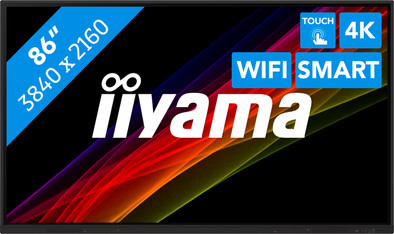
You can control the screen with your fingers via the infrared 40-point touchscreen and take notes during a presentation, for example.
The built-in WiFi module and ScreenSharePro software work with Windows, Apple, and Android devices for streaming media files.
The 4K Ultra HD screen shows images almost 4 times sharper than with Full HD.
This public display weighs 59kg and needs to be mounted to a sturdy background.
5 stars
1
4 stars
1
3 stars
0
2 stars
0
1 star
0
This 65" touchscreen is perfect for presentations. With the standard software you can quickly draw and show presentations via a USB stick without an additional computer. There are many connection options thanks to multiple HDMI, USB-C and wireless options. You can even use an HDMI OUT , so you can record the screen or livestream it via an external device.
Martijn Smit
5 August 2024
Automatically translated from Nederlands
Beautiful presentation screen with touch function. When using the screen, note that there's an additional on/off switch on the bottom of the power unit.
AvdZ
3 January 2026
Automatically translated from Nederlands