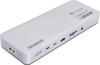
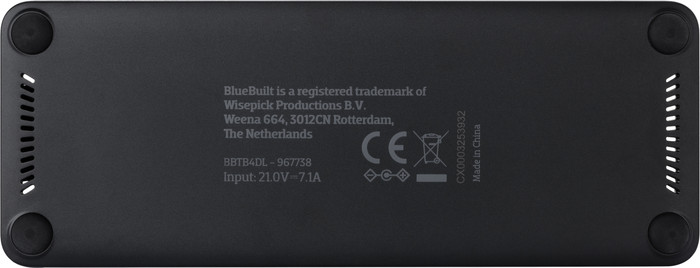

On my device, the microSD card reader is mounted upside down. So you have to insert the card upside down.
That doesn't seem right to me, and there is a risk of damaging the card reader if you try to insert the card the way you are used to with other devices.
Frank
16 May 2026
Automatically translated from Nederlands
I was looking for a docking station for my home setup where I want to connect various machines. For instance, I have a company Dell with Windows 11 and Thunderbolt, a MacBook Air M2, and an HP Victus with Arch Linux.
It was important to me to find a docking station that allows me to connect monitors via both DP-Alt mode (for gaming performance and high refresh rates) and a DisplayLink chip, so that I wouldn't run into the limitations of the M2 Air. The specifications on the website don't really give a clear answer as to whether this is possible—even the staff in the store didn't dare say.
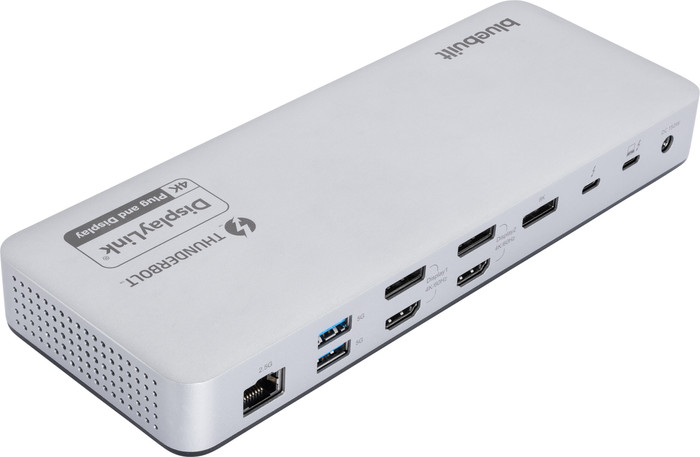
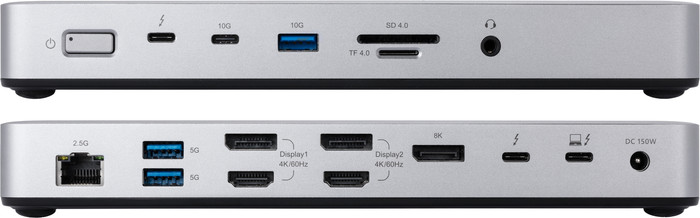
However, the product box contains a neat paper manual with a detailed spec sheet for every connection on the docking station. This reveals that the two DisplayPort and the two HDMI ports, which are stacked on top of each other, are located on the DisplayLink chip, and the standalone DisplayPort can be accessed directly via DP-Alt mode, along with an additional USB-C port. My tip for Coolblue: put the manual online as a PDF or improve the specifications on the product page.
GW
30 May 2026
Automatically translated from Nederlands
Solid device; fortunately, I didn't have to install the driver because it wasn't clear which driver needed to be selected. Strangely enough, I couldn't get a Lenovo ThinkPad T14 Gen 2, a work PC, to work with the docking station. It works perfectly with other devices. I was surprised by the charging speed of this docking station.
luycxjr
26 September 2026
Automatically translated from Nederlands
Extra functionalities docking station | Charge laptop via docking station, Charge laptop via own charger, Connect headphones, Connect wired network | |
|---|---|---|
Type of main connector | USB-C | |
Total available video outputs | 2x HDMI, 3x DisplayPort | |
Number of connectable monitors | 4 | |
Type of USB port | Standard USB-A, USB-C |
According to our dock for laptops expert
With this docking station, you can connect up to 4 extra monitors to your laptop.
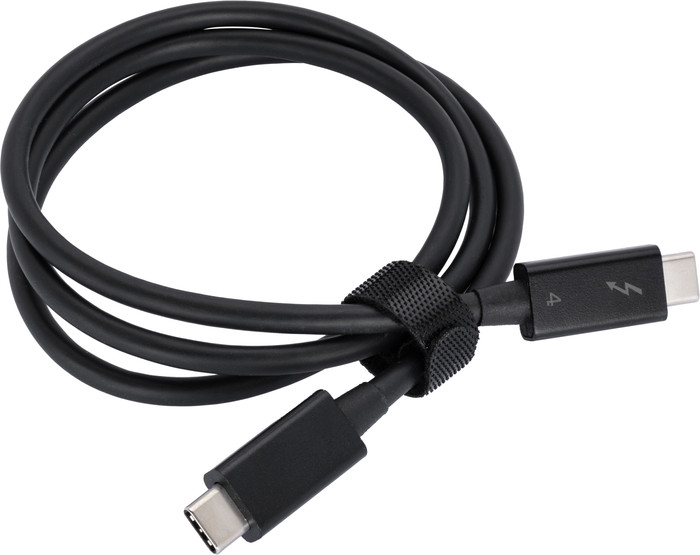
Thanks to the Thunderbolt 4 technology, you can transfer data quickly at speeds of up to 40Gbps.
Protect your laptop with the 2 Kensington locks.
You have to install the DisplayLink software before you use this docking station.
This docking station isn't suitable if you want to game on your extra screen.
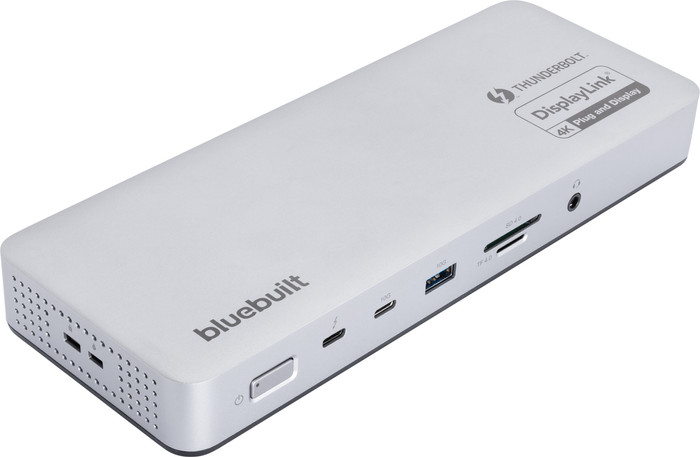
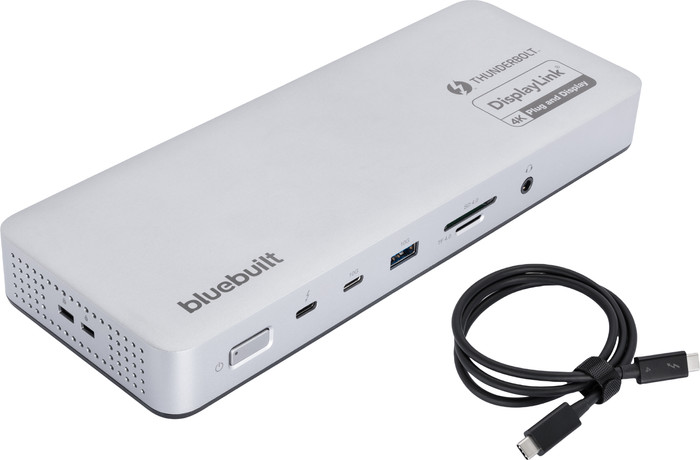
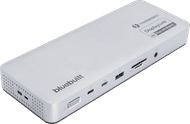
With the BlueBuilt Thunderbolt 4 Docking Station met DisplayLink, you can turn your laptop into a complete workstation. You can connect up to 4 monitors: 3 displays in 8K at 30 hertz or 4 displays in 4K at 60 hertz. This way, you can keep a clear overview while working in multiple spreadsheets, dashboards, and windows at the same time. Via Thunderbolt 4, you can transfer not only video, but also data and power. This gives you a maximum speed of 40Gbps. You can easily connect your mouse, keyboard, and external storage via the 3 USB-A ports. With the 2 USB-C ports, the Ethernet port, and the 3.5mm jack, you can also connect your laptop, wired internet, and headset. Thanks to the SD card reader, you can quickly transfer photos and documents from a memory card. This docking station works with all Windows laptops and MacBook models with a USB-C port that transfers a video signal. This is how you can check if your laptop has a suitable USB-C port.
225,-
225,-
Product number | 967738 | |
|---|---|---|
Manufacturer code | BBTB4DL | |
Brand | BlueBuilt | |
Processing of your defect | Via Coolblue | |
Old product returned for free |
Made for laptop models | Apple MacBook, Chromebook, Universal, Windows laptop |
|---|
Laptop docking station suitable for | Connect 1 monitor, Connect 2 monitors and MacBook, Connect 2 monitors and a Chromebook, Connect 2 monitors and a Windows laptop | |
|---|---|---|
Extra functionalities docking station | Charge laptop via docking station, Charge laptop via own charger, Connect headphones, Connect wired network | |
Type of main connector | USB-C | |
Supported video technology on Docking Station | DisplayLink, Thunderbolt 3, Thunderbolt 4, USB 4.0 | |
Number of USB ports | 7 | |
Type of USB port | Standard USB-A, USB-C | |
Number of female standard USB-A ports | 3 | |
Female standard USB-A port version | 3.0, 3.1 | |
Power standard USB-A port | 7,5 W | |
Number of USB-C ports | 4 | |
Protocol Female USB-C port | DisplayPort Alternative Mode, Thunderbolt Alternative Mode, USB, USB electricity | |
USB version Female USB-C port | 3.1, 4.0 | |
Number of USB 3.1 Female USB-C port | 1 | |
Power USB-C port | 96 W | |
Fast charging USB-C port | ||
Total available video outputs | 2x HDMI, 3x DisplayPort | |
Number of HDMI connectors | 2 | |
Female HDMI Type A port version | 2.0 | |
Number of Ethernet ports | 1 | |
Ethernet speed | 2.5Gb Ethernet (2500Mbps) | |
Type of DisplayPort connector | standard DisplayPort | |
Number of Female Standard DisplayPort 1.2 ports | 2 | |
Number of Female Standard DisplayPort 1.4 ports | 1 | |
Version Female Standard DisplayPort port | 1.2, 1.4 | |
Number of headphone jacks | 1 | |
Type of headphone connection | 3.5mm (TRRS) | |
Memory card reader | ||
Memory card | MicroSD, SD | |
Number of connectable monitors | 4 | |
Maximum image resolution 1 monitor | 8K UHD (7680x4320) | |
Maximum refresh rate 1 monitor | 30 Hz | |
Maximum image resolution 2 monitors | 5K (5120x2880) | |
Maximum refresh rate of 2 monitors | 30 Hz | |
Maximum image resolution 3 monitors | 5K (5120x2880) | |
Maximum refresh rate 3 monitors | 30 Hz | |
Maximum image resolution 4 monitors | 5K (5120x2880) | |
Maximum refresh rate 4 monitors | 60 Hz |
Color | Silver | |
|---|---|---|
Height | 2,85 cm | |
Width | 22,5 cm | |
Depth | 8,5 cm | |
Weight | 0,59 kg |
Current product
USB-C
USB-A, USB-C
USB-C
USB-A, USB-C
USB-C
Charge laptop via docking station, Charge laptop via own charger, Connect headphones, Connect wired network
Charge laptop via docking station, Charge laptop via own charger, Connect headphones, Connect wired network
Charge laptop via docking station, Charge laptop via own charger, Charge phone via docking station, Connect headphones, Connect wired network
Charge laptop via docking station, Charge laptop via own charger, Charge phone via docking station, Connect headphones, Connect wired network
Charge laptop via docking station, Charge laptop via own charger, Connect wired network
2
3
2
3
1
Standard USB-A, USB-C
Standard USB-A, USB-C
Standard USB-A, USB-C
Standard USB-A, USB-C
Standard USB-A, USB-C
225,-
310,-
268,-
250,-
300,-
In stock
In stock
BlueBuilt products have the best price-quality ratio because we've put them together ourselves. Based on product data, feedback from customers, and our own product knowledge. In other words, good products. We are so confident, that we'll even give you an extra long warranty. Read everything on BlueBuilt.

Coolblue takes care of everything, from taking out an insurance to repairs
For almost all accidents
More coverage in case of damage than your standard warranty
No deductible
First, add your dock for laptops to your shopping cart. On the next page, choose the Protection Plan below. You always have a 30-day return window and pay no deductible in case of damage.
2-year Protection Plan
14,99
one-time3-year Protection Plan
23,99
one-time