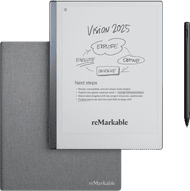
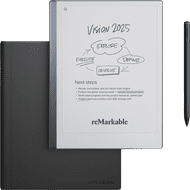
reMarkable Paper Pro Move with Book Case Basalt



Marker Plus + Book Case Gray
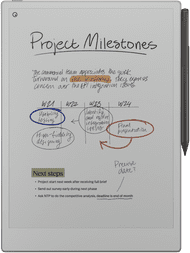
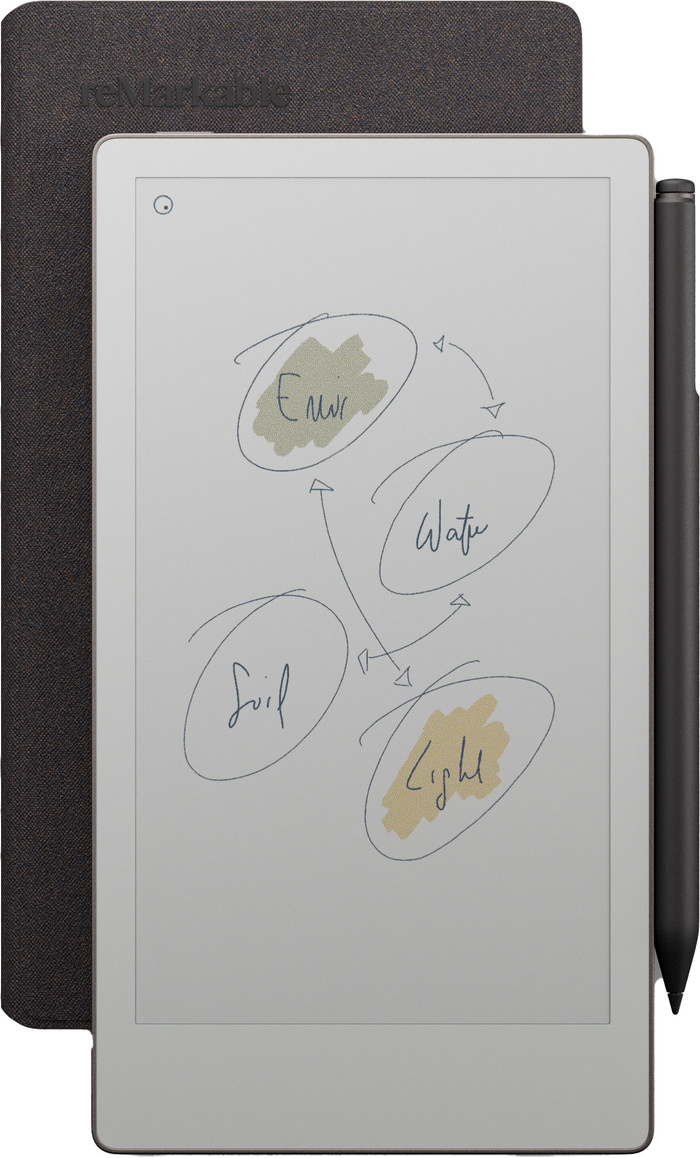
The reMarkable Paper Pro Move is a small digital notebook that I can easily take with me anywhere. The bright screen lets me view my notes and annotations in color.
Bright and colorful screen I find the Paper Pro Move has a bright and pleasant screen for reading documents or notes. The notes I take appear quickly on the screen, and the included stylus writes smoothly. With the stylus, it really feels like I'm writing on paper. The documents I open are clearly visible, and the colors match the documents I view on my laptop.
Backlight I also like to work in the evening. I find that this isn't a problem with the Paper Pro Move. Thanks to the adjustable backlight, I can work on my documents even in a dark room. Moreover, the screen is easy to read in bright sunlight.
Convenient to take with you The Paper Pro Move's screen is small, but large enough to read everything comfortably. Its small size makes it easy to take with me anywhere. It fits in my pocket, but also in a small bag. This ensures I always have my notes at hand. The screen is much smaller than the Paper Pro, which means I have a bit less disk space.
Various templates for my notes There are various templates you can use for your notes. You can choose from lined paper, dotted paper, to-do lists, and much more. This allows me to choose the right template for every situation.
Dounia. Digitale Notitieblokken Specialist.
17 February 2026
Automatically translated from Nederlands
Unfortunately, I returned this one. I have the Remarkable Pro and am very happy with it. The Move works the same, but the size was just too awkward: the Pro documents simply didn't fit properly on the Move, which was very annoying. Because it also doesn't scroll easily, it was simply not usable. And especially for the price, I expect more user-friendliness.
Nicole
12 October 2025
Automatically translated from Nederlands
I've been using the Remarkable Paper Pro for a few months now and I'm a fan of this digital notebook. No more fiddling with paper, easy note-taking, and easy retrieval. I used Rocketbook for a few years, but it doesn't compare. When I travel, I prefer not to take the Pocketbook Pro. Not only because it's expensive, but also because of its size. The Paper Pro Move, however, is perfectly portable and does everything its bigger brother does, just on a smaller screen. I can view notes taken on one device and edit them on the other, which is incredibly convenient. Both write equally well.
The only downside—besides the price, perhaps—is that the Move has a different aspect ratio and therefore different templates. The pages are therefore a bit narrower.
Kees
28 November 2025
Automatically translated from Nederlands
Our digital expert will help you, but it can sometimes make mistakes, like humans do.
According to our digital notepad expert
See everything in color: thanks to the color screen, you can see your notes, files, and annotations in color.
Easy to take with you: you can take this digital notepad anywhere thanks to its compact size.
Write faster: your handwritten notes or drawings appear on the screen faster thanks to the higher write speed.
Replaceable tip: you'll need to replace the tip of your Marker Plus after a while if you use it often.
Product number | 968097 | |
|---|---|---|
Manufacturer code | RM91A-1001NW | |
Brand | reMarkable | |
Processing of your defect | Via Coolblue |
Color | Gray | |
|---|---|---|
Height | 19,56 cm | |
Width | 10,78 cm | |
Depth | 1 cm | |
Weight | 248 g | |
Material | Metal |
Operating system | Brand-specific | |
|---|---|---|
Supported and protected file formats | ePub | |
Text file format | DOC, JPEG, PDF, PNG, ePub | |
Suitable for model | reMarkable Paper Pro Move | |
Photo file format | JPEG, PNG | |
eBook store integrated | ||
Controls | Touchscreen | |
Text-to-Speech function | ||
Connect with stylus | ||
Web browser | ||
Operating system language | English, German | |
Dictionary | ||
Response time | 12 ms |
Screen size | 7,3 inches | |
|---|---|---|
Resolution height | 1696 pixels | |
Resolution width | 954 pixels | |
Pixel density | 264 ppi | |
Touchscreen | ||
Color screen | ||
Backlit screen | ||
Screen type | Electronic Ink | |
Blue light filter |
Memory card reader |
|---|
Total storage capacity | 64 GB | |
|---|---|---|
Internal RAM | 2000 MB |
Built-in WiFi |
|---|
Included by default | Book case, Stylus, USB cable |
|---|
Standby time | 12 m | |
|---|---|---|
USB port | ||
Type of USB port | USB-C |
Coolblue takes care of everything, from taking out an insurance to repairs
For almost all accidents
More coverage in case of damage than your standard warranty
No deductible
First, add your digital notepad to your shopping cart. On the next page, choose one of the Protection Plans below. You always have a 30-day return window and pay no deductible in case of damage or theft.
2-year Protection Plan
97,-
one-time2-year Protection Plan with theft cover
120,-
one-time3-year Protection Plan
148,-
one-time3-year Protection Plan with theft cover
182,-
one-time
599,-
599,-
Current product
599,-
699,-
619,-
649,-
595,-
In stock
In stock