Welcome to your environment! You can order everything from your assortment with your personal budget here.

You can always return to the normal Coolblue website by clicking here.

Your outstanding budget (incl. VAT) is always visible here, so you know exactly how much you can spend.

Coolblue home

Help with your product

Samsung Music Studio 5 Duo Pack Black

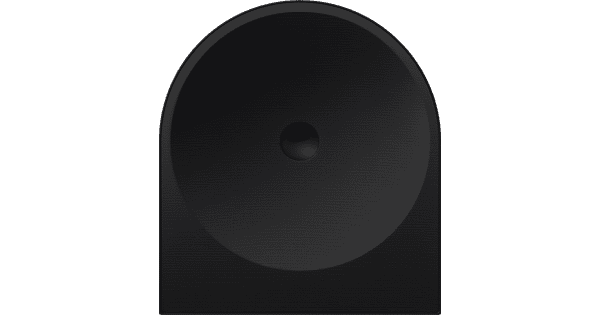
Listen to the same music in 2 different rooms with the Samsung Music Studio 5 Duopack Zwart. This set includes 2 black Samsung Music Studio 5 WiFi speakers with support for multi-room audio. This way, you can listen to the same music in different rooms, which is useful while you do chores. You can also use the speakers as an addition to your TV setup. They'll then work as Virtual Dolby Atmos rear speakers with your soundbar and subwoofer. When you watch an action movie, you'll feel like you're part of the action. The Dot Design by Erwan Bouroullec adds a stylish touch to any interior.

Read all tips here

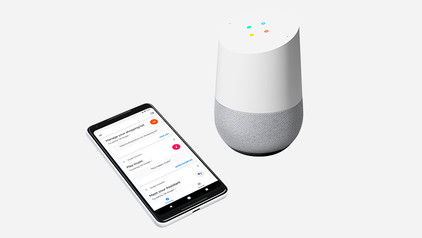
What products can I connect my Google Assistant speaker to?

Did you buy a Google Assistant? Nice! Of course, you can't wait to get started. What can you actually connect the Google Assistant to? I'm happy to explain it to you.

5 tips to improve the WiFi connection on your speaker

The name speaks for itself, a WiFi speaker needs WiFi to function. If you experience interferences, the speaker isn't necessarily broken. Maybe your internet range isn't enough to provide your speaker with internet. You'll find 5 tips to improve your WiFi below, so you can enjoy your favorite songs undisturbed again.

5 tips to improve the WiFi connection on your speaker

The name speaks for itself, a WiFi speaker needs WiFi to function. If you experience interferences, the speaker isn't necessarily broken. Maybe your internet range isn't enough to provide your speaker with internet. You'll find 5 tips to improve your WiFi below, so you can enjoy your favorite songs undisturbed again.

5 tips to improve the WiFi connection on your speaker

The name speaks for itself, a WiFi speaker needs WiFi to function. If you experience interferences, the speaker isn't necessarily broken. Maybe your internet range isn't enough to provide your speaker with internet. You'll find 5 tips to improve your WiFi below, so you can enjoy your favorite songs undisturbed again.

5 tips to improve the WiFi connection on your speaker

The name speaks for itself, a WiFi speaker needs WiFi to function. If you experience interferences, the speaker isn't necessarily broken. Maybe your internet range isn't enough to provide your speaker with internet. You'll find 5 tips to improve your WiFi below, so you can enjoy your favorite songs undisturbed again.

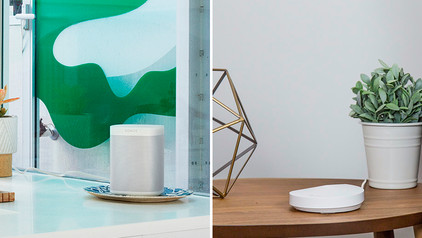
5 tips for the placement of your WiFi speaker

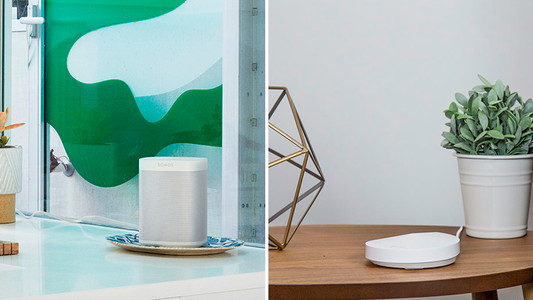
How do you determine the best placement for your WiFi speaker, and what do you keep in mind? The sound from the speaker consists of vibrations that move through the air. Where you place the speaker and which materials are in the room influence the sound you hear. That's why the ideal setup isn't the same for everyone. In this article, we'll help you to find the best placement for your WiFi speaker.

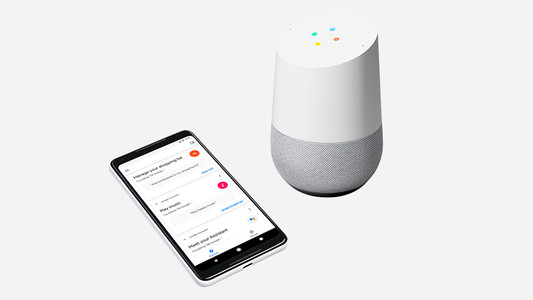
What products can I connect my Google Assistant speaker to?

Did you buy a Google Assistant? Nice! Of course, you can't wait to get started. What can you actually connect the Google Assistant to? I'm happy to explain it to you.

5 tips to improve the WiFi connection on your speaker

The name speaks for itself, a WiFi speaker needs WiFi to function. If you experience interferences, the speaker isn't necessarily broken. Maybe your internet range isn't enough to provide your speaker with internet. You'll find 5 tips to improve your WiFi below, so you can enjoy your favorite songs undisturbed again.

5 tips to improve the WiFi connection on your speaker

The name speaks for itself, a WiFi speaker needs WiFi to function. If you experience interferences, the speaker isn't necessarily broken. Maybe your internet range isn't enough to provide your speaker with internet. You'll find 5 tips to improve your WiFi below, so you can enjoy your favorite songs undisturbed again.

5 tips to improve the WiFi connection on your speaker

The name speaks for itself, a WiFi speaker needs WiFi to function. If you experience interferences, the speaker isn't necessarily broken. Maybe your internet range isn't enough to provide your speaker with internet. You'll find 5 tips to improve your WiFi below, so you can enjoy your favorite songs undisturbed again.

5 tips to improve the WiFi connection on your speaker

The name speaks for itself, a WiFi speaker needs WiFi to function. If you experience interferences, the speaker isn't necessarily broken. Maybe your internet range isn't enough to provide your speaker with internet. You'll find 5 tips to improve your WiFi below, so you can enjoy your favorite songs undisturbed again.

5 tips for the placement of your WiFi speaker

How do you determine the best placement for your WiFi speaker, and what do you keep in mind? The sound from the speaker consists of vibrations that move through the air. Where you place the speaker and which materials are in the room influence the sound you hear. That's why the ideal setup isn't the same for everyone. In this article, we'll help you to find the best placement for your WiFi speaker.

Didn't find your answer?

Find an answer to your question quickly and easily via our customer service.

Coolblue specialist
Personal chat Digitalk.
You're now chatting with Coolblue customer service
This chat is closed
foo
Oeps File size is larger than 5MB. Upload a smaller file.