Written by Iris
Edited on
3 November 2022
·
12:30
How do you choose a smart speaker for the bedroom?
A smart speaker that turns on the lights and thermostat for you in the morning. It almost sounds too good to be true, but this is no longer a thing of futuristic movies. There are many options with a smart speaker in your bedroom. In this article, you'll read everything on it.

Why a smart speaker in your bedroom?
You can control a smart speaker in your bedroom with your voice or with an app. That's useful if you're already in bed but still want to listen to your favorite podcast. You'll no longer have to get up to control the speaker. You can also connect a smart speaker to another WiFi speaker in the house for a multi-room setup.

Choose a compact size
A WiFi speaker has a compact size. It's just large enough to provide audio for a bedroom of 30m². Do you have a larger bedroom? Choose a large version or a stereo pair. You can easily connect 2 WiFi speakers to each other via the app or Google Home.

Control the speaker via an app
A large number of smart speakers has their own app. This makes the setup even easier. The app will tell you exactly what to do. You can also connect multiple speakers to each other or add your smart speaker to a soundbar for better sound with your television. The advantage of having an own app is that most of them have an equalizer. With this, you can manually adjust the bass, treble, and medium-pitched tones.

Control the speaker with your voice
A smart speaker with a built-in voice assistant has a microphone. With this, you can control the speaker with voice commands. For example, ask the speaker to play the next song or to turn up the volume. Connect the speaker to your smart home via Google Home and you can control all your smart devices via the speaker. For example, say 'Hi Google, turn off the lights' when you leave your house.

Why Google Assistant compatible?
When your speaker is only compatible to Google Assistant, it doesn't have a built-in microphone. This means you can't talk to the speaker. You can add the speaker to your smart home via Google Home. Via a device with built-in voice assistant, you can control the speaker. You can turn it on or off, for example, or choose another playlist.
Choose a smart home hub
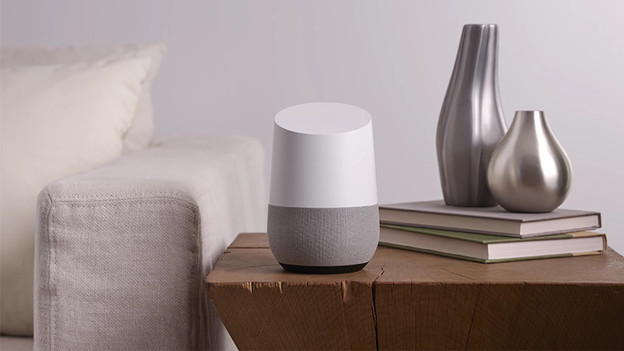
Do you prefer to be able to control all your smart devices, and is sound quality not your priority? Choose a smart home hub. You can connect all your smart devices to each other. That way, you can control your lights, thermostat, doorbell, and possibly your speaker with your voice.

Choose a smart speaker bundle
Did you get all excited about these smart speakers? Check out the smart speaker bundles. That way, you can get multiple smart speakers for your home in one go. Create a stereo pair, multi-room setup, or even a home cinema with different speakers.