Written by Job
Edited on
7 October 2025
·
08:44
Compare AOC monitors
The AOC business monitors are small in size, so they fit on any workspace. This makes them suitable for at the office or in your home office. Do you edit photos or videos? The U27B3CF has 4K resolution, so you can edit photos and videos with the sharpest details. The Q27B3CF2 or Q24P2Q have QHD resolution, so you work with razor-sharp images. If you're looking for a monitor for your everyday work, choose the 24P2Q. We'll help you make the right choice for you.
View the highlighted AOC monitors
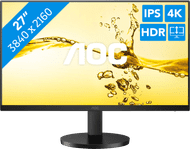
- U27B3CF
Work with razor-sharp 4K images that are 2 times sharper than QHD.
Combine image, power, and data with 1 USB-C cable.
Place multiple monitors next to each other thanks to the thin bezels.
Due to the low refresh rate, you can't game on the monitor.
From
249,-
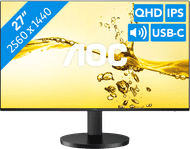
- Q27B3CF2
Thanks to the QHD resolution, you can enjoy extra sharp images.
Use multiple monitors at the same time thanks to the thin bezels.
Open multiple windows next to each other thanks to the 27-inch size.
The monitor doesn't have a pivotable stand.
From
199,-
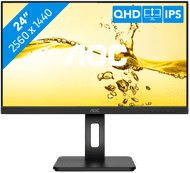
- Q24P2Q
The IPS panel ensures bright colors from any viewing angle.
Work comfortably thanks to the multifunctional adjustability.
The Q24P2Q is compatible with VGA, HDMI, and DisplayPort.
This monitor isn't suitable for gaming.
From
209,-
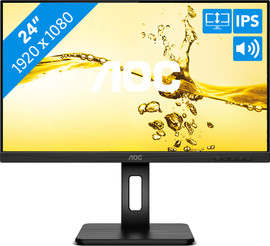
- 24P2Q
The blue light filter prevents strained eyes.
You can adjust the monitor in height for a comfortable working posture.
Enjoy music with the built-in speakers.
Due to the full HD resolution, you'll experience less sharp images.
From
149,-


Comparison AOC monitors
| U27B3CF | Q27B3CF2 | Q24P2Q | 24P2Q | |
|---|---|---|---|---|
| Screen size | 27 inches | 27 inches | 23.8 inches | 23.8 inches |
| Resolution | 4K (3840x2160) | QHD (2560x1440) | QHD (2560x1440) | Full HD (1920x1080) |
| USB-C port | Yes | Yes | No | No |
| Adjustable in height | Yes | Yes | Yes | Yes |
| Panel type | IPS | IPS | VA | IPS |
U27B3CF: 4K resolution and USB-C port
If you want a monitor with the sharpest resolution for photo and video editing, go for the U27B3CF. Thanks to the 4K resolution, you'll see razor-sharp images that are almost twice as sharp as QHD. You can also connect a laptop via the USB-C port. This connector also powers your laptop. The charging capacity of this USB-C port is 65W. That way, your laptop is also always charged when you use it.
249,-
Q27B3CF2: large screen with thin bezels
Thanks to the thin bezels, you can use the Q27B3CF2 for a setup with an extra monitor. This enlarges your screen space, so you can open multiple windows at the same time. This makes the Q27B3CF2 suitable for multitasking. You have enough space for graphic design on the screen of this 27-inch monitor. Thanks to the QHD resolution, you can enjoy images that are almost 2 times sharper than Full HD. Do you like listening to music while you work? Thanks to the built-in speakers, you don't need headphones or separate speakers.
199,-
Q24P2Q: wide color gamut and multiple ports
If you edit photos or videos, the Q24P2Q is a good choice. Thanks to the QHD resolution, images look sharp and you won't miss any details. The colors of the screen are clearly visible from any viewing angle thanks to the IPS panel. You can also tilt, turn, or adjust the monitor in height for a nice sitting posture. Would you like to connect old or new monitors to the screen? You can do this via the VGA, HDMI, and DisplayPort inputs.
209,-
24P2Q: starter model and adjustable in height
The 24P2Q is the starter model of the AOC business monitors. Due to the Full HD resolution, the images aren't as sharp as on the other models. But thanks to the IPS panel, the colors look good from every viewing angle. You can also adjust this monitor in height, which ensures a good sitting posture. That way, you won't get neck or back pain during a long day behind your computer. You also prevent strained eyes with the blue light filter.

149,-
Conclusion
If you're looking for a monitor for your everyday work like emails and text processing, choose the 24P2Q. Do you want a larger monitor with a better image quality? The Q27B3CF2 is a good choice. The Q24P2Q has many different connectors to connect multiple monitors to. When you want to work with the sharpest images, the U27B3CF is the monitor for you thanks to its 4K resolution.