Written by Julia
Edited on
28 December 2022
·
11:19
Follow these tips if your Xiaomi smartphone won't turn on anymore
If your Xiaomi smartphone suddenly doesn't work, it might help to restart it. In this article, we'll explain how to do so.

Tips for if your Xiaomi smartphone doesn't work
You can solve this problem in different ways±
- Tip 1: restart your Xiaomi.
- Tip 2: check the battery.
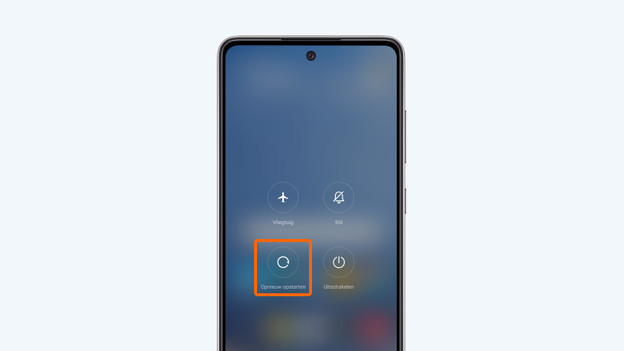
Tip 1: restart
If your device doesn't work at all, it can help to restart the device. This can be done very quickly. We'll explain how to do so here.
- Press and hold the standby button and upper volume button at the same time.
- Choose restart and wait until the smartphone is ready again.
Isn't your screen working anymore? Go through the following steps.
- Press and hold the standby button and upper volume button at the same time.
- Release after 10 seconds.
- Turn the device on again by holding the standby button.

Tip 2: check the battery
It's possible your Xiaomi smartphone doesn't respond because the battery is empty. Doesn't the smartphone do anything when you connect your charger? Try a different charger, or gently clean the charging port. Softly blow into it, or use a toothpick to carefully scrape away dirt.