Written by Mieke
Edited on
12 November 2024
·
15:00
Get started with your Sony LinkBuds
You received your Sony LinkBuds and want to get started with them right away. These Sony earbuds have a number of useful functions. In this article, you'll read how to get started with your new earbuds. That way, there's nothing between you and your listening experience.
Get started with your Sony LinkBuds
Read how to get started with the Sony LinkBuds as soon as possible in 4 steps here.
Tip 1: connect to your phone
Tip 2: put in earbuds
Tip 3: download app
Tip 4: explore smart functions
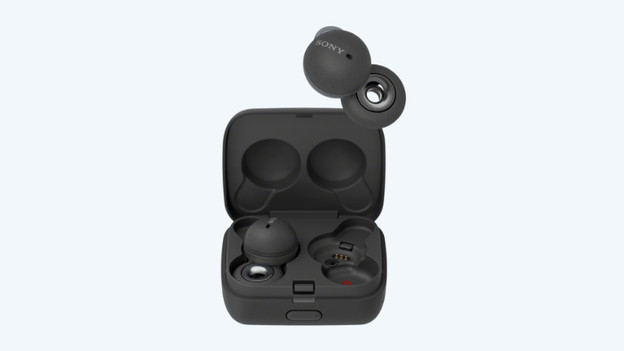
Step 1: connect them to your phone
Before you can enjoy your favorite songs, you have to connect the earbuds to your phone. The earbuds are usually already in pairing mode when you turn them on for the first time. Can't make it work? In the article below, we'll explain step by step how to connect your earbuds to your smartphone.
Step 2: put in the earbuds correctly
You don't wear all earbuds in the same way. Want to be sure that you put in your Sony LinkBuds in your ears correctly? You can find more information about that in the manual of the product.


Step 3: download the Sony Headphones Connect app
In the Sony Headphones Connect app for both Android and iOS, you can adjust various settings of the earbuds. You can adjust the sound in the app via an equalizer, for example. We'll explain how to adjust the sound in the article below.
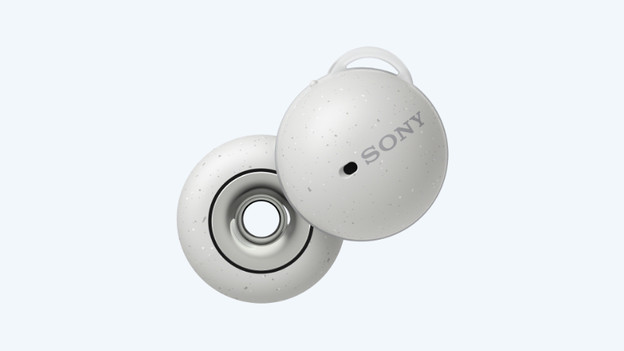
Step 4: explore the smart functions
The Sony LinkBuds have a number of useful smart functions. The Speak-to-Chat function ensures that the music automatically pauses and that ambient noise amplifies when you start talking. Thanks to the adaptive volume control, the volume automatically adjusts to the noise level of your environment. To control your music, tap next to your ear while using the LinkBuds. This way, you can control the music without touching the earbuds.