Written by Maurits
Edited on
21 March 2025
·
16:32
How do you boost the noise canceling of the Sony WF-1000XM5?
Do you hear a lot of noise through your music? Most likely, the noise canceling isn't set up properly or you chose the wrong earbud size for your ears. In this article, we'll explain how to improve the noise canceling of the Sony WF-1000XM5.

Enhance noise canceling
With these 3 steps, you can improve the connection of your Sony WF-1000XM5 earbuds.
Step 1: replace earbuds
Step 2: download app
Step 3: adjust noise canceling
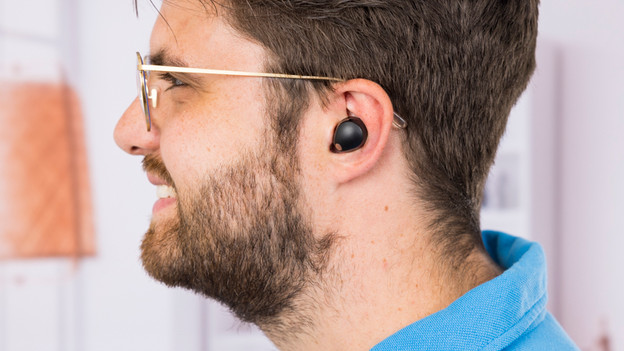
Step 1: replace the earbuds
Sony includes different earbud sizes by default. If you want to make sure that the noise canceling works optimally, the earbuds have to close off your ear canals completely. Try all sizes and find the right fit for your ears.

Step 2: download the Sony Headphones Connect app
In the Sony Headphones Connect app, you can adjust all sorts of settings of the earbuds. One of these is the noise canceling. If you haven't downloaded this app yet, you can get it for free in the App Store or Play Store.

Step 3: adjust the noise canceling manually
Go to 'Ctrl ambient noise' under 'Sound'. Here, you can see if the noise canceling is turned on or off. You can adjust the noise canceling completely to your liking with the slider. Slide it all the way to the left to set the noise canceling to the highest setting. You can also choose to turn on the noise canceling with a single press of the button.