Written by Jorn
Edited on
26 October 2022
·
09:41
How do you connect a Sony soundbar to a Sony television?
Your new Sony television and soundbar came in. Your television has been installed, now you just need to install your soundbar. In this article, we'll explain how to connect your Sony soundbar to your Sony television with an HDMI cable in 9 steps.
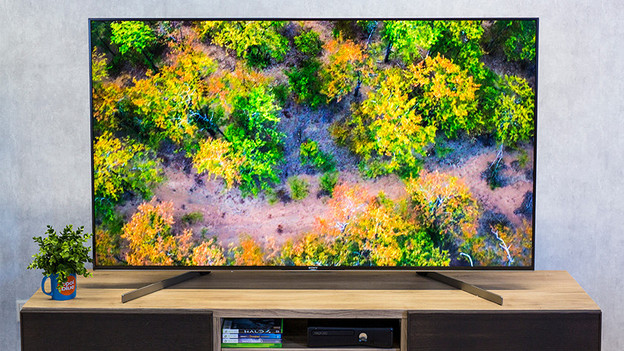
How do you connect a Sony soundbar to a Sony television?
Your new Sony television and soundbar came in. You've installed your television, you just need to set up your soundbar. In this article, we'll explain how to connect your Sony soundbar to your Sony television with an HDMI cable in 9 steps.
-
Connect the soundbar to power.
-
Connect the HDMI cable to your soundbar.
-
Connect the HDMI cable to your television.
-
Go to the settings of your television.
-
Go to the display and sound settings.
-
Select 'Audio output'.
-
Select 'Speakers'.
-
Select 'Audio system'.
-
Pair the subwoofer.
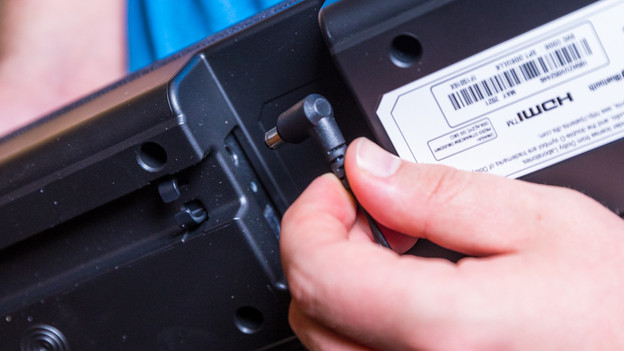
Step 1: plug in the soundbar
Make sure the television is placed in the desired spot. Plug the connector of the power cord of your television into the socket. Connect the soundbar to the socket with the power cord. You can find the input for the power cord on the back of the soundbar.

Step 2: connect the HDMI cable to the soundbar
Connect the HDMI cable tot he soundbar via 1 of the 2 connectors on the back of the soundbar.

Step 3: connect the HDMI cable to your television
Plug the other end of the HDMI cable into an HDMI input on the back of your television. You recognize the right HDMI input on your television by the 'eARC / ARC' indication next to the input.
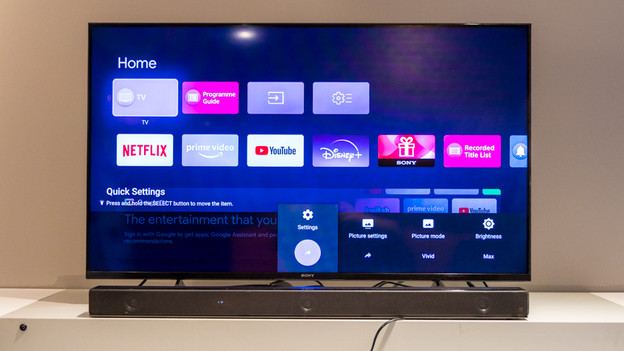
Step 4: go to your settings
First, turn on your soundbar via the ON/OFF button on the soundbar. Turn your television on with the remote. Press the menu button with the cogwheel and click 'Settings'.
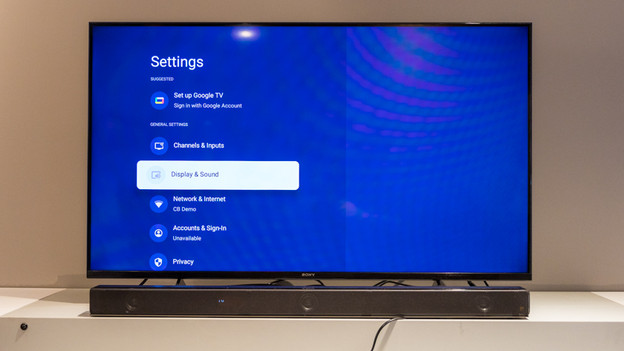
Step 5: go to the display and sound settings
Click the 'Display and sound' tab in the settings menu.
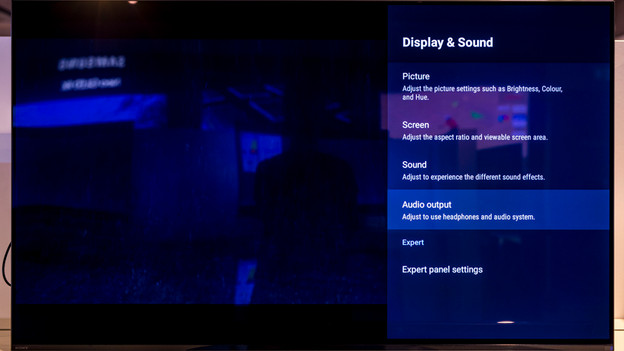
Step 6: click on 'Audio output'
Select the last option called 'Audio output'.
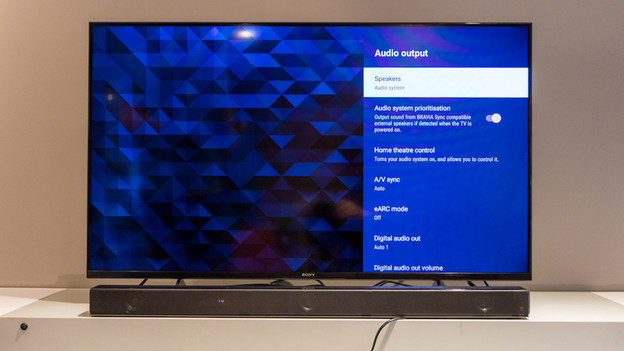
Step 7: select the option 'Speakers'
Click 'Speakers' in the menu of the audio output
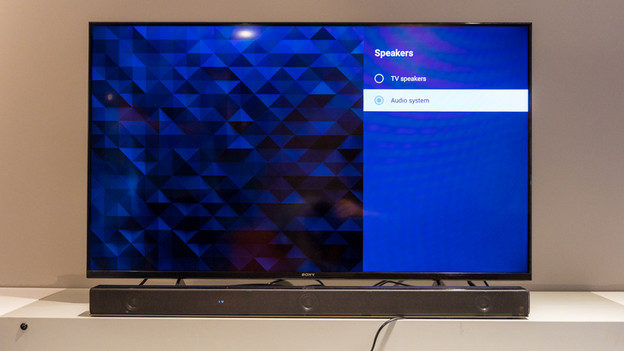
Step 8: select 'Audio system'
Select the option 'Audio system'. Your soundbar has now been connected to your television, so you can enjoy a new listening experience.
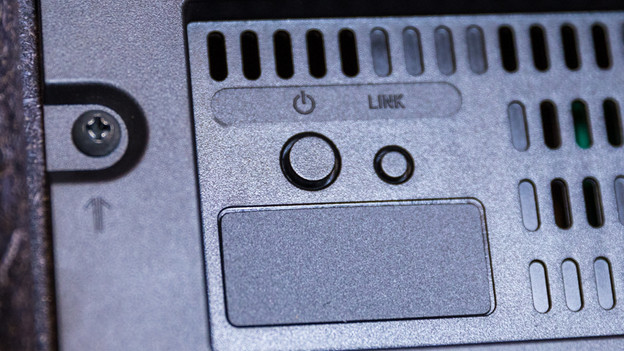
Step 9: connect the subwoofer
The subwoofer will automatically connect to your soundbar. Isn't this working? Press the 'Pair' button on the back of the soundbar.