Written by Julia
Edited on
30 December 2024
·
08:50
How do you install your Garmin smartwatch?
You want to use your Garmin smartwatch as soon as possible. Before you use it, you should connect it to your smartphone. This is easy thanks to the Garmin Connect app. We'll explain how to connect your Garmin smartwatch to your smartphone for the first time
Connect your Garmin smartwatch in 6 steps
Before you can connect your smartphone to a new Garmin smartwatch, you have to download the Garmin Connect app first. After this, you can easily connect your Garmin smartwatch to your smartphone in 6 steps:
- Step 1: open the app
- Step 2: add your device
- Step 3: click 'Connect'
- Step 4: enter the pairing code
- Step 5: go through the steps on the screen
- Step 6: wait until your smartwatch and smartphone have been synchronized


Install the Garmin Connect app first
To connect your Garmin smartwatch, use the Garmin Connect app. You can easily download this to your smartphone.
- Go to the App Store or Google Play Store on your smartphone.
- Search for the Garmin Connect app.
- Tap 'Download'. The app will now be installed on your smartphone.
Add your smartwatch to the Connect app
If the Bluetooth of your smartwatch is on, you can add your smartwatch to the Garmin Connect app. If this is the first Garmin smartwatch you connect to the app, you should follow the instructions on the screen. Did you connect a Garmin smartwatch before? Go through the following steps:
- Tap the menu in the Garmin Connect app.
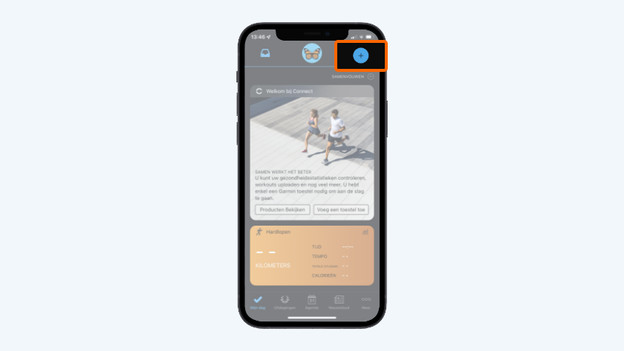
- Tap Add device or the + and the app will look for your smartwatch. Can't find it? Select your watch in the list. Make sure both your Garmin watch and Bluetooth are on.
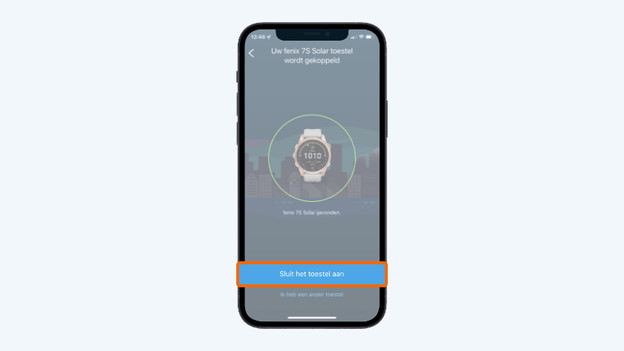
- Tap Connect.
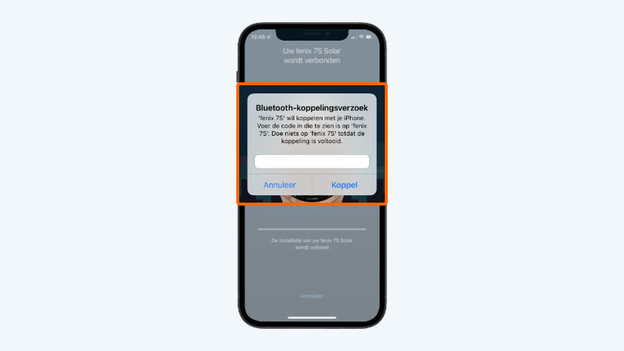
- You'll see a pairing code on your Garmin smartwatch, enter this code on your smartphone.
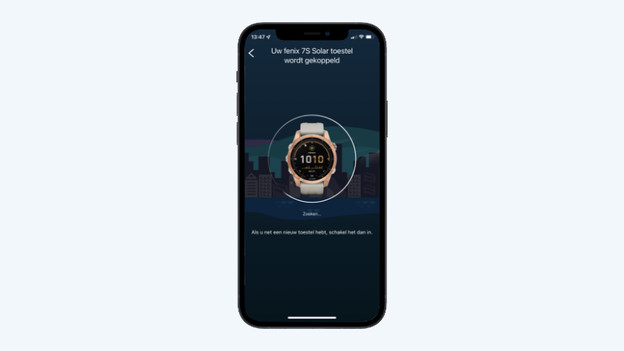
- Your smartphone and smartwatch have now been connected. Go through the steps.
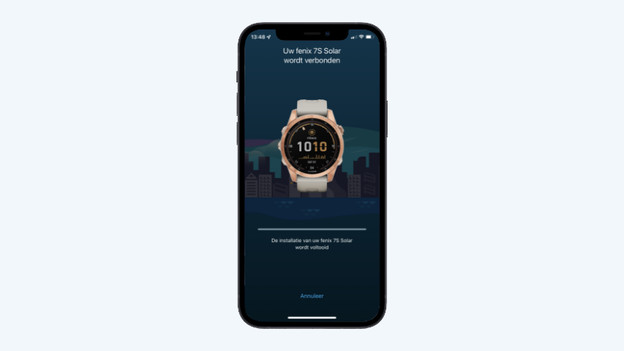
- The Garmin smartwatch and your smartphone have to synchronize now. Your devices have been connected.
Add your smartwatch
Find your smartwatch
Connect it
Enter the pairing code that appears on your smartwatch
Your phone and smartwatch are now being paired
Your watch is now being paired
Your smartwatch has been connected


Article by Julia
Smartwatch Expert.