Written by Julia
Edited on
27 March 2024
·
08:44
How do you remove your old screen protector from your screen?
Before you apply a new screen protector, you have to remove the old screen protector from your device first. Often, it's not a good idea to just pull it off. The glass of the screen protector can break and give shards, for example. That's why we explain 3 ways to safely remove your screen protector.
3 tips to remove your screen protector
Remove your screen protector with one of these 3 tips:
- Tip 1. use a toothpick
- Tip 2. use duct tape
- Tip 3. use a hair dryer
Tip 1: use a toothpick
Remove your screen protector from your screen with a toothpick:
- loosen the edges with a toothpick by carefully pushing the toothpick under the sides.
- grab a card, like a debit or credit card, and slide it under the edge of the screen protector.
- slide the card further and further under the screen protector until it comes off entirely.
Loosen the edges with a toothpick
Slide your card under the edge
Slide your card further under the screen protector


Tip 2: use duct tape
The duct tape way works best with a plastic screen protector. You can remove the screen protector with duct tape:
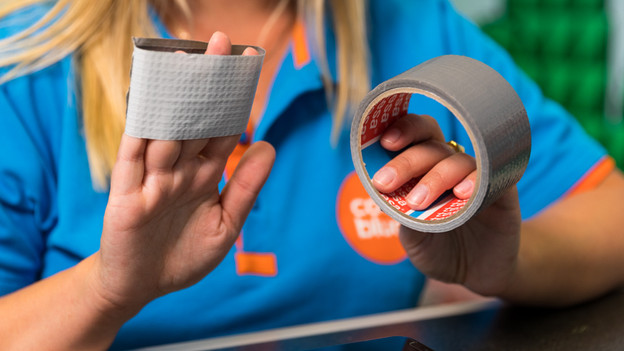
- wrap the duct tape around your finger with the adhesive side outwards.
- press your finger with the duct tape onto the screen protector. It's the most convenient to do this at a corner.
- slowly pull up the screen protector with the duct tape.
- slide a card under the screen protector where you loosened it.
- further loosen the screen protector with the card.
Wrap the tape around your finger with the adhesive side outwards
Press the tape onto the protection and pull it up
Further loosen the screen protector with a card


Tip 3: use a hair dryer
In case of a broken glass screen protector, it can be difficult to remove the screen protector. If the above ways with the toothpick and duct tape don't work, try to remove your screen protector with your hair dryer:
- loosen the edges of the old screen protector with a card.
- set your hair dryer to a low setting. So, not too hot and powerful!
- move your hair dryer over your screen to spread the heat.
- further loosen the screen protector with the card. Do this carefully, so your screen protector doesn't break (even more).
Loosen the edges with a card
Set the hair dryer to a low setting
Move your hair dryer over your screen
Further loosen the screen protector with your card