
Written by Annabel
Edited on
13 October 2022
·
07:19
How do you set up a TSA snap lock without a red lever?
There are different TSA locks. A TSA clock lock can come with and without a red lever. In this article, I'll explain how you can easily set your own code on a TSA click lock without a red lever step by step. Note: you won't receive a key, as only airport customs have one.
Set up in 4 steps
- If the number combination is not yet 0-0-0, set the number combination to 0-0-0.
- Press the bar on the lock so that the snap closure opens.
- Hold down the bar and set your own invented number code. Remember it well.
- Close the lock again. Test the new code by entering your own invented number combination.

Step 1
Set the number combination to the original factory code 0-0-0 if it's not set to that.

Step 2
Press the bar on the lock so the snap closure opens.
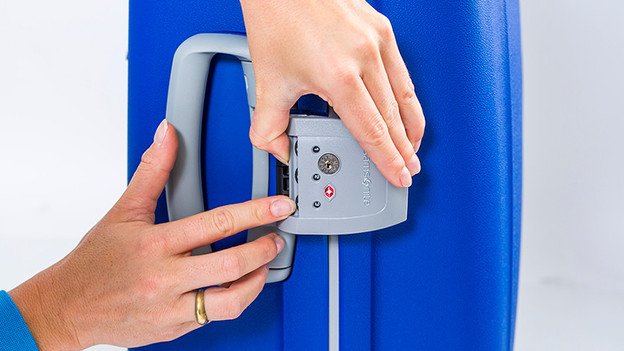
Step 3
Hold down the bar and set the desired code.

Step 4
Close the lock, test your code, and your lock is set!
Article by Annabel
Suitcase Expert.
