Written by Jorn
Edited on
27 January 2025
·
13:10
What do you do if there's no sound coming from your Ziggo Mediabox?
Have you set up your Ziggo mediabox, but is there no sound coming from your TV or sound equipment? Or is the sound out of sync with the images you see? We'll help you solve this problem in these 7 steps.

Fix sound problems with your media box
Is the sound of your media box out of sync with the images you see? Start with step 1. Don't hear any sound at all? Start with step 2.
- Step 1: set the audio delay of your media box
- Step 2: check if your TV or media box is on mute
- Step 3: check if your TV's sound settings are correct
- Step 4: perform a 'soft reset' of your TV and media box
- Step 5: check the HDMI cable
- Step 6: factory reset your media box
- Step 7: contact Ziggo
Step 1: set the audio delay of your media box
You can easily change the settings on your media box if your sound is out of sync with the image. Open the menu with your Ziggo remote and go to the settings by selecting the cog wheel. Then go to Image and sound and select Audio delay. You can now easily change the audio delay with the arrow buttons on the remote and sync the sound with the image.
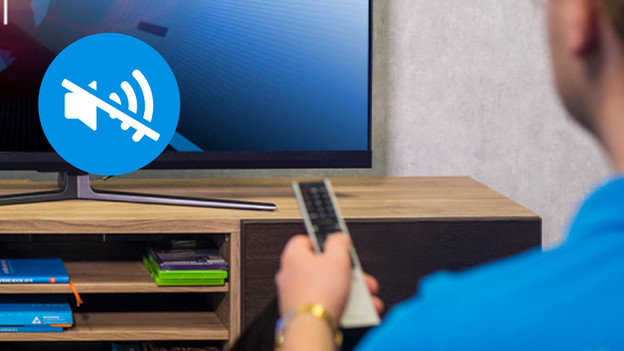
Step 2: check whether your TV or media box is on mute
Don't hear any sound at all? Check if the media box or your television is on mute. Press the button with the loudspeaker with a stripe through on both remotes. Does the same icon appear on the screen? Your television and media box weren't on mute. Follow these steps.

Step 3: check if your TV's sound settings are correct
Go to the sound settings in the menu of your television and check if the sound settings are correct. Mainly, you'll want to check the sound output. If you watch TV without any external equipment, you need to select 'Internal speaker'. Do you watch TV with sound equipment such as a soundbar? Make sure you select the sound output which corresponds with your equipment.
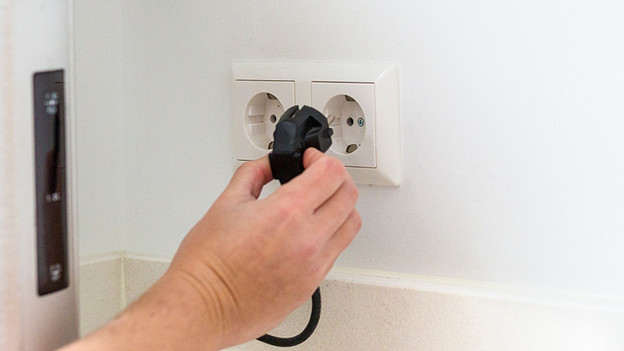
Step 4: perform a 'soft reset' of your TV and media box
If you unplug the media box, the memory of the box reset. Pull the plug from the socket, wait a minute, and then reconnect it. Still don't hear any sound when your media box has started up? Perform the same steps for your television.
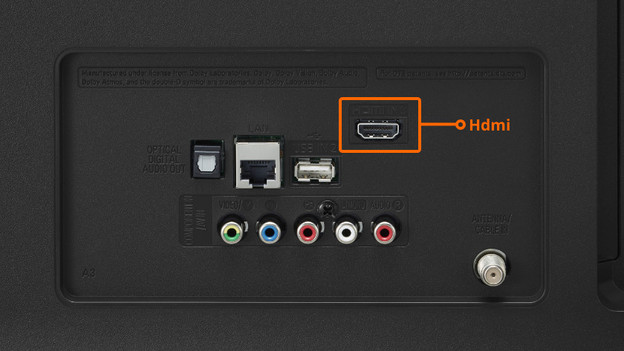
Step 5: check the HDMI cable
The HDMI cable you use to connect your media box and TV transfers both the image and the sound of the TV. If you don't hear any sound coming from your TV, it could be the cable as well. Check that the cable is properly connected on both ends and if there's any damage to the cable. You can also try a different HDMI cable.

Step 6: factory reset your media box
If you reset the media box to factory settings, the box removes all information and setting you've changed. Open the menu with your Ziggo remote and press the cog wheel. Then go to System and Factory settings. Insert your PIN code. Haven't entered any PIN? You probably need to enter 0000. Then confirm you want to reset to factory settings and wait until the media box is fully booted again.
Step 7: contact Ziggo
Have you completed all the steps above and still don't have any sound with the stations you watch? Contact the Ziggo customer service. They can help you out and replace your media box if necessary.
Article by Jorn
Television Expert.