Written by Maurits
Edited on
24 October 2023
·
06:51
There's no sound coming out of the Sonos Beam or Arc after connecting it to the TV.
Do you have a Sonos Beam or Sonos Playbar at home, but doesn't the soundbar produce any sound when you watch TV? With the following tips, you can easily solve this problem.

5 tips to make your Sonos Beam or Arc produce sound
Read 5 tips to make your Sonos Beam or Arc produce sound below. Tip 1: change TV settings Tip 2: check the cables Tip 3: check Netflix settings Tip 4: check PS4 settings Tip 5: check Xbox One settings
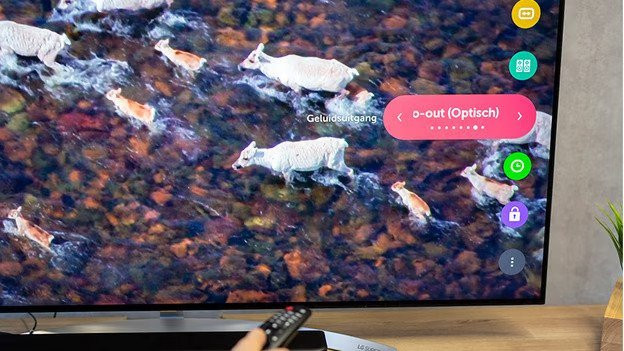
Tip 1: change the settings on your TV
Go to the settings of your TV. Check the sound settings or sound output and select the right audio output. For the Playbase you need the optical output and for the Beam you can use either the optical output or the HDMI port. The outputs are often labeled as 'external speakers', 'audio out optical', 'optical out', 'audio out HDMI', or 'HDMI out'.

Tip 2: check the optical or HDMI cable
Check if the optical cable or the HDMI ARC cable are connected correctly to both the soundbar and the TV. In the case of an optical cable, also check if the red light near the input on the Playbar or Beam is on. If necessary, you can remove the cable from the soundbar and TV for a moment and then put it back in.
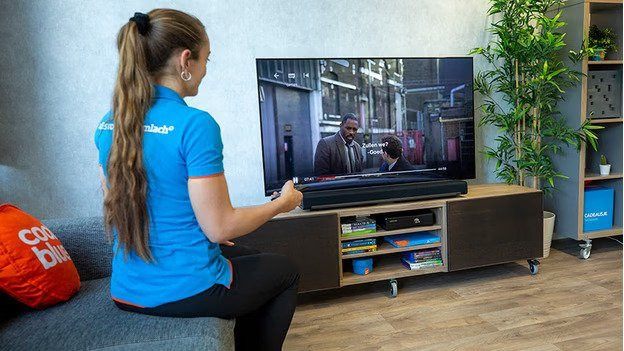
Tip 3: check your Netflix settings
Is the sound only missing when you're streaming on Netflix? To solve this problem, you open the sound settings of Netflix and change the audio format from Dolby Digital Plus to Stereo. The Beam and Playbar don't support Dolby Digital Plus.
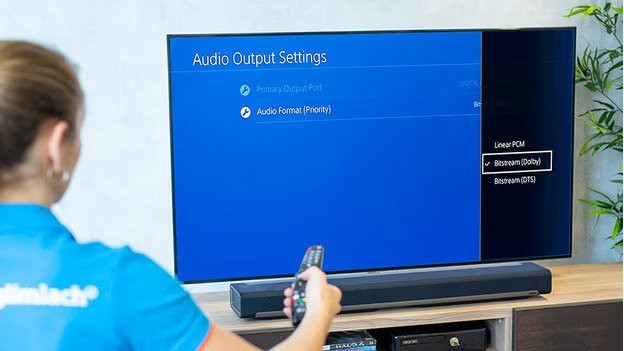
Tip 4: check your PS4 settings
Is the sound missing when you stream or play Blu-Rays on the PlayStation? Go to the settings on your PS4.
- Select 'Sound and display'.
- Select 'Settings video output'.
- Select 'Primary output port'.
- Select 'HDMI OUT'. Set the audio format to 'Bitstream (Dolby').
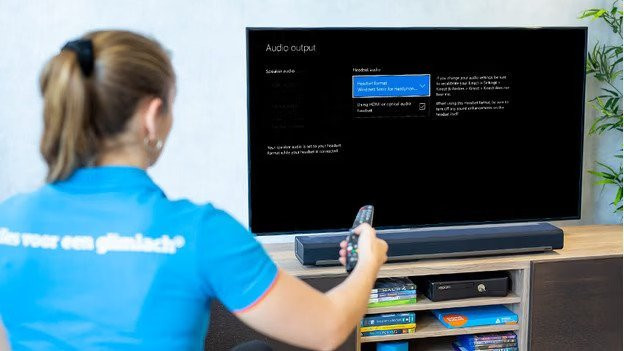
Tip 5: check your Xbox One settings
Is the sound missing when you stream or play Blu-Rays via the Xbox One? Go to settings on your Xbox.
- Select 'All settings'.
- Select 'Image and sound' and 'Audio output'.
- Set 'HDMI audio' to 'Bitstream off'. Then, set the 'bitstream format' to Dolby Digital.
Article by Maurits
Audio Expert.