
Written by Charlotte
Edited on
13 October 2025
·
14:43
How do you descale your WMF Perfection?
In this article, we'll explain how you regularly descale your WMF Perfection fully automatic machine. You lengthen the lifespan if you regularly descale the machine. This also prevents limescale. Descale your machine once every 3 months. Do you use a water filter? Then you can do it less often.
Get started with descaling
Descale your WMF Perfection with these useful video instructions. We'll go through these 4 steps:
- Step 1. Prepare descaling
- Step 2. Start descaling
- Step 3. Rinse the machine
- Step 4. Place the water filter
You need:
- WMF Perfection Descaler XW1320
- Container of at least 600ml
- Empty glass
How often should you descale?
We recommend descaling your WMF Perfection espresso machine with the WMF Perfection Descaler every 3 months. You'll get a notification when you need to descale the machine. If you use a water filter, you don't have to do it as often. If you don't use that, you descale your machine about once every 3 months.
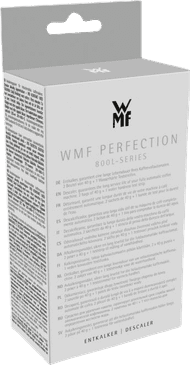
9,99
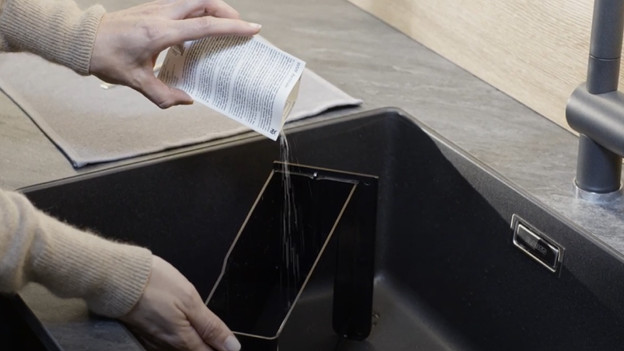
Step 1: prepare the descaling
- Touch the 'i' icon on the display of the machine.
- Choose 'descaling' to select the descaling program.
- Confirm this with 'start'.
- Empty the drip tray in the sink.
- Take the water tank out of the coffee machine.
- Empty the water tank in the sink.
- Remove the filter from the water tank.
- Fill the water tank up to the 'CALC' level with lukewarm water.
- Add the descaler to the lukewarm water and stir.
- Place the water tank back in the coffee machine.
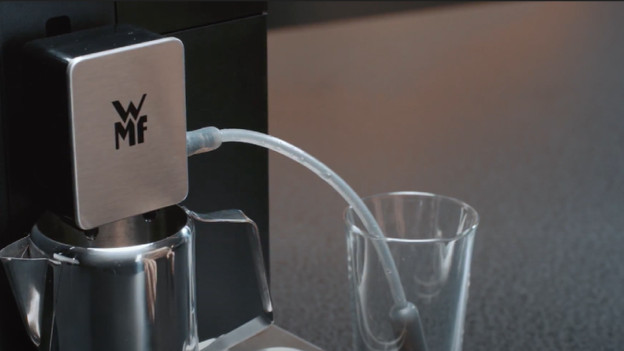
Step 2: descale the machine
- Place the drip tray under the coffee outlet and confirm this on the display.
- Connect the milk tube with the machine and put the end in the empty glass.
- Press 'ok' to start the descaling program.
- It's now descaling for 17 minutes.
- Empty the container and rinse it.
- Remove the water tank and rinse it.
- Empty the drip tray in the sink.

Step 3: rinse the machine
- Place the container back under the coffee outlet.
- Press 'ok' to start rinsing.
- Empty the container and rinse it.
- Empty the drip tray in the sink.
- Place the container back under the coffee outlet.
- Press 'ok' to start the last part of the rinsing.
- Empty the container in the sink.
- Empty the drip tray in the sink.
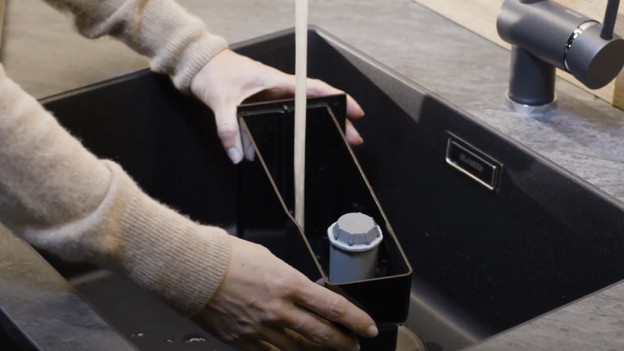
Step 4: place the water filter
- Empty the water tank again and rinse it.
- With help of the attachment, put back the water filter in the water tank.
- Fill the water tank to 'max'.
- Place the water tank back in the machine.
- Place the container back under the coffee outlet.
- Press 'ok' to remove the last limescale and flavor residue.
- Your WMF Perfection is succesfully descaled.
Article by Charlotte
Coffee Machine Expert.
