LG monitors
Coolblue's Choice is our way of helping you choose the product that fits you when you're having trouble finding it yourself. Our expert has selected the product with the best price-quality ratio for each situation. That product is Coolblue's Choice. And we'd blindly recommend it to you, your girlfriend, or your grandpa.
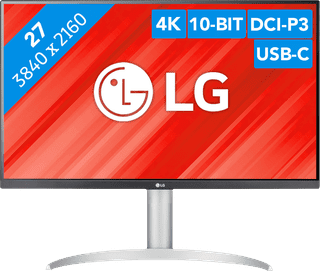
Our choice for a monitor with USB-C for your MacBook or iMac|No accessories|Plastic|Not curved
- You can connect your MacBook or iMac to this USB-C monitor without a converter.
- Thanks to the 4K resolution, this monitor displays images from your MacBook or iMac sharply and in detail.
- You can adjust the monitor in height or tilt it for an ergonomic sitting posture, so you're less bothered by neck or back complaints.
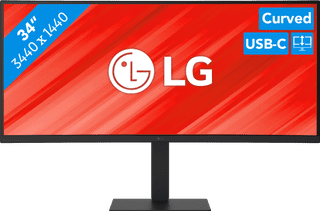
Our choice for a business monitor for data and finance tasks|Metal, Plastic|Curved|None pivot function
- The large ultrawide size allows you to open multiple windows side by side, such as an Excel sheet and a Word document.
- Thanks to the Quad HD resolution, you can see numbers in columns and rows more sharply.
- Thanks to the 100Hz refresh rate, you can smoothly scroll through long spreadsheets and web pages without the text becoming blurry.
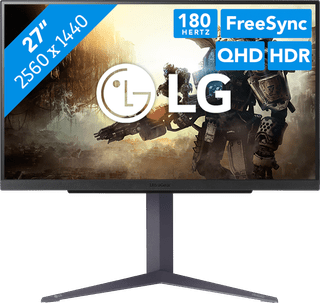
Our choice for a gaming monitor for immersive games|DisplayPort cable|Plastic|Not curved
- Thanks to the Quad HD resolution, the details of the characters and landscapes of your open world games look lifelike.
- Thanks to the IPS panel, you can enjoy lifelike colors from every viewing angle.
- You can game with smooth images without slowing down thanks to the 180Hz refresh rate and 1ms response time
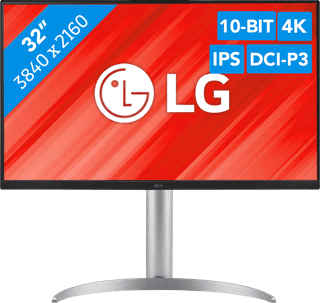
Our choice for a monitor for demanding graphic design|DisplayPort cable, HDMI cable, USB-C cable|Metal, Plastic|Not curved
- You can enjoy sharp images and realistic colors thanks to the 4K resolution and HDR support.
- Thanks to the IPS panel, you can see bright colors from every viewing angle.
- You can enjoy high color contrasts thanks to the DCI-P3 color space, so you can see more differences between light and dark colors.
506,-
Temporarily sold out
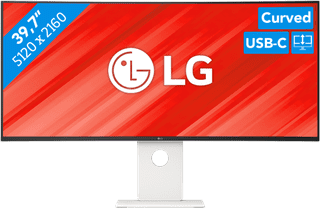
Our choice for an ultrawide monitor for demanding graphic design|Plastic|Curved|None USB-C connector
- Thanks to the large 40-inch screen size, you can open multiple programs at once, such as Adobe Photoshop and Premiere Pro.
- You can edit images with razor-sharp details thanks to the 5K resolution and DisplayHDR 600 support.
- You can enjoy high color contrasts thanks to the DCI-P3 color space, so you can see more differences between light and dark colors.
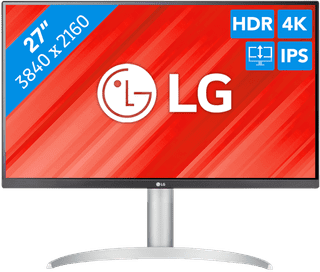
Our choice for a monitor for video editing|DisplayPort cable, HDMI cable, USB-C cable|Metal, Plastic|Not curved
- You can edit the best videos with razor-sharp images and colorful details thanks to the 4K resolution, HDR10, and DisplayHDR 400 support.
- You can enjoy high color contrasts thanks to the DCI-P3 color space, so you can see more differences between light and dark colors.
- The screen is tiltable and adjustable in height, so you can work with a comfortable sitting posture and you're not bothered by your neck or back.
Retail price329,-
269,-
Temporarily sold out