Welcome to your environment! You can order everything from your assortment with your personal budget here.

You can always return to the normal Coolblue website by clicking here.

Your outstanding budget (incl. VAT) is always visible here, so you know exactly how much you can spend.

Coolblue home
Show 2 products

Sort

Refresh rate
Brand
Panel type
Recommended for use
Color space
Energy label
Response time
Video outputs
USB-C dock
Maximum USB-C dock power
Female HDMI Type A port version
Other connectors
Monitor options
Type of adaptive sync
Type of HDR
Color
Maximum brightness
Price
Review score
Split screen

Ultrawide monitors for photo/video editing

Ultrawide monitors for photo/video editing

  • 2 monitors

An ultrawide monitor for photo and video editing offers a solution for any photo or video editor that works in multiple windows at the same time. Thanks to the extra wide screen, you have plenty of room for all your windows and you work more efficiently. This is useful, for example, when you have a folder of raw videos open, along with multiple windows from Adobe Premiere or Final Cut. An image editing screen is distinguished by a large coverage of commonly used color profiles such as sRGB, Adobe RGB, and DCI-P3. This way, your monitor displays the same color tones as your editing software and you can choose from many different colors. These monitors are pre-calibrated as standard or offer calibration options, so you can get started right away.
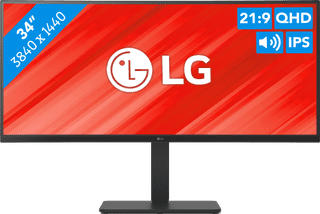
LG UltraWide 34U650A-B Ultrawide monitor for photo/video editing
Refresh rate 100 Hz | IPS panel | sRGB
442,-
Delivered tomorrow
Lenovo Legion Pro 34WD-10 OLED Ultrawide monitor for photo/video editing
0 reviews
Refresh rate 240 Hz | OLED | DCI-P3, sRGB
897,-
Delivered tomorrow
 

Advice on ultrawide monitors for photo/video editing

Can't choose? View the advice from our expert.
Personal chat Digitalk.
You're now chatting with Coolblue customer service
This chat is closed
foo
Oeps File size is larger than 5MB. Upload a smaller file.