
• Go to main content
  1. Network & internet
  2. WiFi repeaters
  3. WiFi repeaters with network connection
  4. RE200 AC750

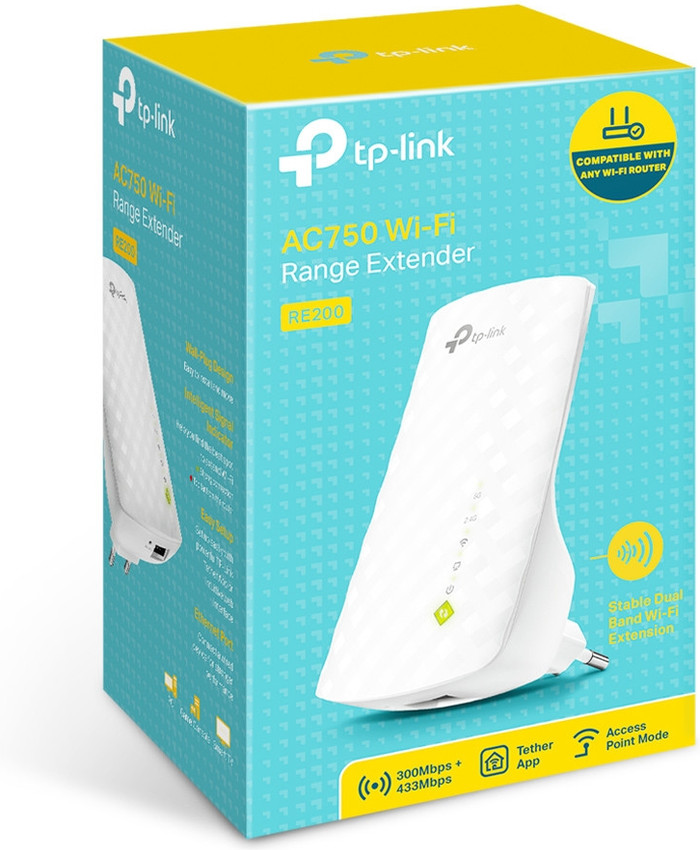
TP-Link RE200 AC750

  • Review is 8,6 out of 10, based on 734 reviews.
    8,6/10 (734 reviews)
  • Show all accessories
  • TP-Link RE200 AC750 Main Image
  • TP-Link RE200 AC750
  • TP-Link RE200 AC750
  • TP-Link RE200 AC750
  • TP-Link RE200 AC750 product in use
  • TP-Link RE200 AC750
Select an option

31,99

In stock

  • Delivered for free when it suits you
  • At least a 2 year warranty on your product
  • Free exchange within 30 days
  • Customer rating 9,2/10
View all categories
  • NLNederlands
  • Sign in.Welcome back.
    • My Coolblue
    • Orders and invoices
    • Returns and repairs
    • Information and preferences
    • Credits
    • Discounts
    • Wish list
    • White goods subscriptions
    • Coolblue Energy
    Sign in

    Don't have an account yet? Start here

  • Delivered for free when it suits you
  • Free exchange
  • 22 stores
  • Delivered for free when it suits you
  • Free exchange
  • 22 stores
  • Our app
  • Delivered for free when it suits you
  • Free exchange
  • 22 stores
  • Delivered for free when it suits you
  • Free exchange
  • 22 stores
  • Our app
BusinessStoresCustomer service
  • Network routers
  • Mesh WiFi
  • WiFi routers
  • Access points
  • IT switches
  • Business network
  • Similar and better products
  • Product information
  • Accessories
  • Highlighted
  • Reviews
  • Specifications

Highlighted

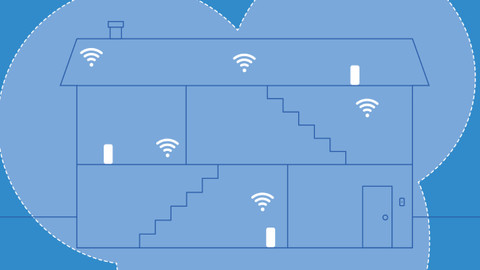
  • The WiFi solution for your living situation

    We'll help you find a solution for your WiFi problem in 2 steps here.

Specifications

The list with properties are filtered when you type

Product

Product

Product number

507670

Manufacturer code

RE200

Brand

TP-Link

Processing of your defect

Via Coolblue

Old product returned for free

Wireless options

Wireless options

WiFi standards

Wireless AC, Wireless G, Wireless N

Frequency bands

Simultaneous dual-band

5GHz band speed

433 Mbit/s

2.4GHz band speed

300 Mbit/s

Number of WiFi antennas

3

WLAN security

WEP, WPA-PSK, WPA2-PSK

WiFi on/off switch

Replaceable WLAN antennas

MAC address filter

Wired options

Wired options

Number of Ethernet ports

1

Wired connector type

Connector (outside device), Port (in device)

Connector type

Power connector

Physical properties

Physical properties

Width

11 cm

Depth

6,58 cm

Height

7,52 cm

Weight

100 g

Color

White

Related products

  • WiFi repeaters with network connection
  • Simultaneous dual-band WiFi repeaters
  • All WiFi boosters
  • WiFi solution for a student room
  • All WiFi repeaters
WiFi repeaters with network connectionSimultaneous dual-band WiFi repeatersView all WiFi boostersWiFi solution for a student roomView all WiFi repeaters

This is the one

TP-Link RE200 AC750
Review is 8,6 out of 10, based on 734 reviews.
734 reviews
TP-Link RE200 AC750

31,99

In stock


anything for a smile

  • Delivered for free when it suits you
  • 22 stores
  • Our app
  • Delivered for free when it suits you
  • 22 stores
  • Our app
Product expert at Coolblue

Do you have a question?

Find your answer quickly and easily on our customer service page.

Sign up for our newsletter

Receive the best promotions and personal advice.

  • Our assortment
  • Company website
  • Customer service
  • Business
  • Our stores
  • About Coolblue
  • Careers at CoolbluePlenty of vacancies!
  • Sign in
  • Customer service
    • Delivery and installation
    • Payment
    • Exchanges and returns
    • Warranty, repairs, and insurance
    • Place order
    • Stores
    • Status of my order
    • Register return or repairs
    • All my orders and invoices
    • My Coolblue account
    • Sign in
    • Go to customer service
  • Business
    • Business order
    • Business gift cards
    • Christmas gifts
    • Company Stores
    • Home Office Store
    • Bring Your Own Device
    • Gift Store
    • Affiliate program
    • Everything on Business
  • Our stores
    • EkkersrijtNew!
    • Alkmaar
    • Almere
    • Amsterdam West
    • Amsterdam Zuidas
    • Arnhem
    • Breda
    • Cruquius
    • Den Bosch
    • Eindhoven
    • View all our 22 stores
  • About Coolblue
    • Our assortment
    • Company website
    • News
    • Gift cards
    • Careers at CoolbluePlenty of vacancies!
    • The Coolblue App
    • Coolblue Belgium
    • Coolblue Germany
    • Privacy
    • Accessibility Statement
    • Everything on Coolblue
Pay with iDEAL | Wero
Pay with MasterCard and Visa via ClickToPay
Pay with ApplePay
Thuiswinkel Waarborg
Thuiswinkel Waarborg business
Shipping and delivery with PostNL
Best webshop 2022

  • Terms and Conditions
  • Terminate agreement
  • Privacy
  • Cookies
  • Nederlands (NL)
© 1999 - 2026 - Coolblue B.V.

Similar and better products

    • Current product

      TP-Link RE200 AC750

    •  

      TP-Link RE450
      • 31,99

      • 52,-

    • Reviews
    • 5GHz band speed
      • 433 Mbit/s

      • 1300 Mbit/s

    • 2.4GHz band speed
      • 300 Mbit/s

      • 450 Mbit/s

    • WLAN security
      • WEP, WPA-PSK, WPA2-PSK

      • WEP, WPA, WPA2

    • Frequency bands
      • Simultaneous dual-band

      • Simultaneous dual-band

    Show full comparison

    Product information

    Key specs

    Frequency bands

    Simultaneous dual-band

    5GHz band speed

    433 Mbit/s

    2.4GHz band speed

    300 Mbit/s

    WiFi standards

    Wireless AC, Wireless G, Wireless N

    WLAN security

    WEP, WPA-PSK, WPA2-PSK

    Number of WiFi antennas

    3

    Number of Ethernet ports

    1
    Show all specifications

    Pros and cons

    According to our WiFi repeater expert

    • Simultaneous dual-band WiFi connects your devices to the best frequency band automatically.

    • This WiFi repeater works with every brand of router.

    • Connect a device to the internet with a cable via the Ethernet port.

    • The 5 GHz band has a shorter range, so your WiFi won't reach as well through thick walls.

    • If you connect a lot of devices to WiFi 5 at the same time, the connection gets slower.

    Description

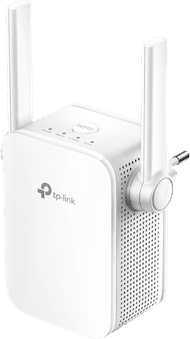
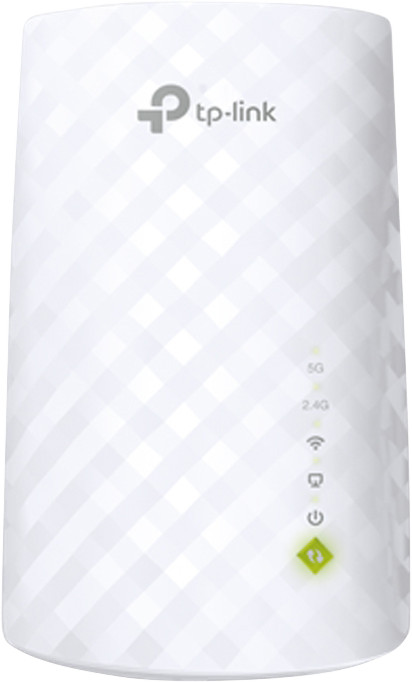
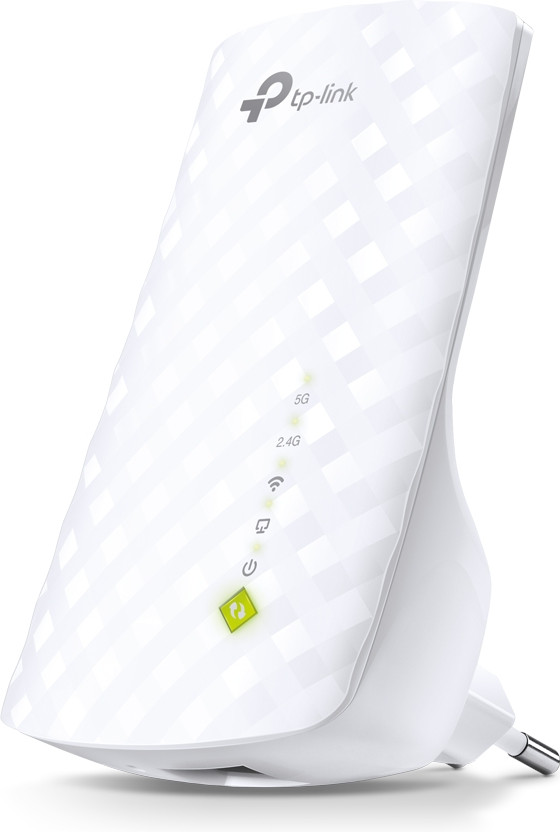
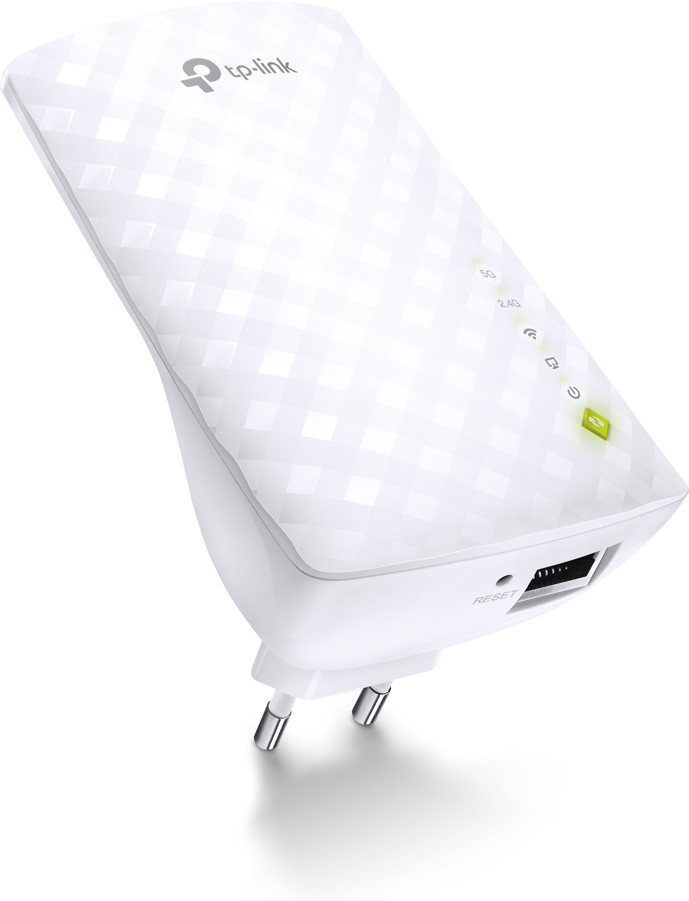
    Distribute your internet traffic smartly with the TP-Link RE200 AC750. This WiFi repeater has simultaneous dual-band. It uses 2.4 gigahertz and 5 gigahertz at the same time. This way, your devices automatically choose the best band. The 2.4 gigahertz band has a longer range through walls and floors. The 5 gigahertz band provides a more stable connection for video calls or series. TP-Link works with every router. You can connect 1 device with a cable via the 1 Ethernet port for more stable internet.

    Tips for using this product

    Included by default

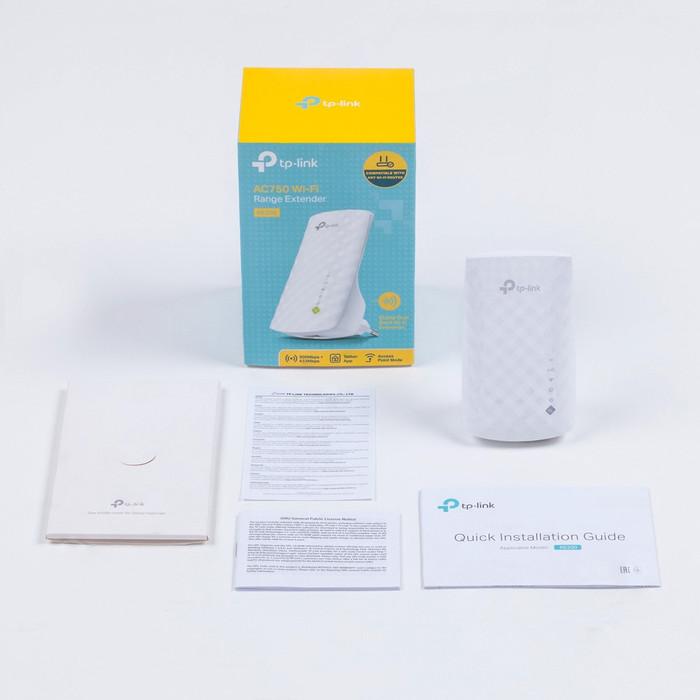
    • Manual(5.34 MB)

    Reviews

    Rating

    5 stars

    334

    4 stars

    334

    3 stars

    36

    2 stars

    21

    1 star

    8

    Rating per section

    Range

    Review is 9,4 out of 10.
    9,4 ()

    Installation ease

    Review is 9,7 out of 10.
    9,7 ()

    User friendliness

    Review is 9,0 out of 10.
    9,0 ()

    Speed

    Review is 9,1 out of 10.
    9,1 ()

    Design

    Review is 8,9 out of 10.
    8,9 ()

    Customer images

    Most helpful reviews

    Review is 8,5 out of 10.
    8,5/10 ()

    Easy, fast & functional

    • Truly strengthening
    • Plug & Play
    • User-friendly interface
    • Panic-inducing red lights during standby

    After weeks of poor coverage on the 1st floor and attic, I went looking for a way to increase the coverage.

    I was always quite skeptical about Wifi extenders at first. I did not trust that these devices could really amplify the range without drastically reducing the speed, for example.

    After a long search and comparison, I finally arrived at the TP-Link RE200. To be on the safe side, I immediately bought two extenders and after a few days of use I can say that even one is more than enough.

    The devices are basically 'Plug & Play'. This means that you can use the devices almost immediately after you plug them into the socket. The only drawback is that the devices use their own SSID name in factory settings.

    Mainly because of this, I just connected the laptop via the Ethernet connection on the bottom of the extender, in order to be able to adjust the settings.

    To 'log in' to the extender, once connected to it, simply type tplinkextender.net into the browser's navigation bar. Here you can adjust everything as you can expect with the average router, for example.

    For my own convenience, I've given the extenders the same SSID name as the router itself. As a result, my devices don't see any difference between the router itself and the extenders, allowing them to seamlessly switch to the transmitter with the most range.

    It is also recommended to update the software of the device. The extenders do not do this themselves! You simply download the software via the tp-link support center and then upload it in no time to the 'firmware upgrade' extension in the extender's management. The software updates provide extra stability and reliability of the device.

    It is also recommended, when available, to connect the extenders to the 5GHz frequency. The speed that comes in via the 5GHz frequency is significantly higher than the standard 2.4GHz frequency. Most new routers support 5GHz frequencies, so that's definitely something to check out and connect with if you have the option.

    Finally, it is useful to know that when a red light comes on on the extender, it is not immediately a reason to panic. The extender is very energy efficient and ensures that everything superfluous is excluded. For example, if you have the 5GHz frequency turned on, but not using it, the extender will automatically put it in 'standby' until a connection is sought again. When it enters standby mode, a red light appears instead of green. When connected, it immediately switches back to green.

    All in all, highly recommended with plenty of options, a considerably amplified signal and a good transfer speed.

    Still unsure which extender to choose? This is it!

    • Review by:

      Leendert

    • Date:

      10 February 2015

    • Translation:

      Automatically translated from Nederlands

    Review is 7,5 out of 10.
    7,5/10 ()

    Economical and true dual band extender

    • dual band
    • high speed mode is really twice as fast
    • economical
    • no plug to plug in

    A range extender or repeater is often sold on the packaging as an ideal means of quickly and easily expanding your WiFi network. In practice, however, this is distasteful. What the sales pitch of the manufacturer forgot to mention is that a repeater that uses the same WiFi frequency can only transmit half the speed. But placement is also crucial. With repeaters in a socket, this is often not optimal, which sometimes leads to dramatically low speeds. So I experimented a lot and with single band repeaters I only got 20 Mb/s in the bedroom, where 200 Mb/s is achieved at the router.

    This TP-Link is the only repeater in this price range that can operate the 2 frequency bands separately. Now I have it connected to the router on the 5 Ghz AC signal, while it radiates (only) on 2.4 Ghz. These do not interfere with each other and I promptly get a speed of 100 Mb/s. That is relatively high, especially because the repeater is not in the most ideal place in the socket.

    The consumption is also decent: 2 Watt in standby and 3 Watt in active mode. That is easily 5x less than a large repeater that offers approximately the same speeds.

    As with everything from TP-Link, the usability isn't great. You do have to dive into the menu of the device to reach the best settings. A handy app such as DLink and Netgear are also missing.

    • Review by:

      Jullus

    • Date:

      3 November 2014

    • Translation:

      Automatically translated from Nederlands

    Review is 9,0 out of 10.
    9,0/10 ()

    Does what it should

    • Beautiful design
    • 2 installation options
    • Takes router name
    • TP-Link told me not to have too many walls between the router and TP-Link

    There are two ways to set it up. So if one way doesn't work, the other will work. That was the case with me. Even though the first way didn't work, I was done within 15min.

    If it says TP-Link in the Wi-Fi names, then you need to install it again. But if installation went well, it has taken over your router name and is therefore password safe again. You also do not have to adjust the WiFi every time you are elsewhere in your home/office. Ideal.

    I now have him in a room with the door closed. I used to have almost no internet here. Wetransfer took an hour instead of a few minutes. Now with the TP-Link it's just a few minutes again. And the internet works great.

    Besides, I think it looks nice. And you can unplug and move it without having to reinstall.

    Am completely satisfied. Highly recommended!

    • Review by:

      Kalynda Haaf

    • Date:

      31 July 2015

    • Translation:

      Automatically translated from Nederlands

    Customer reviews:

    • Trustpilot 3.8/5 - 157,690 reviews
    • Kiyoh 9.1/10 - 135,774 reviews