MSI Optix MAG161V

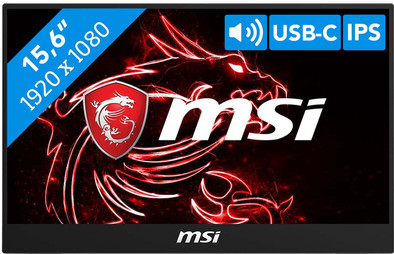
Never available again
View alternatives in the sidebar
View alternatives in the sidebar
Product number | 857338 | |
|---|---|---|
Manufacturer code | 9S6-3AA10H-001 | |
Brand | MSI | |
Processing of your defect | Via Coolblue | |
Old product returned for free |
Screen size | 15,6 inches | |
|---|---|---|
Recommended display resolution | 1920x1080 | |
Sharpness | Full HD (1080p) | |
Aspect ratio | Standard (16:9) | |
Refresh rate | 60 Hz | |
Response time | 25 ms | |
Panel type | IPS panel | |
Brightness | 180 cd/m2 | |
Local dimming | ||
HDR support | ||
Contrast ratio | 700 | |
Touchscreen | ||
Screen reflection | Anti-glare | |
Blue light filter | ||
Flicker-free technology | ||
Color space | sRGB | |
Color depth | Less than 17 million colors (less than 8-bit) | |
Adaptive Sync | ||
Resolution width | 1920 pixels | |
Resolution height | 1080 pixels | |
Anti-reflection type | Anti glare | |
Horizontal viewing angle | 178 ° |
Height | 22,7 cm | |
|---|---|---|
Width | 35,7 cm | |
Depth | 1,1 cm | |
Weight | 0,9 kg | |
Color | Black | |
Including stand | ||
Material | Metal, Plastic | |
Cable management | ||
Appearance | Neutral | |
Curved |
Number of HDMI connectors | 1 | |
|---|---|---|
Number of Female HDMI type A 1.4b ports | 1 | |
Number of headphone jacks | 1 | |
Type of headphone connection | 3.5mm (TRS) | |
Number of USB-C ports | 2 | |
Number of USB 3.0 Female USB-C ports | 2 | |
Number of female 3.5mm TRS Audio Jack ports | 1 | |
Type of USB port | USB-C | |
Number of USB ports | 2 |
Adjustable in height | ||
|---|---|---|
Tiltable | ||
Pivotable stand | ||
Pivot function | ||
VESA mount option |
Energy label | C | |
|---|---|---|
Energy consumption standby | 0,5 W | |
Energy consumption active | 25 W | |
Energy consumption per 1000h | 7 kWh | |
Annual energy consumption | 10,22 kWh | |
Annual energy costs | 2,25 euros |
Built-in speakers | ||
|---|---|---|
Sound system | Stereo | |
Webcam | ||
Split screen | ||
Kensington lock |
Recommended for use | Internet, email, and text processing, On the go, Watching movies in Full HD |
|---|
Sharpness | Full HD (1080p) | |
|---|---|---|
Curved | ||
Aspect ratio | Standard (16:9) | |
Refresh rate | 60 Hz | |
Response time | 25 ms | |
Panel type | IPS panel | |
Color depth | Less than 17 million colors (less than 8-bit) | |
Built-in speakers |
According to our monitor expert
This screen is only 5 millimeters thick and weighs less than a kilogram, making it easy to take the Optix with you.
This monitor is compatible with all devices, so use it for your computer or your favorite consoles.
The monitor has an IPS panel to display true colors from a wide viewing angle.
This monitor doesn't have a 144Hz refresh rate to smoothly display fast-moving images.
This monitor isn't height-adjustable and doesn't have a VESA mount option.
With the MSI Optix MAG161V portable monitor, you can always work with a second screen, anywhere. Flip open the MSI and use it as a stand, connect the screen to the USB-C port of your laptop and you're ready to work more efficiently. Both power and image signal are transmitted via the USB-C connection, so there are no messy cables while you're on the train, in the plane, or at your flex workspace. You can also connect this portable monitor via HDMI, but you'll need a power cable. Thanks to the IPS panel, you can see true-to-life colors from any viewing angle. The monitor can be used both in landscape and in portrait mode, which is convenient when viewing your entire invoice or code block at a glance. Connect the screen to your favorite console, for example, because this portable MSI screen is also suitable for that.
5 stars
12
4 stars
8
3 stars
0
2 stars
0
1 star
0
The product is excellent. As a home work addition, it is ideal to connect immediately. Even as a CAD draftsman it is very useful.
Alex Klijnstra
29 April 2020
Automatically translated from Nederlands
I was looking for a portable 2nd screen for my MacBook 12 and for my (windows) work laptop. I looked around a lot for this. I had a few requirements that I explain here, if anyone is in the same boat it might be useful: -USB C connection, preferably with power delivery (MacBook only has 1 connection) -HDMI so that every other device can also use the screen (work laptop, playstation, old macbook)
There are quite a few screens with only 1 or 2 USB C connections. Those with 1 connection fell off anyway, since the macbook only has 1 connection and therefore always work on the battery. With two connections it was not always clear whether power delivery would work. It was also unclear to me whether a converter would work (for HDMI).
So my choice fell on this MSI, mainly because of the connection options. The screen is fine. This stands out specifically:
-Some reviews indicate that the screen is not that bright. It's not a problem for me, but if you're used to always using your laptop at maximum brightness, it could be disappointing.
-With HDMI, the screen also works fine, of course you have to provide power via USB C -All cables are included (USB C - USB C, HDMI - mini HDMI and USB A - USB C). -The macbook can be connected with only the USB C - USB C cable (by the way, the cable of the MB does not work for this). If you then connect a charger to the other USB C connection of the MSI, the MB will also be charged. -Brightness is set very low by default. You have to adjust this every time the power has been disconnected.
All in all a great purchase so far!
Peter S
24 June 2020
Automatically translated from Nederlands
Nice as an extra screen with your laptop.
Berns
18 April 2020
Automatically translated from Nederlands
