ASUS ZenScreen MB16QHG Portable Monitor
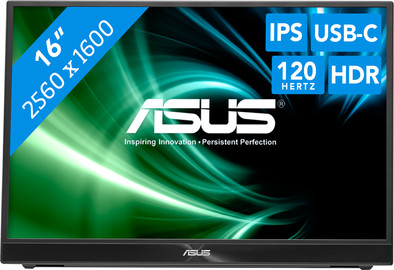
Never available again
View alternatives in the sidebar
Choose your monitor
16 inches - WQXGA - IPS - USB-C
Choose your monitor
View alternatives in the sidebar
16 inches - WQXGA - IPS - USB-C
Choose your monitor
Product number | 940126 | |
|---|---|---|
Manufacturer code | 90LM08NG-B01170 | |
Brand | ASUS | |
Processing of your defect | Via Coolblue | |
Old product returned for free |
Screen size | 16 inches | |
|---|---|---|
Recommended display resolution | 2560x1600 | |
Sharpness | WQXGA | |
Aspect ratio | Standard (16:9) | |
Refresh rate | 120 Hz | |
Response time | 5 ms | |
Panel type | IPS panel | |
Brightness | 500 cd/m2 | |
Local dimming | ||
HDR support | ||
Contrast ratio | 1000 | |
Touchscreen | ||
Type of HDR | DisplayHDR 400 | |
Screen reflection | Anti-glare | |
Blue light filter | ||
Flicker-free technology | ||
Color space | DCI-P3 | |
Color depth | Less than 17 million colors (less than 8-bit) | |
Adaptive Sync | ||
Resolution width | 2560 pixels | |
Resolution height | 1600 pixels | |
Anti-reflection type | Anti glare | |
Horizontal viewing angle | 178 ° |
Height | 35,97 cm | |
|---|---|---|
Width | 24,71 cm | |
Depth | 2,06 cm | |
Weight | 0,73 kg | |
Color | Black | |
Including stand | ||
Material | Plastic | |
Cable management | ||
Appearance | Business, Neutral | |
Curved |
Number of HDMI connectors | 1 | |
|---|---|---|
Number of headphone jacks | 1 | |
Type of headphone connection | 3.5mm (TRRRS) | |
Number of USB-C ports | 2 | |
Number of USB 3.0 Female USB-C ports | 2 | |
Number of female 3.5mm TRRRS Audio Jack port | 1 | |
Type of USB port | USB-C | |
Number of USB ports | 2 | |
Suitable for daisy chaining | ||
USB-C dock |
Included by default | HDMI cable, USB-C cable |
|---|
Adjustable in height | ||
|---|---|---|
Tiltable | ||
Pivotable stand | ||
Pivot function | ||
VESA mount option |
Energy label | E | |
|---|---|---|
Energy consumption standby | 0,3 W | |
Energy consumption active | 13 W | |
Energy consumption per 1000h | 12 kWh | |
Annual energy consumption | 17,52 kWh | |
Annual energy costs | 7,01 euros |
Built-in speakers | ||
|---|---|---|
Webcam | ||
Split screen | ||
Kensington lock |
Recommended for use | Internet, email, and text processing, Office work, On the go, Watching movies in Full HD |
|---|
Our digital expert will help you, but it can sometimes make mistakes, like humans do.
According to our monitor expert
Enjoy sharp images and more screen space thanks to the WQXGA resolution.
You can connect peripherals with the built-in USB-C port and save space on your desk.
Thanks to its compact size, you can take the display with you anywhere.
You don’t have much screen space because of the small size.
The monitor doesn’t have a touchscreen, so you can’t control it with your fingers.
Installation ease
Image quality
Price-quality ratio
Design
Good portable monitor but failed for me on my linux laptop (with both USB-C and HDMI connections) -- On Linux it worked but lead to a lot of intermittent crashes and freezes
Sri
29 November 2024
Very convenient and easy to carry 2nd screen (fits in my laptop bag next to my laptop, without taking much space). Especially as a business user with regular meetings offsite. For collaboration this screen even offers the possibility of sharing this screen by connecting one laptop by USBc and another over HDMI (cables included) with easy input-switching by one of the buttons on the back. This was an unexpected very handy extra feature. Screen is powered over USBc and hence can be used without the need of the external power-adapter (included) which is very convenient when meeting in lobbies or restaurants with very few power outlets. In addition, the high resolution allows for sharing large spreadsheets or large diagrams with crisp image quality. In short, very happy with this extra screen!
Benno
19 December 2025
Easy to carry and convenient way to have extra display on the road - I would prefer a 27 inch screen but carrying that around would be another challenge
William
26 December 2025


