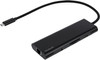
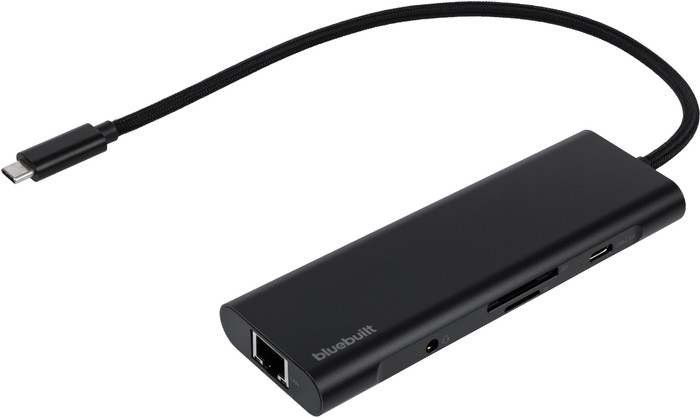
BlueBuilt 8-in-1 HDMI Docking Station with USB-C Black






Better model

According to the description, you can "Charge your laptop with Power Delivery up to 100 watts (using your own laptop charger, if your laptop supports Power Delivery)." The problem is that if you connect your own charger and the dock draws power from it (even without connected peripherals), your laptop immediately indicates that charging is slow. The dock is therefore only suitable for light tasks; with heavier work, the laptop will still drain the battery, and that naturally happens faster with more peripherals. The only solution is to buy a more powerful power supply/adapter. I gave in and spent a bit more for a premium brand. The first thing I took out of the box was a 120W adapter...
Mark
12 February 2026
Automatically translated from Nederlands
This docking station is compact and easy to use. With a single USB cable, I can now connect my laptop. This allows me to use my monitors and keyboard. And it charges my laptop at the same time. It works every time.
Frans
13 February 2026
Automatically translated from Nederlands
I was looking for a new Raplicator. This one is compact, sturdy, and for two monitors.
Rene
28 September 2026
Automatically translated from Nederlands
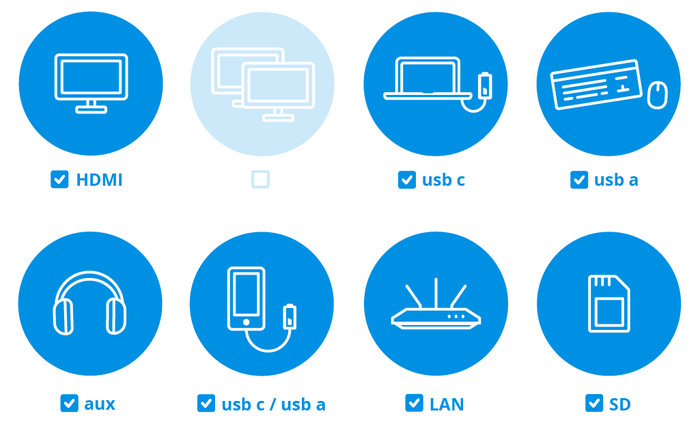
Extra functionalities docking station | Charge laptop via own charger, Charge phone via docking station, Connect headphones, Connect wired network | |
|---|---|---|
Type of main connector | USB-C | |
Total available video outputs | 1x HDMI | |
Number of connectable monitors | 1 | |
Type of USB port | Standard USB-A, USB-C |
According to our dock for laptops expert
With this dock, you can connect 1 extra 4K monitor to your laptop with a USB-C connector.
You can charge your laptop with this dock via the USB-C port.
A nylon cable is sturdier than a plastic cable, so it lasts longer.
You can't connect more than 1 monitor at the same time to this docking station.
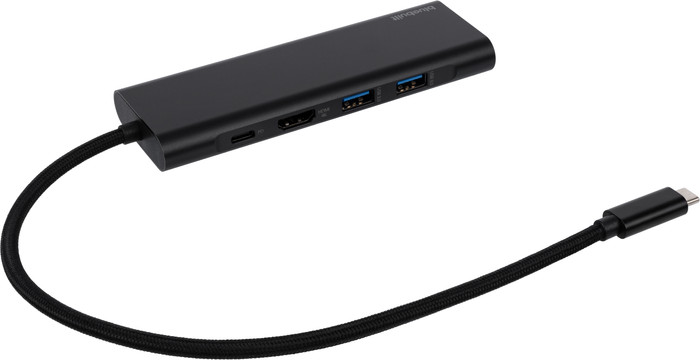
With the BlueBuilt 8-in-1 HDMI Docking Station with USB-C Black, you can expand your laptop with an extra monitor and accessories. When you connect a monitor, you get a maximum resolution of 4K at 60Hz. This way, you can enjoy a razor-sharp screen. You also have enough ports for your peripherals, such as a mouse and keyboard. This docking station is small and doesn't weigh much, so you can easily take it with you from your home office to the office. Does your laptop support Power Delivery? Connect your own laptop charger to the dock, so you don't have to look for a socket while you're working. The cable of this dock is made of nylon, which is sturdier than plastic. This dock also has a flat design, so it's stable on your desk. This docking station works on all Windows laptops and MacBook models with a USB-C port that transmit a video signal. This is how you check if your laptop has a suitable USB-C port.
61,-
61,-
Product number | 958285 | |
|---|---|---|
Manufacturer code | BBDS81B | |
Brand | BlueBuilt | |
Processing of your defect | Via Coolblue | |
Old product returned for free |
Made for laptop models | Apple MacBook, Chromebook, Microsoft Surface, Windows laptop |
|---|
Laptop docking station suitable for | Connect 1 monitor | |
|---|---|---|
Extra functionalities docking station | Charge laptop via own charger, Charge phone via docking station, Connect headphones, Connect wired network | |
Type of main connector | USB-C | |
Supported video technology on Docking Station | MST, SST | |
Number of USB ports | 3 | |
USB function | Charge, Charging an external device, Data transfer, Device connection, Play media, Power source, Record audio, Software updates | |
Type of USB port | Standard USB-A, USB-C | |
Number of female standard USB-A ports | 2 | |
Number of USB-C ports | 1 | |
Protocol Female USB-C port | USB electricity | |
Power USB-C port | 100 W | |
Fast charging USB-C port | ||
Total available video outputs | 1x HDMI | |
Number of HDMI connectors | 1 | |
Female HDMI Type A port version | 2.0 | |
Number of Ethernet ports | 1 | |
Ethernet speed | Gigabit Ethernet (1000Mbps) | |
Number of headphone jacks | 1 | |
Type of headphone connection | 3.5mm (TRRS) | |
Memory card reader | ||
Memory card | SD | |
Number of connectable monitors | 1 | |
Maximum image resolution 1 monitor | 4K (3840x2160) | |
Maximum refresh rate 1 monitor | 60 Hz |
Color | Black | |
|---|---|---|
Height | 13,25 cm | |
Width | 4,3 cm | |
Depth | 1,52 cm | |
Weight | 0,078 kg |
Current product

Connect 1 monitor
Connect 1 monitor, Connect 2 monitors and a Chromebook, Connect 2 monitors and a Windows laptop
Connect 1 monitor
Connect 1 monitor, Connect 2 monitors and a Windows laptop
Connect 1 monitor
USB-C
USB-C
USB-C
USB-C
USB-C
Charge laptop via own charger, Charge phone via docking station, Connect headphones, Connect wired network
Charge laptop via own charger, Charge phone via docking station, Connect headphones, Connect wired network
Charge laptop via own charger, Charge phone via docking station, Connect headphones, Connect wired network
Charge phone via docking station, Connect wired network
Charge laptop via own charger, Charge phone via docking station
1
2
1
2
1
61,-
89,-
55,-
73,-
92,-
In stock
BlueBuilt products have the best price-quality ratio because we've put them together ourselves. Based on product data, feedback from customers, and our own product knowledge. In other words, good products. We are so confident, that we'll even give you an extra long warranty. Read everything on BlueBuilt.

In stock
Coolblue takes care of everything, from taking out an insurance to repairs
For almost all accidents
More coverage in case of damage than your standard warranty
No deductible
First, add your dock for laptops to your shopping cart. On the next page, choose the Protection Plan below. You always have a 30-day return window and pay no deductible in case of damage.
2-year Protection Plan
7,99
one-time3-year Protection Plan
8,99
one-time