Welcome to your environment! You can order everything from your assortment with your personal budget here.

You can always return to the normal Coolblue website by clicking here.

Your outstanding budget (incl. VAT) is always visible here, so you know exactly how much you can spend.

Coolblue home

Help with your product
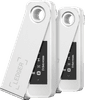
Ledger Nano S Plus Mystic White Duo Pack
0 reviews

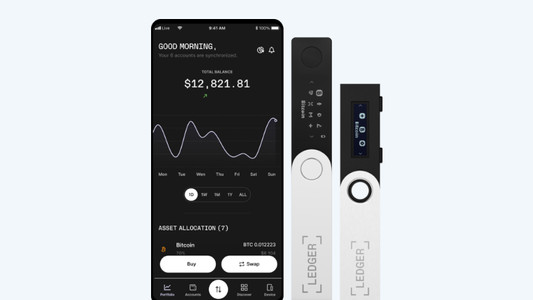
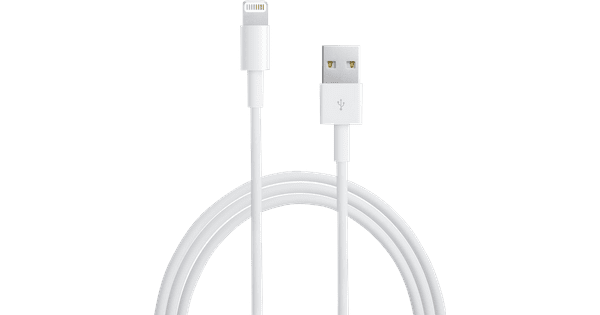
You can store all your cryptocurrency coins and keep a very close eye on all your transactions with the Ledger Nano S Plus Mystic White Pack. When you invest in multiple currencies, you can safely and accurately spread them over the 2 Ledger hardware wallets. The Ledger Nano S Plus Mystic White hardware wallet is the successor to the Ledger Nano S. This new and compact crypto wallet has a secure chip which is developed to withstand external attacks. That way, your crypto coins and NFTs stay secure. The Nano S Plus has a larger screen, which makes it even more user-friendly than its predecessor. You can manage no less than 5500 digital assets and install 100 apps, depending on the size of the app. This hardware wallet supports Bitcoin, Ethereum, Chainlink, Stellar, and more. In addition, you can easily connect the wallet to your PC with the included USB cable and manage your Ledger Live from your PC. That way, you can receive coins and NFTs and send them to other wallets, quickly and securely exchange them, and follow the current prices and graphs. It's also easy to connect to apps like 1inch and Lideo to take part in Web 3.0. The Nano S Plus is suitable for Windows 8 or newer, macOS operating systems from 10.8, Linux, and Android 7 or newer. Do you use iOS? You can only use Ledger Live in consultation mode.

Read all tips here

How do you install Ledger Live on your hardware wallet?

You want a good overview of all your cryptocurrencies with your new Ledger Hardware wallet. We're happy to help you on your way with the installation of Ledger Live, so you can get started trading Bitcoin, Ethereum, or NFTs as quickly as possible. As a result, you can easily go through the installation of the Ledger Live.

How do you install Ledger Live on your hardware wallet?

You want a good overview of all your cryptocurrencies with your new Ledger Hardware wallet. We're happy to help you on your way with the installation of Ledger Live, so you can get started trading Bitcoin, Ethereum, or NFTs as quickly as possible. As a result, you can easily go through the installation of the Ledger Live.

How do you install Ledger Live on your hardware wallet?

You want a good overview of all your cryptocurrencies with your new Ledger Hardware wallet. We're happy to help you on your way with the installation of Ledger Live, so you can get started trading Bitcoin, Ethereum, or NFTs as quickly as possible. As a result, you can easily go through the installation of the Ledger Live.

How do you install Ledger Live on your hardware wallet?

You want a good overview of all your cryptocurrencies with your new Ledger Hardware wallet. We're happy to help you on your way with the installation of Ledger Live, so you can get started trading Bitcoin, Ethereum, or NFTs as quickly as possible. As a result, you can easily go through the installation of the Ledger Live.

Didn't find your answer?

Find an answer to your question quickly and easily via our customer service.

Coolblue specialist
Personal chat Digitalk.
You're now chatting with Coolblue customer service
This chat is closed
foo
Oeps File size is larger than 5MB. Upload a smaller file.