Welcome to your environment! You can order everything from your assortment with your personal budget here.

You can always return to the normal Coolblue website by clicking here.

Your outstanding budget (incl. VAT) is always visible here, so you know exactly how much you can spend.

Coolblue home

Help with your product

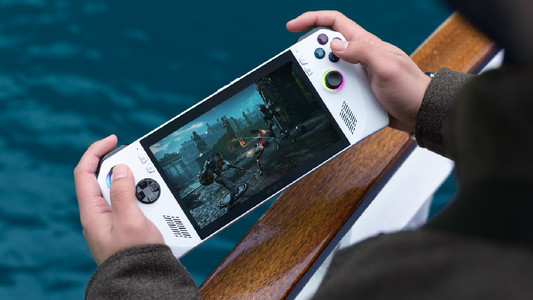
ASUS ROG Ally + Charger

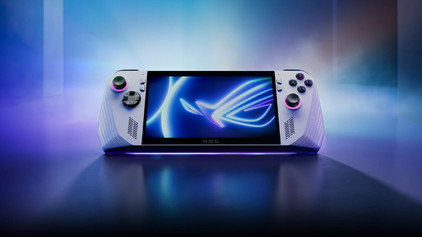
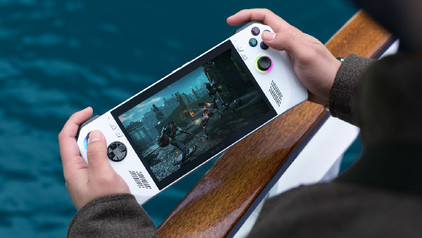
Pre-order the ROG Ally now and get 3 months of Xbox Game Pass Ultimate for free. Play your favorite PC games on your charged Asus ROG Ally with the ROG Ally Charger. Charge your ROG Ally when you don't use it or connect an extra monitor via the HDMI port on the charger. That's a function you don't have with the included charger. Choose your favorite game via the Full HD 7-inch touchscreen and quickly start the game thanks to the AMD Ryzen Z1 Extreme processor and AMD Radeon Navi3 video card. With a 120Hz refresh rate, you're sure that you can play any game without screen tearing. The ROG Ally runs on Windows 11. This means that you can install all game launchers on your handheld gaming console. Whether you want to play Fortnite via Epic Games or Halo Infinite via Xbox GamePass, you can download every game without issues. You can react quickly in a game with the extra buttons on the back. This handheld gaming console has a 512GB storage capacity. So you can store many games. Is the storage not enough? Expand your storage capacity with an extra microSD card. Quickly log in on your ROG Ally with your fingerprint. This way, you can start your game in no time.

Read all tips here

How do you change the settings per game on the ASUS ROG Ally?

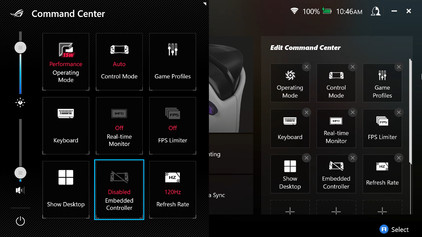
With the ASUS ROG Ally, it's important to use the correct settings while gaming. There are different settings for each game that you can adjust. This way, the game runs better on the ROG Ally. You can read where to find these settings and how to adjust them per game here.

How do you change the settings per game on the ASUS ROG Ally?

With the ASUS ROG Ally, it's important to use the correct settings while gaming. There are different settings for each game that you can adjust. This way, the game runs better on the ROG Ally. You can read where to find these settings and how to adjust them per game here.

Didn't find your answer?

Find an answer to your question quickly and easily via our customer service.

Coolblue specialist
Personal chat Digitalk.
You're now chatting with Coolblue customer service
This chat is closed
foo
Oeps File size is larger than 5MB. Upload a smaller file.