Welcome to your environment! You can order everything from your assortment with your personal budget here.

You can always return to the normal Coolblue website by clicking here.

Your outstanding budget (incl. VAT) is always visible here, so you know exactly how much you can spend.

Coolblue home

Help with your product

Call of Duty Black Ops 7 PS5 + Samsung 990 Pro 4TB Heatsink
0 reviews

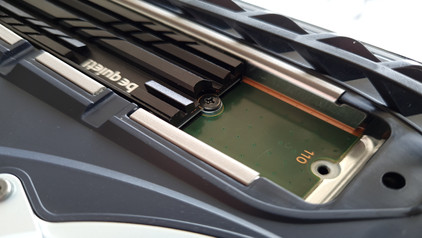
Note: this M.2 SSD has a PCI Express 4.0 (NVMe) design and only works if your system supports PCIe 3.0/NVMe. In addition, the SSD has an M-key, which only fits in systems with an M slot. Make sure to check this in the manual of your laptop or motherboard. You can play Call of Duty Black Ops 7 on the PlayStation 5 and store the game and all your save files on the Samsung 990 Pro 4TB Heatsink NVMe SSD. Thanks to the 7450Mb/s read speed, your game loads faster than when you use the internal SSD of the PlayStation 5. In the co-op campaign of Call of Duty Black Ops 7, you can work together with up to 3 friends as elite agents that fight against an enemy. After the campaign ends, everything ends with an online mission where up to 32 players come together on the Avalon map. Keep playing online with futuristic weapons in classic and new maps, or descent into the next round of Zombies in the Dark Aether. Your storage is well-cooled during gaming, thanks to the included heatsink. It actively leads heat away from your console, so everything keeps running smoothly. With 4TB storage in total, you have space for about 90 large games. This way, there's always space on the 990 Pro, for example for DLCs.

Read all tips here

How do you clone your SSD with Windows?

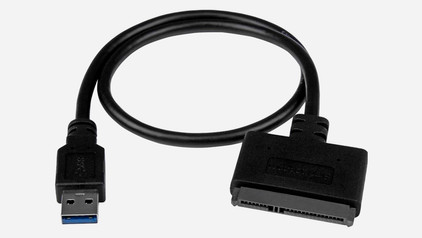
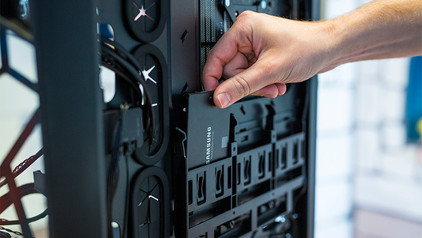
Have you purchased a new 2.5-inch SSD and do you want to transfer the data from your current SSD? We also call this process cloning or migrating. In this article, we explain how to transfer the data from your old SSD to your new SSD. The same steps also work if you want to transfer data from an old SSD to a hard drive (HDD). You can continue on your new drive with a one-on-one Windows copy.

Everything on PS5 SSD upgrade

Sony has a special SSD for the PlayStation 5 (Slim). The PS5 has a built-in SSD, but your console is full quickly due to the limited 825GB storage space. That's why Sony works together with Samsung. We'll keep track of all the news for your, and you purchase the SSD at Coolblue directly.
How do you prevent a static shock while building your PC?

When you're building your PC, static shocks could be dangerous for your computer parts. A small static shock is enough to destroy your parts. Luckily, there are things you can do to safely work in your PC. Wear a antistatic wrist strap and work on a solid surface, for example. In this article, we'll explain what you should and shouldn't do when building your PC.

How do you prevent a static shock while building your PC?

When you're building your PC, static shocks could be dangerous for your computer parts. A small static shock is enough to destroy your parts. Luckily, there are things you can do to safely work in your PC. Wear a antistatic wrist strap and work on a solid surface, for example. In this article, we'll explain what you should and shouldn't do when building your PC.

How do you clone your SSD with Windows?

Have you purchased a new 2.5-inch SSD and do you want to transfer the data from your current SSD? We also call this process cloning or migrating. In this article, we explain how to transfer the data from your old SSD to your new SSD. The same steps also work if you want to transfer data from an old SSD to a hard drive (HDD). You can continue on your new drive with a one-on-one Windows copy.

Everything on PS5 SSD upgrade

Sony has a special SSD for the PlayStation 5 (Slim). The PS5 has a built-in SSD, but your console is full quickly due to the limited 825GB storage space. That's why Sony works together with Samsung. We'll keep track of all the news for your, and you purchase the SSD at Coolblue directly.

How do you prevent a static shock while building your PC?

When you're building your PC, static shocks could be dangerous for your computer parts. A small static shock is enough to destroy your parts. Luckily, there are things you can do to safely work in your PC. Wear a antistatic wrist strap and work on a solid surface, for example. In this article, we'll explain what you should and shouldn't do when building your PC.

How do you prevent a static shock while building your PC?

When you're building your PC, static shocks could be dangerous for your computer parts. A small static shock is enough to destroy your parts. Luckily, there are things you can do to safely work in your PC. Wear a antistatic wrist strap and work on a solid surface, for example. In this article, we'll explain what you should and shouldn't do when building your PC.

Subjects

Didn't find your answer?

Find an answer to your question quickly and easily via our customer service.

Coolblue specialist
Personal chat Digitalk.
You're now chatting with Coolblue customer service
This chat is closed
foo
Oeps File size is larger than 5MB. Upload a smaller file.