Written by Rowan
Edited on
27 August 2025
·
07:49
Which Apple MacBook silicon chip suits you?
Apple silicon is the collective name for the chips from the M series. These chips are designed for macOS, and they work fast and energy-efficiently. There are many different Apple MacBook chips, so we're happy to help you make the best choice. For example, what's the difference between the M4 chip and M4 Pro chip? And which one suits your usage situation best? Read it in this article.
How can I help you?
Our digital expert will help you, but it can sometimes make mistakes, like humans do.
Comparison Apple MacBook silicon chips
| Apple M4 Max | Apple M4 Pro | Apple M4 | Apple M3 | |
|---|---|---|---|---|
| MacBook model | MacBook Pro | MacBook Pro | MacBook Pro and MacBook Air | MacBook Air |
| Number of CPU cores | 14 or 16 cores | 12 or 14 cores | 10 cores | 8 cores |
| Number of GPU cores | 32 or 40 cores | 16 or 20 cores | 10 cores | 8 or 10 cores |
| Maximum RAM | 48GB | 48GB | 32GB | 24GB |
| Maximum storage capacity | 2TB | 1TB | 1TB | 1TB |
| External screens | Up to 4 screens | Up to 2 screens | Up to 2 screens | Up to 1 screen |

Apple M4 Max chip: most demanding workflows
The M4 Max chip is suitable for the most demanding workflows. That way, you can edit complex 3D files and 8K video files. You can connect up to 4 external screens for extra overview.
- Even gaming, 3D animation, and app development go smoothly, and your creations render quickly.
- You can connect up to 4 external screens.
- Apple silicon chips aren't expandable.

Apple M4 Pro chip: demanding photo and video editing
The M4 Pro chip is suitable for professional photo and video editing. You can also connect up to 2 external screens, so you can switch between tabs or programs more easily.
- You can smoothly edit demanding photo and video files.
- You can connect up to 2 external screens.
- Gaming, 3D animation, and app development are slower.
Apple M4 chip: light photo and video editing
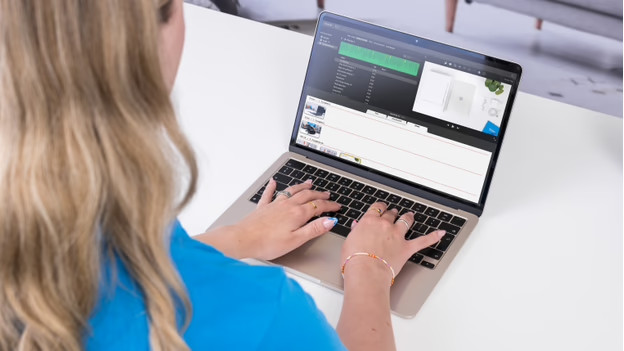
The M4 chip is the successor of the M3 family. You can perform all your administrative tasks and more. For example, keep up with your bookkeeping in Numbers, write your texts in Pages, and edit light videos in iMovie.
- Perform administrative tasks and edit light photo and video files.
- You can connect up to 2 external screens.
- Demanding photo and video editing is less smooth.

Apple M3 chip: everyday tasks
With the M3 chip, you can mostly perform everyday tasks. For example, shopping for clothes online, playing games from the App Store, or watching your favorite movie or series.
- Perform everyday tasks like browsing the internet, emailing, and text processing.
- You can connect up to 1 extra screen to a closed MacBook.
- Want to connect 2 extra screens? Choose the M4 chip.
Conclusion
The M4 series is the successor to the M3 series. These new M4 chips are faster and more powerful, so you can get more out of your MacBook. Which M4 chip you should choose, depends on your usage situation. Do you edit large 3D files or develop apps? The M4 Max chip is the best choice for you. Do you edit many demanding video files? Choose the M4 Pro chip. Do you want a MacBook you can use to perform basic tasks and edit a video every once in a while? Choose the M3 chip.