Written by Job
Edited on
7 October 2025
·
08:18
Compare Philips monitors
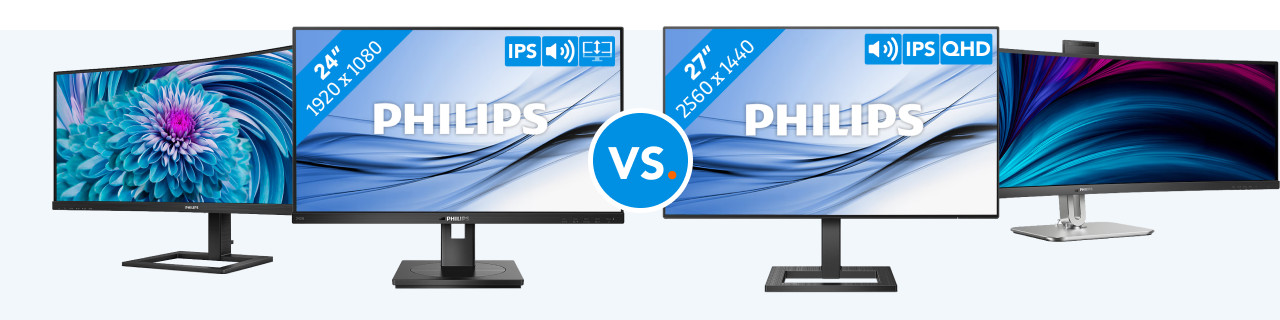
Philips monitors have a sharp image quality, which makes them suitable for your everyday work or photo and video editing. You can edit multiple photos at the same time on the large screen of the 49B2U5900CH/00. With the 346E2CUAE/00, you can power your peripherals. The 275E2FAE/00 is suitable for the office thanks to the IPS panel. The 242B1G/00 is the smaller model that you can adjust in height. In this article, we'll help you choose the monitor that suits you.
View the highlighted Philips monitors
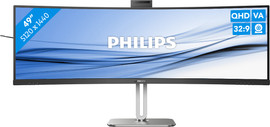
- 49B2U5900CH/00
Open multiple windows at the same time thanks to the 49-inch size.
Experience razor-sharp images with the QHD resolution.
Work more ergonomically with more depth thanks to the curved screen.
A 49-inch monitor doesn't fit on every desk.
From
949,-
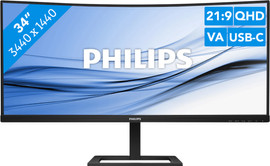
- 346E2CUAE/00
You can easily multitask thanks to the 34-inch screen size.
Connect a laptop or other devices to the USB-C port.
Power your peripherals via the USB-C port.
The monitor doesn't have a built-in webcam.
Retail price329,-From
259,-
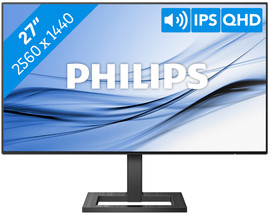
- 275E2FAE/00
Place more monitors next to each other thanks to the thin bezel.
Experience sharp colors from every angle on the IPS panel.
The SmartContrast technology automatically adjusts the colors.
A DisplayPort cable isn't included with this monitor.
Retail price209,-From
149,-
- 242B1G/00
Adjust the monitor in height for a better sitting position.
The monitor fits on every desk thanks to its small size.
You can't see the screen as well in brightly-lit rooms.
From
139,-
Compare Philips monitors
| 49B2U5900CH/00 | 346E2CUAE/00 | 275E2FAE/00 | 242B1G/00 | |
|---|---|---|---|---|
| Screen size | 49 inches | 34 inches | 27 inches | 24 inches |
| Resolution | QHD (5120x1440) | QHD (3440x1440) | QHD (2560x1440) | Full HD (1920x1080) |
| USB-C port | Yes, 1x | Yes, 1x | No | No |
| Adjustable in height | Yes | Yes | No | Yes |
| Curved | Yes | Yes | No | No |
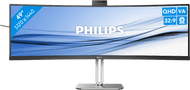
49B2U5900CH/00: super ultrawide and QHD image
Thanks to the 49-inch size of the 49B2U5900CH/00, you can open multiple windows next to each other. You can use it for multitasking this way, for example. This monitor has QHD resolution, so you can edit photos and videos in very sharp detail. Thanks to the curved screen, the monitor bends around your field of view. This way, you won't have to move your head as much and you won't hurt your neck. You can adjust the monitor in height for a comfortable sitting position. That way, you can work for longer without back pain.
949,-
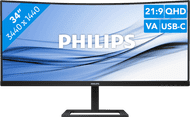
346E2CUAE/00: ultrawide monitor with USB-C port
The 346E2CUAE/00 is smaller than the 49B2U5900CH/00, but you still have a great overview of your work thanks to the 34-inch curved screen. You can open multiple programs at the same time, so you can multitask easily. Thanks to the QHD resolution, you'll experience sharp images with many details. Thanks to the built-in USB-C port, you can connect a laptop or other devices. You can also power your peripherals via the USB-C port. That way, you won't have to use an extra charger.

259,-
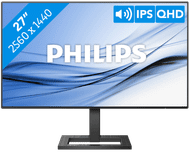
275E2FAE/00: thin bezels with SmartContrast technology
Thanks to the thin bezels, the 275E2FAE/00 is suitable for a setup with multiple monitors. This makes it useful for working from home. You can enlarge your screen space without a thick bezel in the middle of your setup. This monitor has a QHD resolution with an IPS panel. This ensures colors look lifelike. The SmartContrast technology automatically adjusts colors, so the contrasts between lighter and darker colors are bigger. This technology also has an Eco mode, which ensures a low energy consumption.
149,-
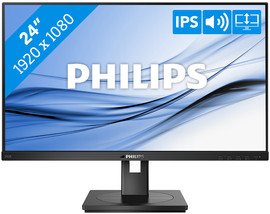
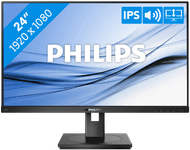
242B1G/00: starter model and adjustable in height
The 242B1G/00 is the starter model for business use. You can adjust this monitor in height to create an ergonomic sitting position. The monitor is 24 inches in size, so it fits on every desk. This makes the 242B1G/00 suitable for at the office. You can do your everyday work on it, like checking emails and writing texts. Thanks to the blue light filter, your eyes won't get strained from continuing to work until it's dark out. Thanks to the flicker-free technology, the monitor adjusts the brightness smoothly without flickering. This way, you won't get a headache.
139,-
Conclusion
If you edit many photos and videos or multitask, choose the 49B2U5900CH/00 for its super ultrawide curved screen. The 346E2CUAE/00 is a smaller model that's less wide, so it fits on your desk more easily. The 242B1G/00 is the starter model that you use for your everyday work. If you want a sharper and larger screen, choose the 275E2FAE/00.