Written by Jesper
Edited on
8 July 2025
·
15:06
How do you reset an OPPO smartphone?
When you reset your OPPO smartphone, you remove all personal data and revert your device back to the factory settings. It can help to reset your smartphone when it has gotten slow. It's also smart to reset your phone when you exchange it or sell it on. You can read how to easily and quickly reset your OPPO smartphone here.

Reset OPPO smartphone
Make sure the device is at least 50% charged before you reset it. You don't want it to switch off during the reset. You can also perform the reset while the device is charging. Then, follow the next steps:
- Try to reboot your smartphone first.
- Make a backup.
- Perform a hard reset in 6 steps.

Restart
Restarting is often the solution to small problems. When your smartphone is stuck, or if a function doesn't work optimally, for example. When you restart your smartphone, you won't lose data and you can leave your SIM card in the device. Try the method below if your screen doesn't respond either:
- Press and hold the standby button and the volume up button for 10 seconds.
- Release when you feel a vibration. Your OPPO smartphone now restarts.
Was the restart not the solution? Continue reading and perform a reset which reverts your OPPO smartphone to factory settings.

Before you start: create a backup
When you revert your phone to the factory settings, you remove all personal data and files. If you make a backup, you make sure you don't lose your photos, videos, and contacts. You can store the backup of your phone on a memory card, or in the cloud.
Hard reset in 6 steps
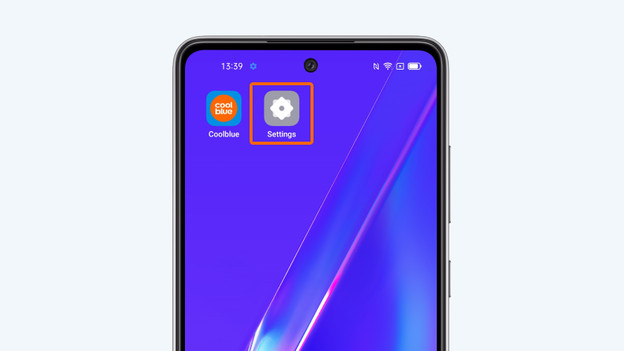
- Tap Settings.
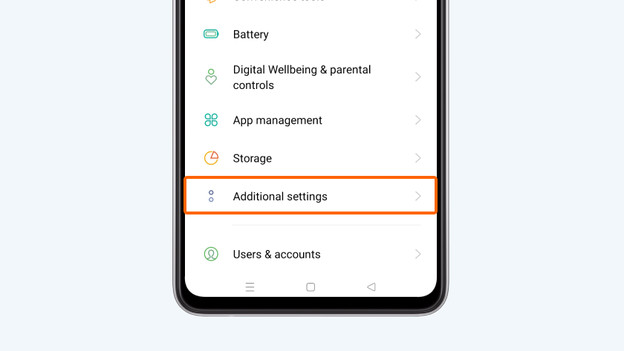
- Select Additional settings.
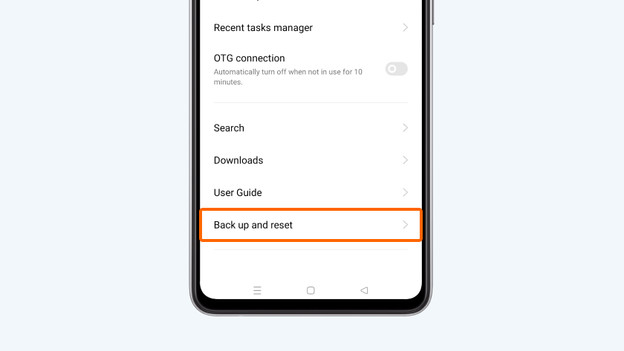
- Tap Backup and reset
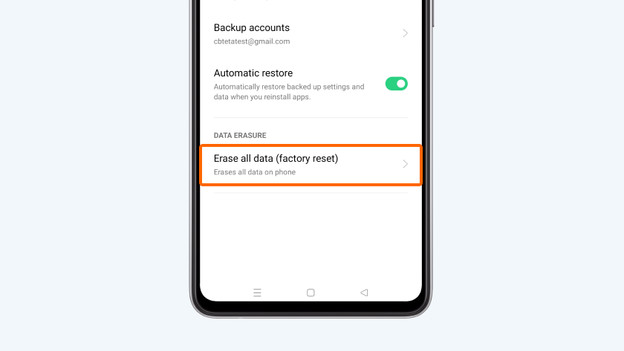
- Select Reset to factory settings. On some devices, this option is called Clear all data.
- Tap Clear all data
- Enter your PIN code and select Clear data again to confirm. Your OPPO smartphone will now start the reset.


Article by Jesper
Smartphone Expert.